Using this documentation with an AI agent
Give an AI agent with web access (Claude, ChatGPT…) this prompt, then ask it your questions:
Read https://docs.muppy.io/llms.txt, then answer my questions
from the pages it lists. Start by asking me what I want to do or know,
and whether I work in Muppy or in Manganese.
Lis https://docs.muppy.io/llms.txt, puis réponds à mes questions
à partir des pages qu'il liste. Commence par me demander ce que je veux
faire ou savoir, et si je travaille dans Muppy ou dans Manganese.
The agent reads llms.txt, the index of this site. The
index tells it what to fetch: the pages your question needs, or the whole site in one file
when that fits its context. It answers from those pages, gives you their links, and says
when the documentation does not cover your question.
An agent without web access cannot fetch the pages. Give it access — for Claude, see below
— or attach llms-full.txt, the whole site in one
file, when your agent accepts a file that size: llms.txt gives it.
Let Claude reach this site
Claude reaches only the websites its settings allow. When it answers that it cannot reach
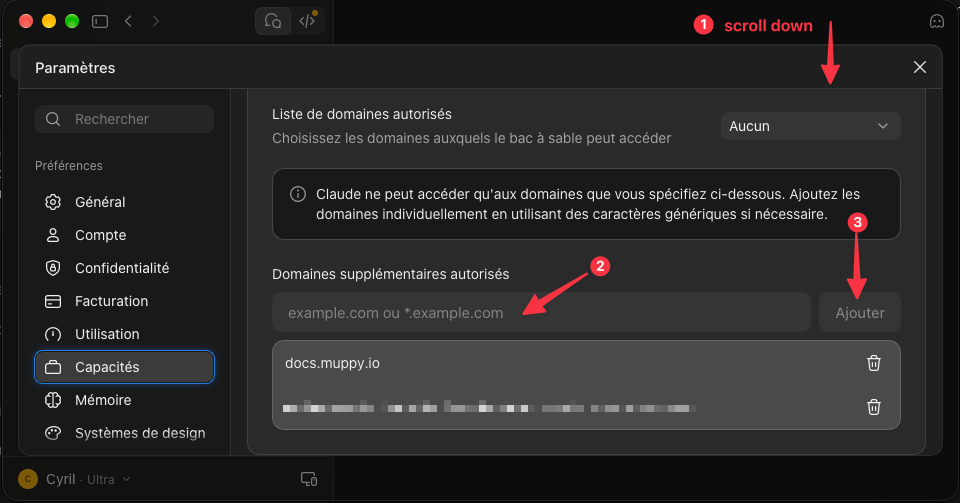
docs.muppy.io, add the site in Claude Desktop. Its English and French interfaces lay this
setting out differently: pick the tab of your interface's language.
Both tabs show Claude Desktop as it was on 17 November 2026. When its screens no longer match, contact the Muppy support at the address given in your contract, and we will update this section.
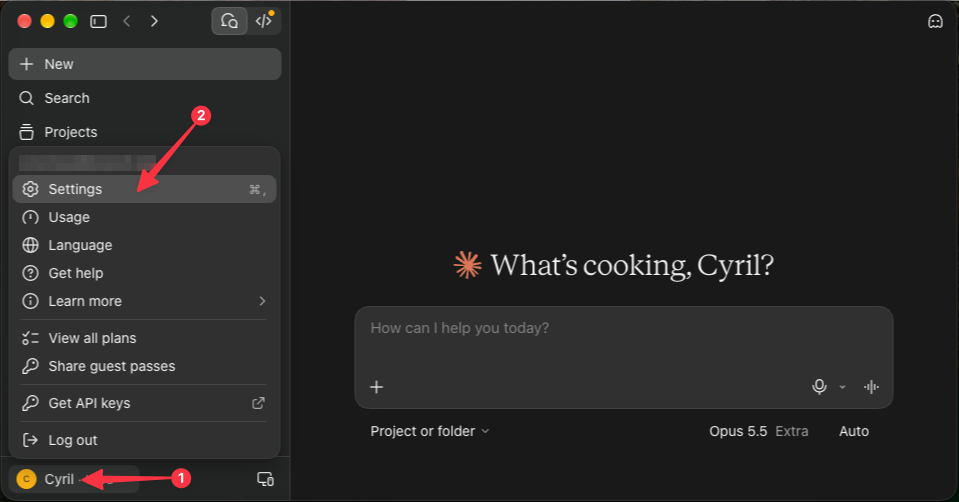
- click your name at the bottom left, then Settings;
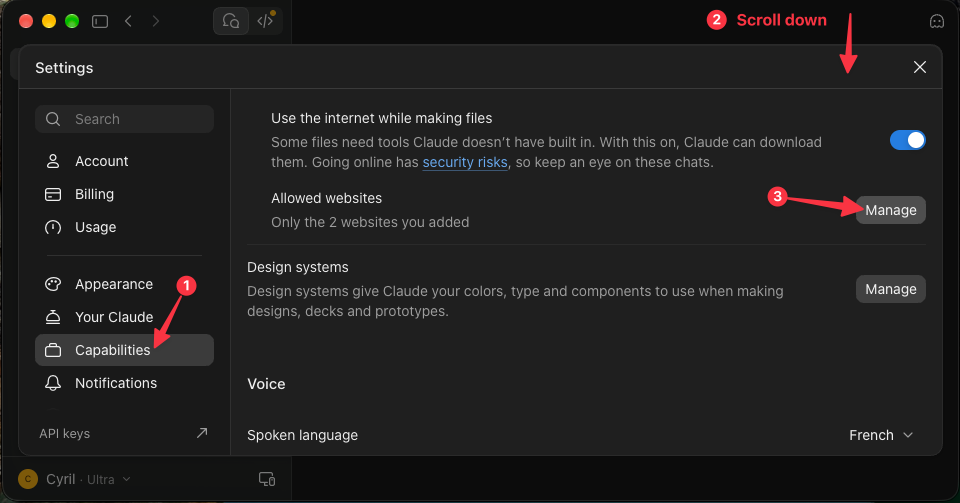
- open Capabilities, scroll down to Allowed websites, and click Manage;
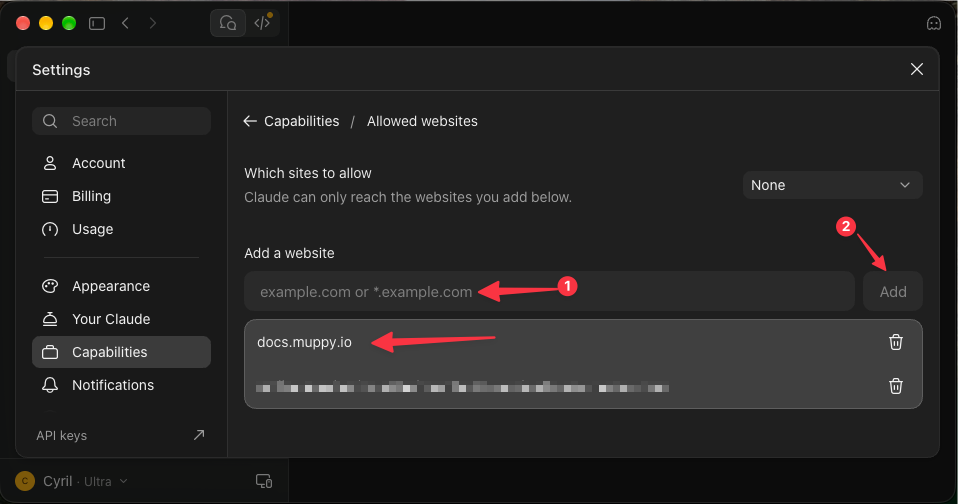
- type
docs.muppy.iounder Add a website, then click Add.
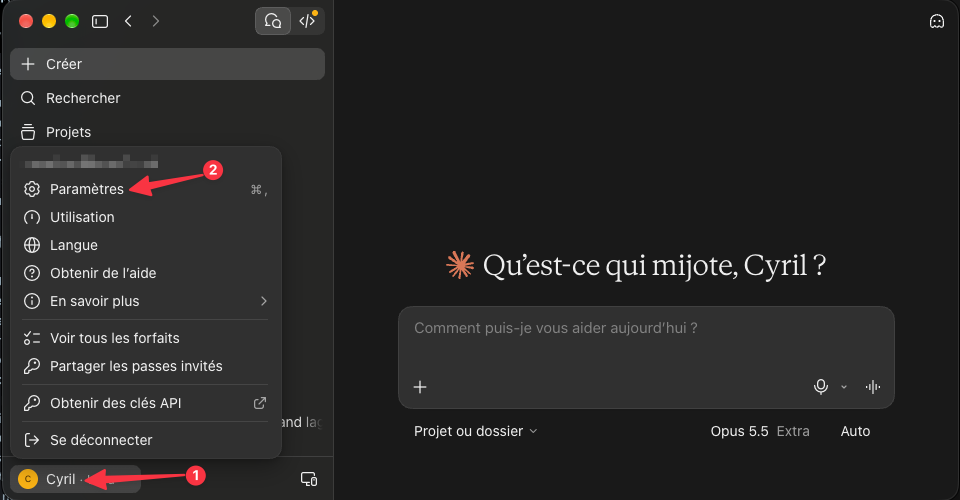
- click your name at the bottom left, then Paramètres;
- open Capacités and scroll down to Liste de domaines autorisés;
- type
docs.muppy.iounder Domaines supplémentaires autorisés, then click Ajouter.
Claude Code on a Muppy or Manganese App Server
An App Server's browser IDE ships with Claude Code, which fetches URLs itself. Give it the same prompt.