Traefik Servers
A Traefik Server is the Traefik reverse proxy Muppy installs and drives on a host: it
receives the HTTPS traffic of the host and routes it to the applications published there
(Muppy › Network › Reverse Proxies › Traefik servers). Muppy installs the Traefik binary
under /opt/muppy/traefik/, writes its configuration, and runs it as a systemd unit.
Traefik version
The field Traefik version of a Traefik Server names the Software Release it runs: a
release of type traefik, listed in Muppy › Configuration › Software Releases. A release
says which version it is and where its binary is downloaded from — for the releases Muppy
ships, the official linux_amd64 archive published on GitHub.
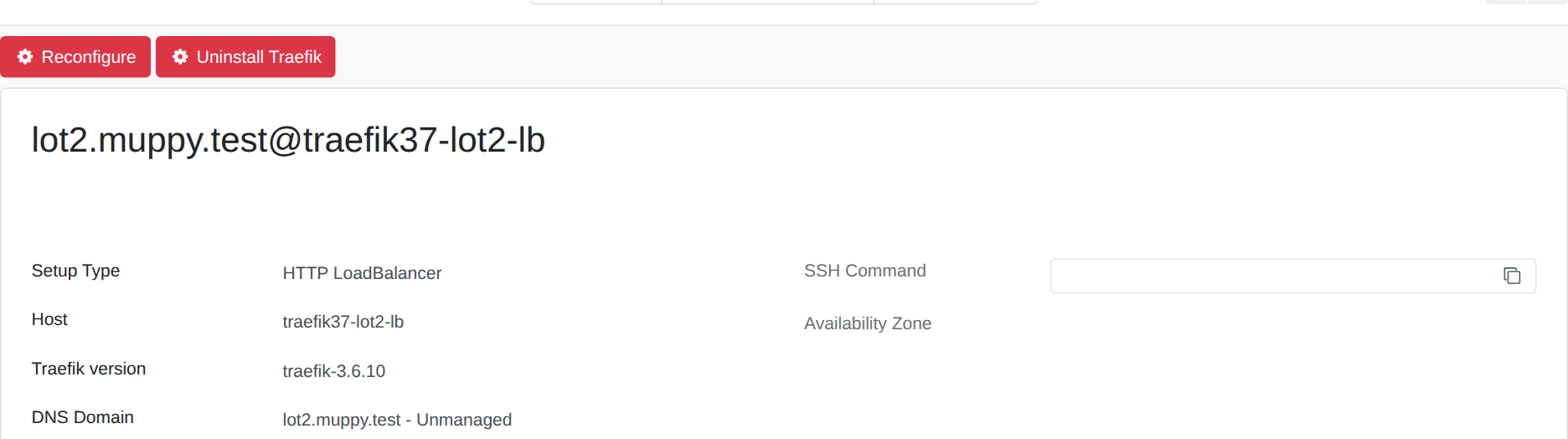
Muppy ships Traefik 3.7.14 as its newest system release, beside the older ones it still supports.
New servers take the release chosen in Settings ▸ Muppy ▸ Traefik ▸ Default version, which
the Install LXD App. Server wizard pre-fills. Until a release is saved there, the setting
offers traefik-3.7.14. An instance that saved another release keeps it: select
traefik-3.7.14 there for the servers you install from now on to run it. The servers that
already exist keep the release they name.
Changing the Traefik version
- Open the Traefik Server, and pick another release in Traefik version.
- Click Reconfigure, then Launch.
The Reconfigure downloads and installs the binary of the new release, uploads the configuration and restarts Traefik. When the installed version is already the one the server names, the binary is left as it is. Tick Reinstall the Traefik program in the dialog to download and reinstall it anyway; the certificates are kept unless Wipe the certificate store is ticked too.
The Reconfigure runs in the background: the dialog closes at once. Follow it in Qs (the task journal). Last Reconfigure, on the server's form, updates when Traefik is back up.
The ACME account and the certificates are kept. They live in
/opt/muppy/traefik/acme.json (and, for the DNS resolvers, in
/opt/muppy/traefik/resolvers_certs_storage/), which a change of version does not touch:
Traefik serves the same certificates after the restart, and renews them from the same Let's
Encrypt account. The file is created when it does not exist yet, and is always owned by
traefik with mode 0600.
The option Wipe the certificate store of the Reconfigure wizard is the one gesture that empties them. Traefik then requests every certificate again from Let's Encrypt, within the rate limits of the domain, and serves its default certificate until each one is issued. Keep it to recover a corrupted store.
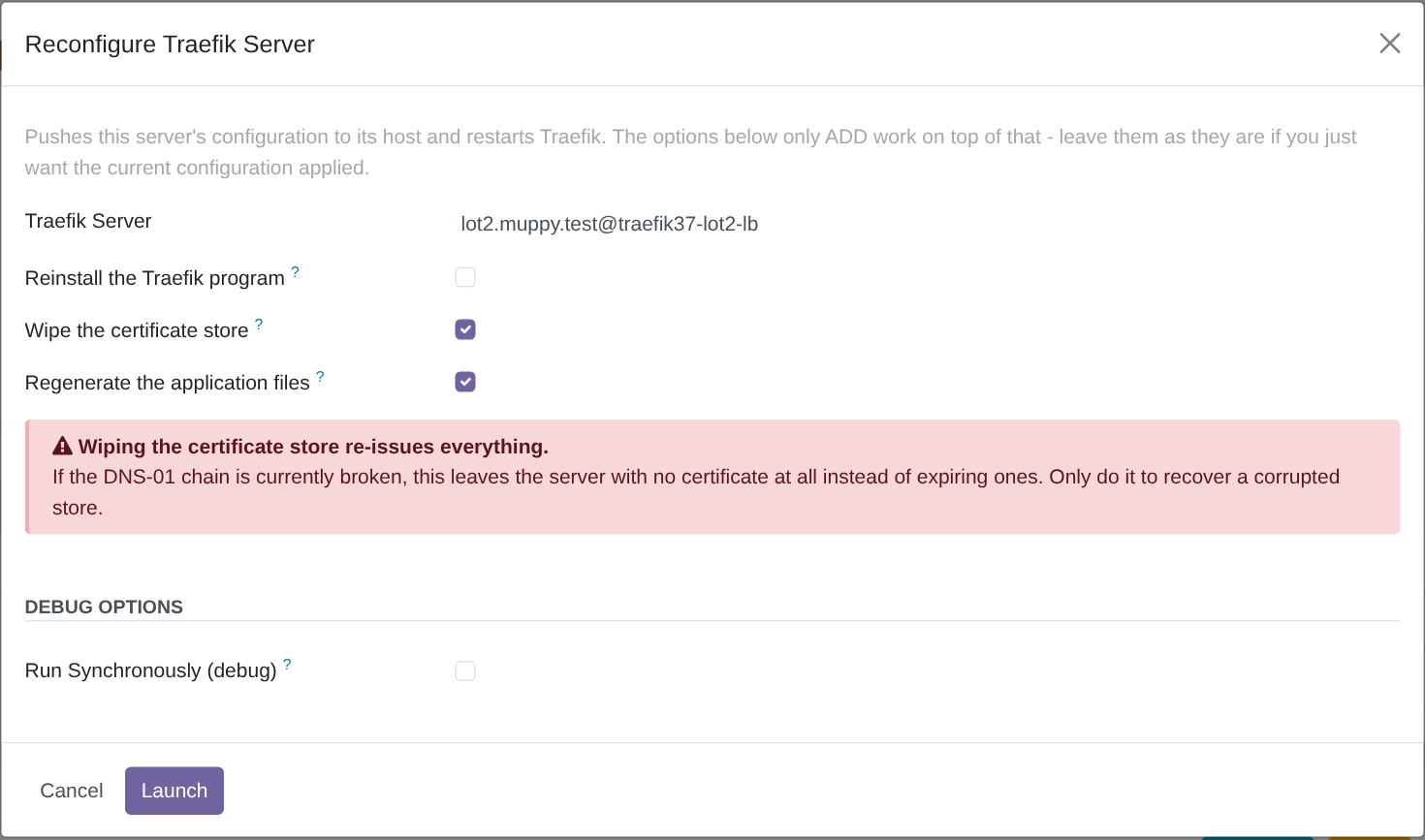
Warning
A server that requests its certificates by DNS-01 needs a working DNS challenge chain before its store is wiped: with the chain broken, it is left with no certificate at all.
Upgrading from Traefik 3.6 to 3.7
Start with a Traefik Server that has no Let's Encrypt certificates, then move the others.
- Open the Traefik Server, and pick
traefik-3.7.14in Traefik version. - Click Reconfigure, then Launch. Leave Wipe the certificate store unticked.
- Check that the applications answer, and read the log of the Traefik unit.
The ACME account and the certificates come through unchanged: the same acme.json, the same
certificates served after the restart. No new certificate is requested.
What the log shows under 3.7.
- Two
WRNlines aboutaliasHeadersStrategy, and one aboutencodedCharacters, at each start. They are advice from Traefik 3.7, and change nothing in the routing. - Every step of a certificate request:
Obtaining bundled SAN certificate,Use solver type=dns-01,The server validated our request,Server responded with a certificate. Under 3.6 the same requests leave no line at theINFOlevel; their trace is in Muppy's DNS challenge log only. - No
ERRline. AnERRnames its router or resolver: read it before moving another server.
Going back to 3.6. Pick traefik-3.6.10 in Traefik version, then Reconfigure and
Launch, again without Wipe the certificate store. Every certificate, including those
issued under 3.7, is still served. A wildcard application
stops answering under 3.6: Traefik 3.6 refuses its *. host name.
Duplicating a Software Release
Duplicate on a Software Release (from its form, or on several lines selected in the list) creates a release that belongs to you:
- its version takes the suffix
(copy), so its name reads<name> (copy)— duplicatingtraefik-3.6.10givestraefik-3.6.10 (copy); - it is not a system release: you can edit it, and Muppy's upgrades leave it alone;
- a release of type
v2carries the lines of its Config files and Systemd units tabs, as copies of its own. Those lines still point at the same templates as the original's.
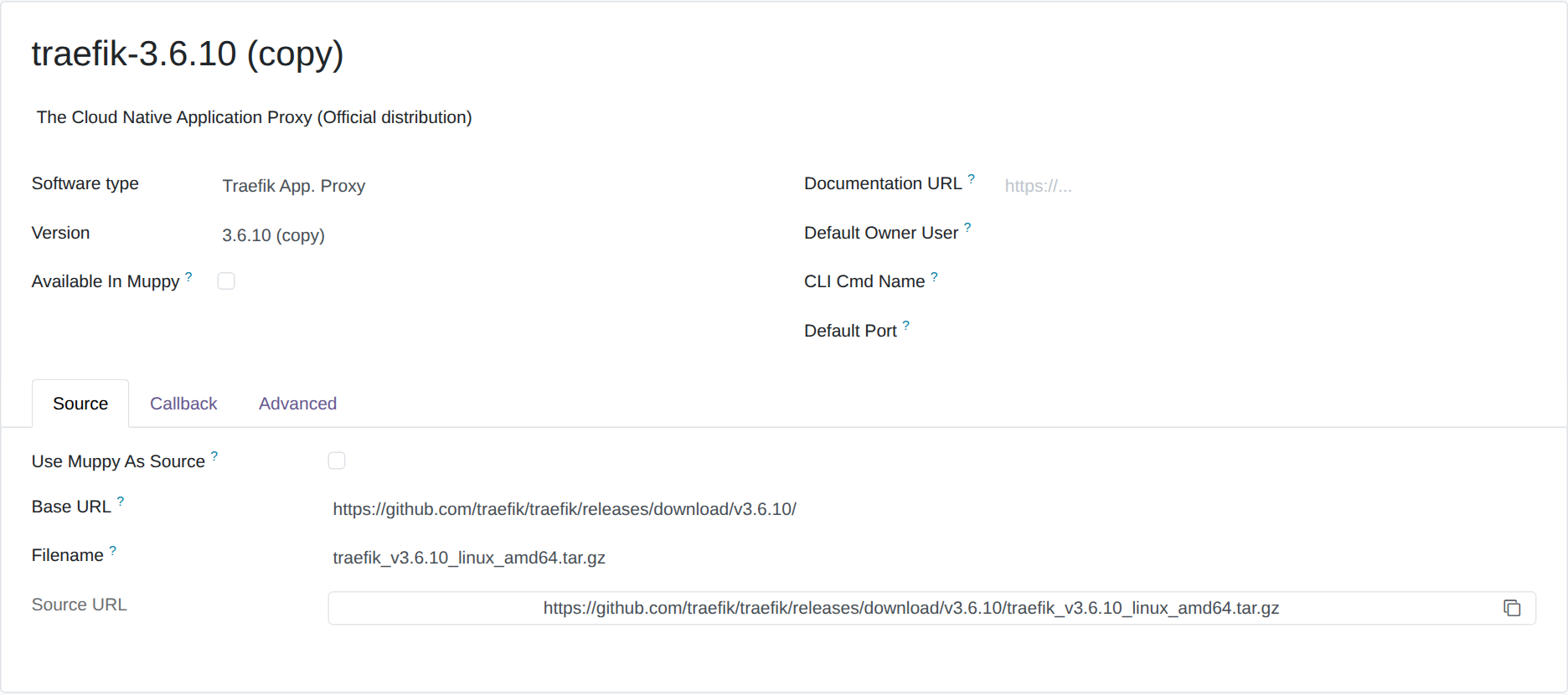
Edit the version of the copy to make it the release you need — a version a Traefik Server can
install is the version string of the Traefik binary, such as 3.7.14. Until then, a server
that names the copy reinstalls its binary at every Reconfigure: the installed version never
matches 3.7.14 (copy).