Administration (basic)
Muppy covers two administration areas:
- databases
- users and roles
Info
Muppy is not a full database administration tool. These functions exist to make the most common operations easy, not to replace psql or pgAdmin.
Databases
From a cluster you can:
- list and refresh its databases
- create or duplicate a database
- drop a database
- grant or revoke the right to connect
Listing databases
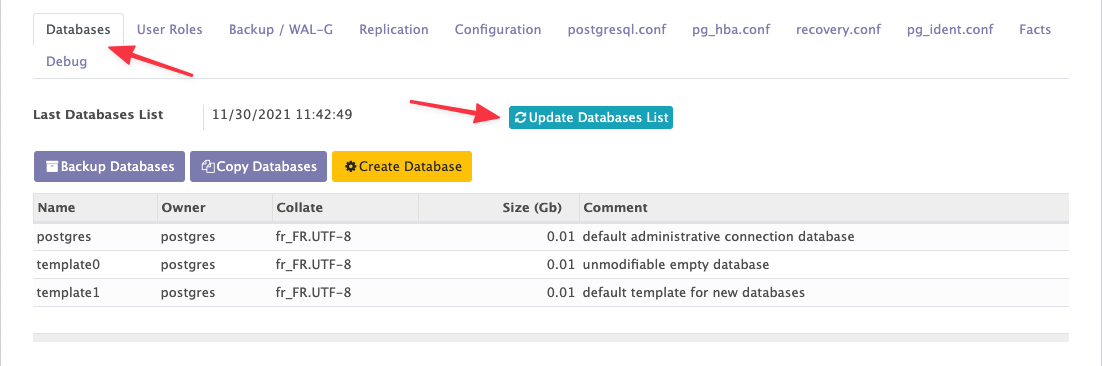
The Databases tab of a cluster lists them and refreshes the list with Update Databases List.
For a long list, the Databases stat button in the cluster header opens the same databases in a full list view, where you can search and group them.
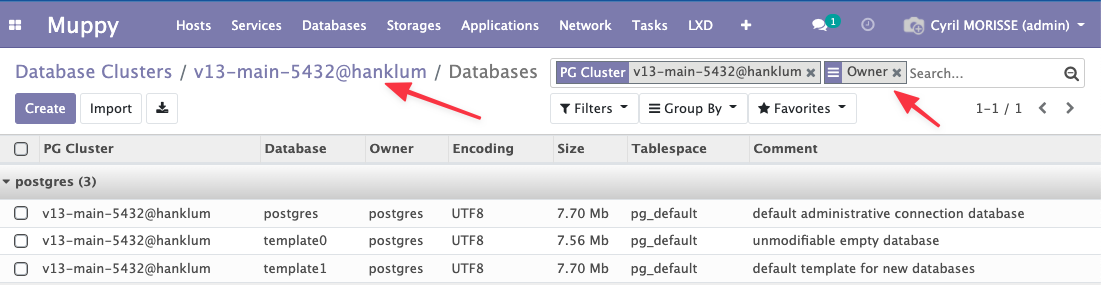
Click the cluster's name in the breadcrumb to go back to its form.
Creating and duplicating a database
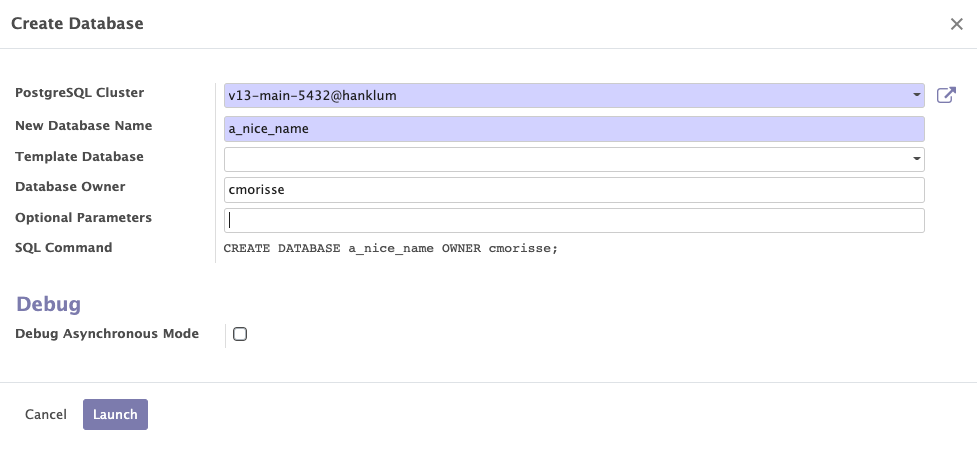
Create Database, on the cluster's Databases tab, opens a wizard that builds and runs a
CREATE DATABASE … statement.
Warning
The Template Database parameter duplicates an existing template database instead of starting from scratch.
A database form also has a Duplicate button, which is the same operation from the other
direction: it runs CREATE DATABASE … TEMPLATE <this database>.
Dropping a database
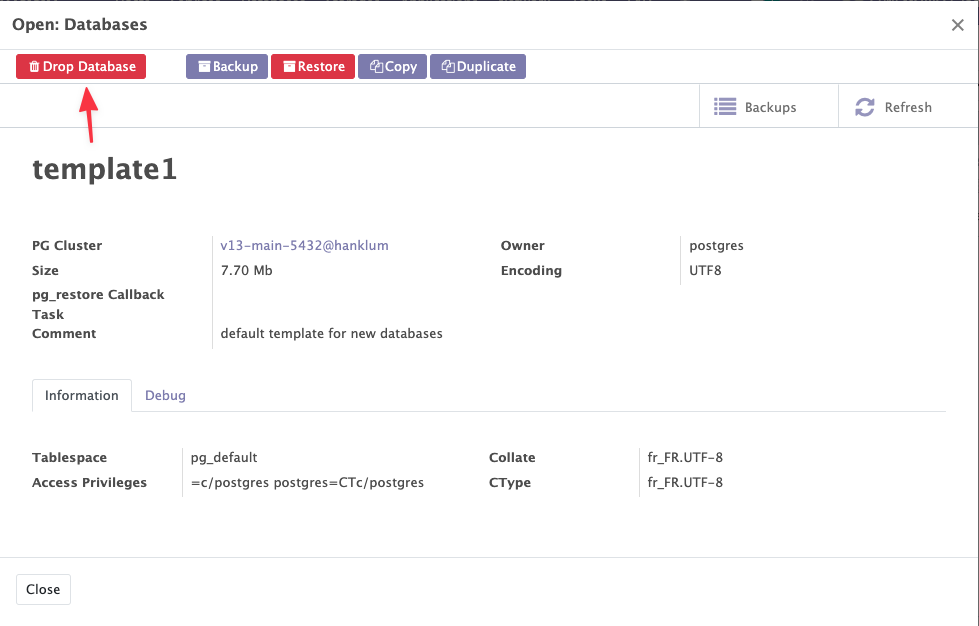
Drop Database sits on the database form, reachable from:
- the cluster's Databases tab
- the global list, Muppy / Databases / PostgreSQL / Databases
Who can connect
The database list carries a PUBLIC column: it tells you whether every role on the cluster can connect to that database, which is PostgreSQL's default.
To restrict it, select one or more databases in the list — they must belong to the same cluster — then use Grant CONNECT to User… or Revoke CONNECT from User… from the Actions (⚙) menu.
See CONNECT Privileges for the full model.
Users and roles
Warning
In PostgreSQL terms, a USER is a ROLE that has the LOGIN attribute.
The User Roles tab of a cluster lets you list, create, edit and drop roles.
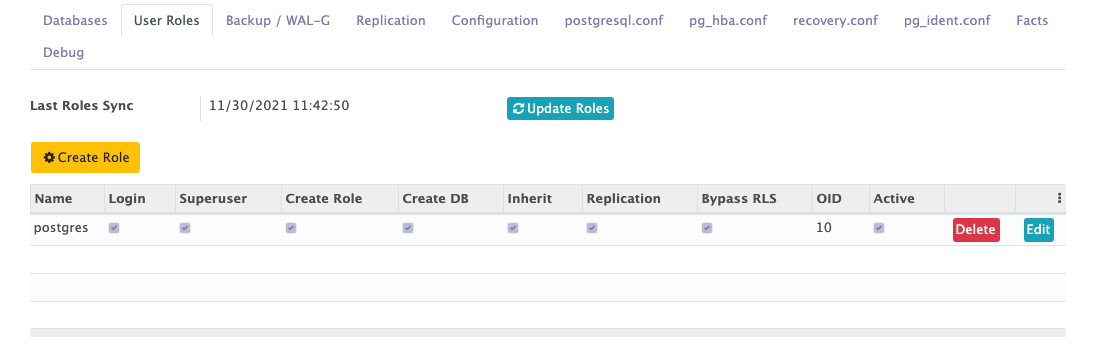
Listing roles
Update Roles refreshes the list from the cluster. Same behaviour as the databases list.
Creating and editing a role
Create Role opens the Create / Update PostgreSQL Roles wizard, which builds and runs a
CREATE ROLE … statement.
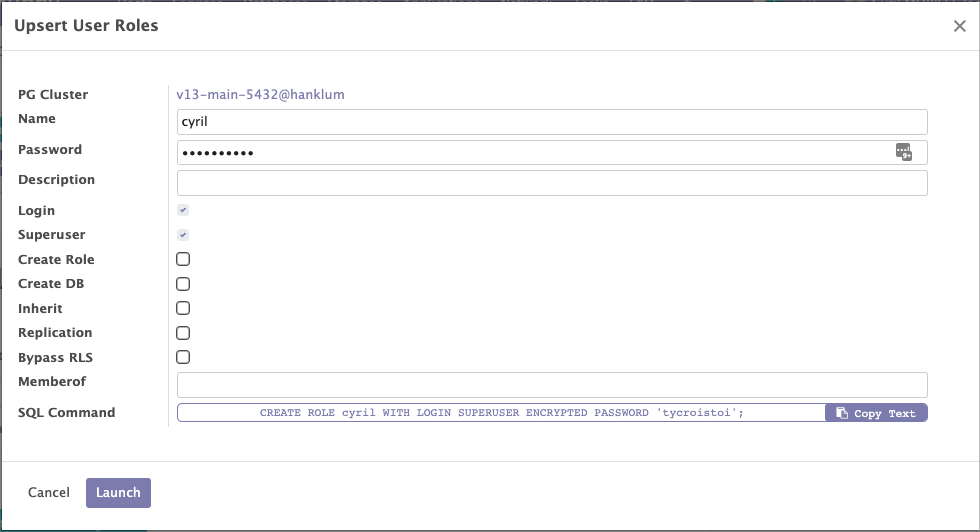
The Edit button on each role line opens the same wizard, but it generates an ALTER ROLE
statement instead.
Muppy sends the statement to psql through its standard input: the password is on no command
line of the cluster's host and in no task journal.
Dropping a role
Drop, on each role line, removes the role.
Connecting as a role
The form of a role that has the LOGIN attribute shows a psql command under Connect, ready to copy:
PGPASSWORD="yourpwd" psql -h 51.68.12.34 -p 5432 -U my_role my_role_db
- Replace
yourpwdwith the role's password. Muppy does not store role passwords, so it cannot fill it in. - The host is the cluster's host IP address, and the port is the cluster's port.
- The database is the one the role owns. When the role owns more than one, the first one by
name is used. When it owns none, the command connects to
postgres.