Launching Cluster Backups
Alongside the continuous WAL Segment backup, PITR needs regular full backups — Cluster Backups (WAL-G).
Three ways to run them:
- manually
- from the postgres user's crontab
- from a scheduled Muppy Task — the recommended one
Manual
Click Launch WAL-G Cluster Backup at the top of the Backup / WAL-G tab of the cluster form.
Via the postgres crontab
The Full Backups Configuration group, on the same tab, schedules the cluster backups (and the purge) when they run from the database server itself.
Tick Activate WAL-G in CRONTAB and Muppy shows:
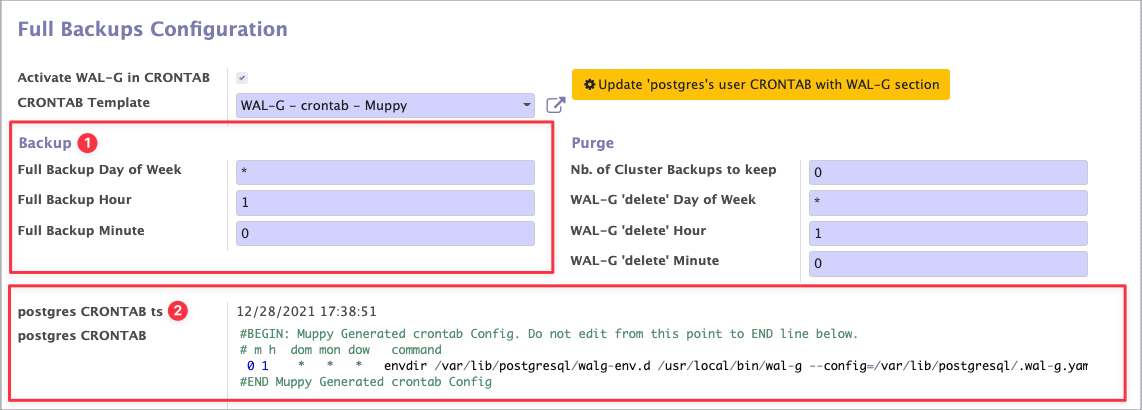
- Full Backup Hour, Full Backup Minute and Full Backup Day of Week — the cron fields that set the schedule. See crontab.guru.
- The crontab file, with the timestamp of Muppy's last reconfiguration.
Info
Muppy does not overwrite the postgres crontab. It injects a block holding the WAL-G commands, generated from the template named in CRONTAB Template. The same template covers both the backups and the purge.
Applying the configuration
Click Update 'postgres's user CRONTAB with WAL-G section to write the crontab.
Muppy will not know about these backups
A backup started by the server's own cron never passes through Muppy, so the Cluster Backups list goes stale. Schedule a refresh as described in Refreshing the list.
Via a scheduled Muppy Task
This is the recommended route. It gives you:
- notifications on success and on failure
- execution logs
- an always-current Cluster Backups list
Create a Task Run with:
- the Muppy Task
walg_backup_push - the Host running the cluster to back up
- that Database Cluster
- a Muppy CRON, via Create Cron, for the recurrence
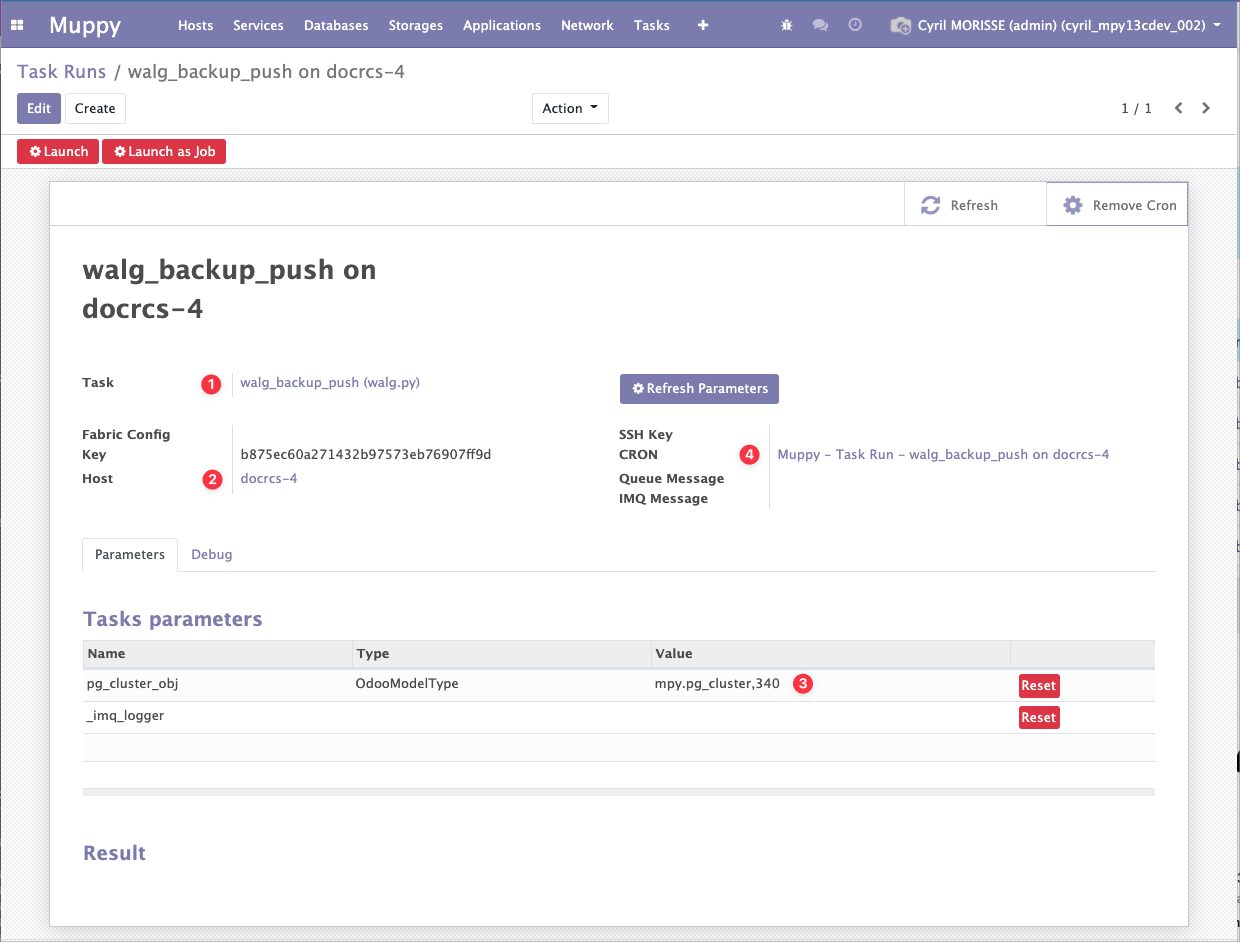
Test it with Launch as Job before scheduling it.
Success
walg_backup_push refreshes the Cluster Backups list itself when it finishes. That is the
difference with the crontab route.