Restructuring an RCS
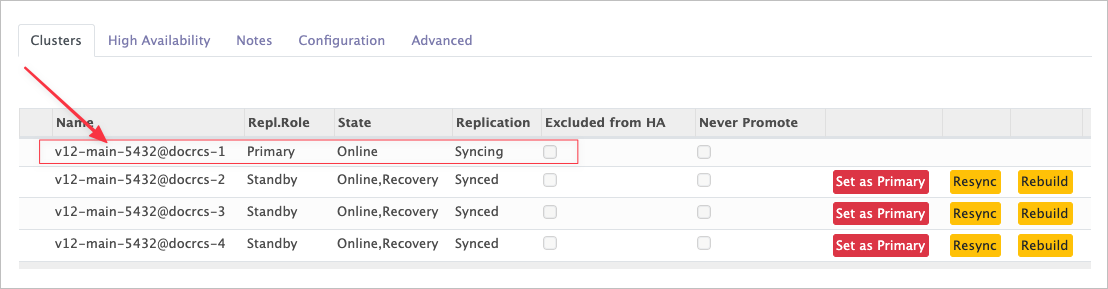
All of these operations live on the Clusters tab of the RCS form. Which buttons appear on a line depends on that cluster's role and replication state.
| Operation | Applies to | Effect |
|---|---|---|
| Set as Primary | Standby | Make this standby the RCS primary and reconfigure every member. |
| Rebuild | Standby | Rebuild the standby from scratch with pg_basebackup. |
| Resync | Standby | Resynchronise the standby with pg_rewind. Lighter than a rebuild. |
| Promote | Standby | Turn the standby into a standalone cluster and take it out of the RCS. |
| Demote | Primary | Turn the primary into a standalone cluster and take it out of the RCS. |
| Remove | Any member | Detach the cluster from the RCS. |
Standby operations
Set as Primary
The common one: promote a standby to primary and reconfigure the whole set around it.
Click Set as Primary on the line of the cluster you want to promote.
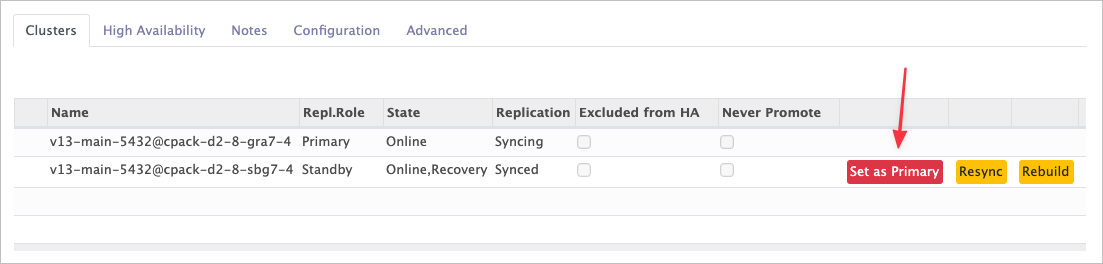
It runs in three stages:
- The selected standby becomes the primary.
- The other standbys are reconfigured to follow it.
- The former primary is rebuilt as a standby of the new primary.
The new primary loses its recovery settings, primary_conninfo included — see the
recovery.conf tab.
Tell your applications
Changing the primary affects everything connected to the cluster. Integrating an RCS covers the callbacks that notify your application or orchestrator.
Rebuild and Resync
A standby that can no longer catch up — after a long disconnection, for instance — has to be repaired.
- Resync uses
pg_rewind. Try this first. - Rebuild re-creates the standby with
pg_basebackup, as if it had just been added to the RCS. Slower, but it always works.
Resync sits on the cluster's Advanced tab; Rebuild is on its line in the Clusters list.

Promote
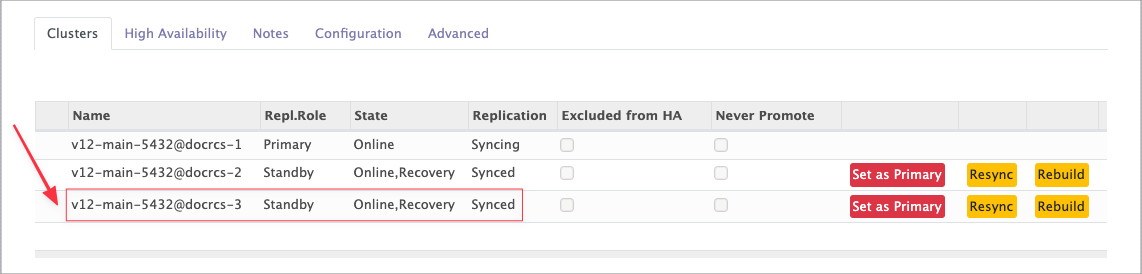
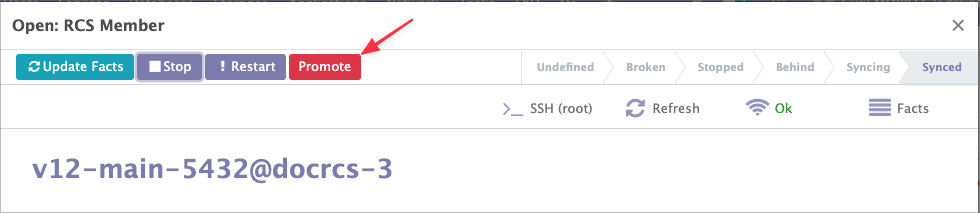
Promote turns a standby into a standalone cluster and removes it from the RCS. Open the standby from the RCS's cluster list, then click Promote in the header. The promoted cluster loses its recovery settings, as with Set as Primary.
Primary operations
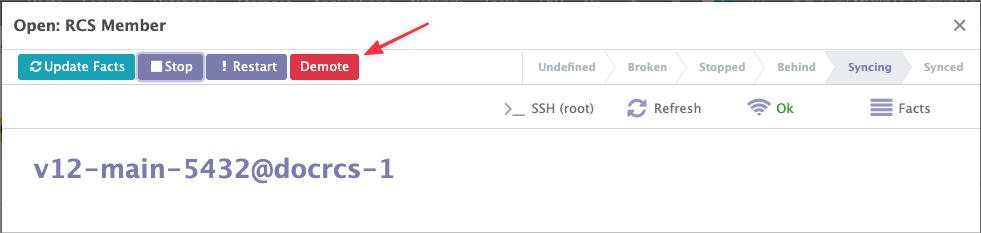
Demote is the only operation available on a primary. It reconfigures the primary as a standalone cluster and removes it from the RCS.
Demoting the primary breaks the RCS
Prefer Set as Primary on another member, then Promote the old primary once it has become a standby. Same result, without leaving the set without a primary.
Open the primary from the RCS's cluster list, then click Demote in the header.