Unmanaged DNS Domains
A DNS Domain in Muppy names the provider that hosts its zone: OVH, Cloudflare, Scaleway, a Muppy Built-in DNS server… For those providers, Muppy holds an API credential and writes the zone itself: it creates a record for each application, syncs the zone, checks the credential, and answers Let's Encrypt's DNS-01 challenge.
Unmanaged is the provider of a domain whose zone Muppy does not reach. You keep the zone where it is, at a provider Muppy has no API for or one you prefer to run by hand, and Muppy uses the domain's name without ever writing to it.
A new DNS Domain is Unmanaged until you choose another provider.
What Muppy does for an Unmanaged domain
| Domain with a provider API | Unmanaged domain | |
|---|---|---|
| Connect | Authorises the API (OAuth or token), then checks it | Marks the domain as usable: its state becomes Connected |
| Disconnect | Revokes the API access | Marks the domain as unused: its state goes back to New |
| DNS records | Created and removed by Muppy | Created by hand at your DNS provider |
| Sync, Check Connection | Available | Not shown: there is nothing to call |
| Let's Encrypt (DNS-01) | Available | Not available: no API can write the challenge record |
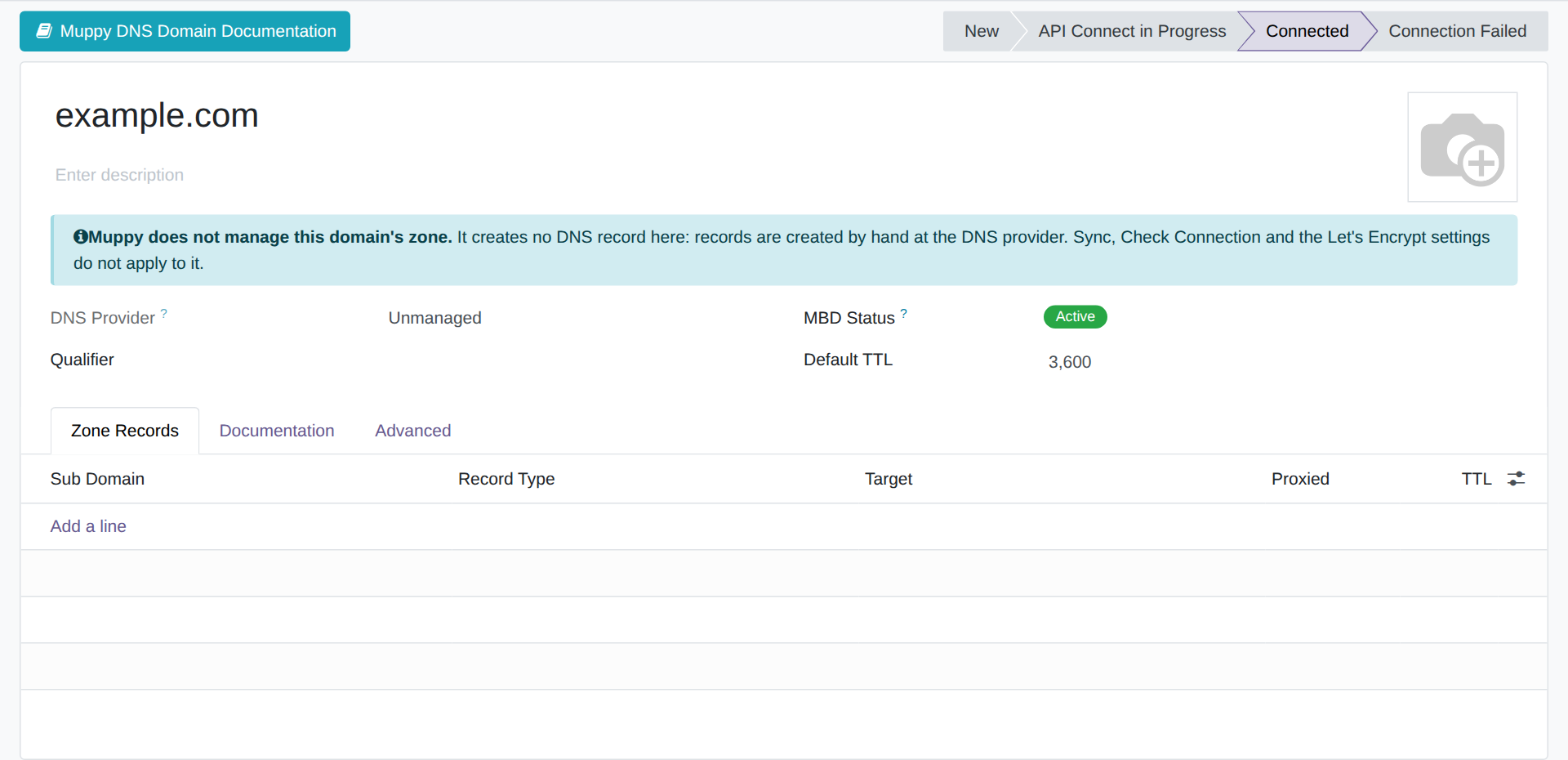
The domain form says so with a banner, Muppy does not manage this domain's zone, and shows only the tabs that apply.
Using an Unmanaged domain
- Muppy › Network › DNS › DNS Domains › New. Enter the domain name and keep Unmanaged as the DNS Provider.
- Connect. The domain becomes Connected, which is what the pickers that expect a usable domain look for — for example the Domain of the Install LXD App. Server wizard.
 3. Create the records yourself. Point each name Muppy uses — or a wildcard such as
*.example.com — at the public address of the host that serves it.
Installing Traefik on an Unmanaged domain
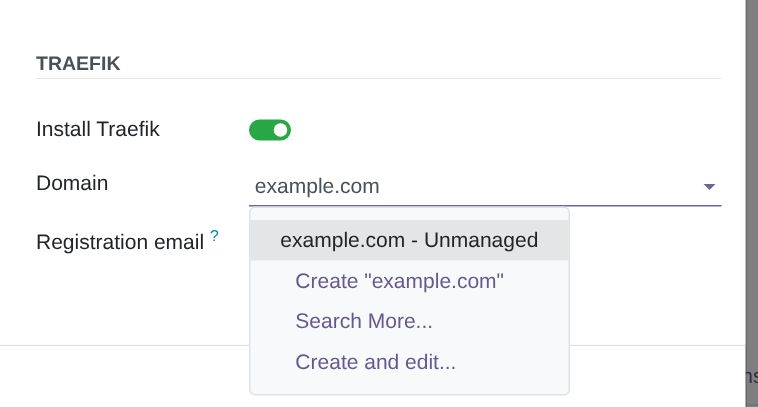
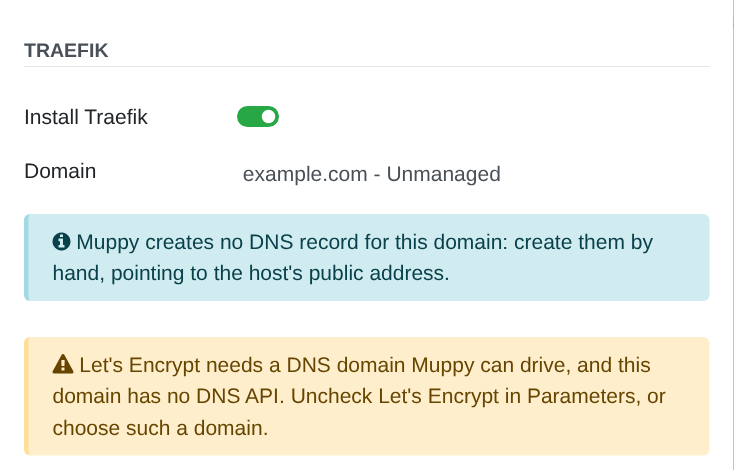
The Install LXD App. Server wizard installs Traefik on an Unmanaged domain, with Let's Encrypt off.
- An info alert reminds you that Muppy creates no DNS record for the domain: create them by hand, pointing to the host's public address.
- Use Let's Encrypt, on the Parameters tab, is checked by default. While it is, a warning says Let's Encrypt needs a domain Muppy can drive, and Launch refuses. Uncheck Use Let's Encrypt, or choose a domain whose provider Muppy drives.
Launch installs Traefik in the background and opens the host's task list: follow the Install Traefik task there, under Muppy › Tasks. The Traefik server it creates has no DNS challenge provider and does not create DNS subdomains.
Choosing a provider later
The DNS Provider can be changed on the domain form while the domain is New: disconnect it first. Once the domain is on a provider Muppy drives, connect it: the records, the sync and Let's Encrypt become available.
If a provider addon is uninstalled, its domains become Unmanaged: their names, states and records stay, and Muppy stops writing to their zones.