Activating Encryption
Activation is a short guided ceremony. It generates the master key, shows it to you once, and refuses to proceed until you prove you saved it. Interrupting it at any point breaks nothing.
Before you start
- The key holder must be running.
mpy-masterkeydis the small process that holds the master key in memory. On a provisioned server it runs as a service; on a development box, start it with:
make masterkeyd-run
If the default runtime directory is not writable on your machine, the error message
hands you the exact line to run instead (typically
make masterkeyd-run MASTERKEYD_DIR=/dev/shm/mpy-masterkeyd). The daemon starts
empty and announces its socket; Muppy finds it by itself — nothing to configure.
!!! note "Where the key holder runs"
    On an **LXC / bare-metal** App Server it is the systemd unit `mpymasterkeyd`
    that the App Definition declares, listening on a unix socket that Muppy's own
    processes reach with no configuration. On **Kubernetes** it is the `mkeyd`
    part of the Parts Config: its own pod, reached over TCP through the Service
    `<key>-mkeyd-svc`. The Odoo parts carry `MPY_MASTERKEYD_ENDPOINT`, present
    their ServiceAccount token, and the API server vouches for them. See
    [Day 2](day-2.md#the-holder-on-kubernetes) for what a pod replacement costs.
-
Have your password manager open. The ceremony will give you two things to paste into it, and the whole design assumes they end up there.
-
You need to be a member of the Vault Encryption Administrator group to see the screen.
The ceremony
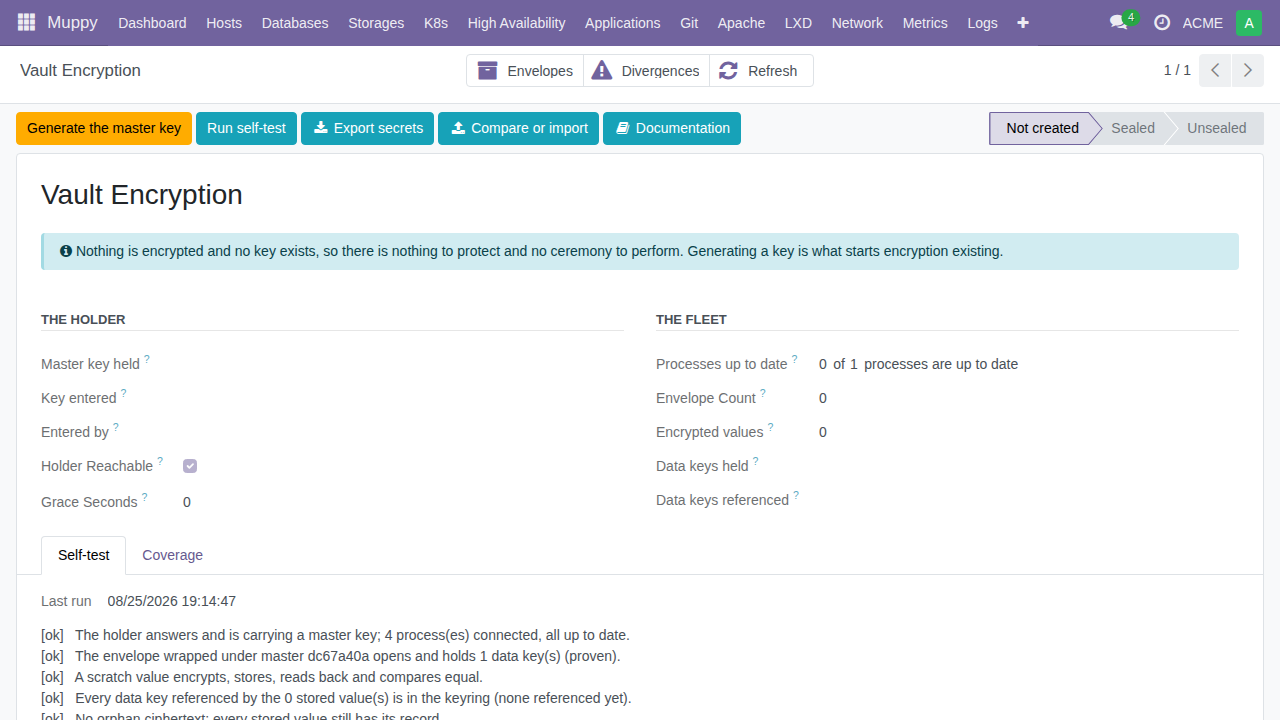
Open Vault ▸ Encryption. On a database where encryption was never activated, the
screen shows state Not created and offers a single action: Generate the master
key.
- Generate. The wizard displays the new master key once, with a copy button,
and a suggested password-manager entry name of the form
mpy-masterkey@<your-server-url>— also copiable. Save both in your password manager now.
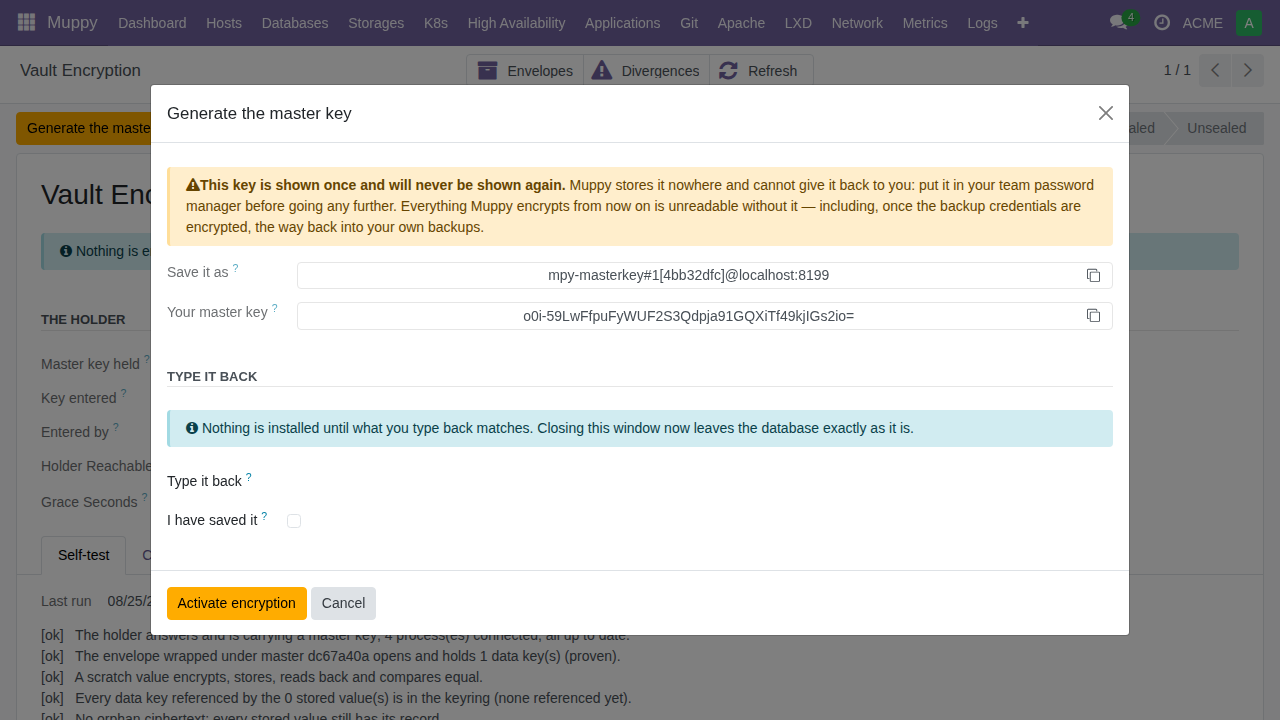
!!! warning "It will never be shown again"
    The key is displayed at this moment and at no other. Muppy stores no copy —
    that is the entire point. If you lose it, nothing encrypted under it can ever
    be read again.
-
Type it back. The wizard asks you to paste the key again. This is not bureaucracy: it proves the key actually reached your password manager before anything depends on it. A wrong paste-back refuses, and nothing has been installed.
-
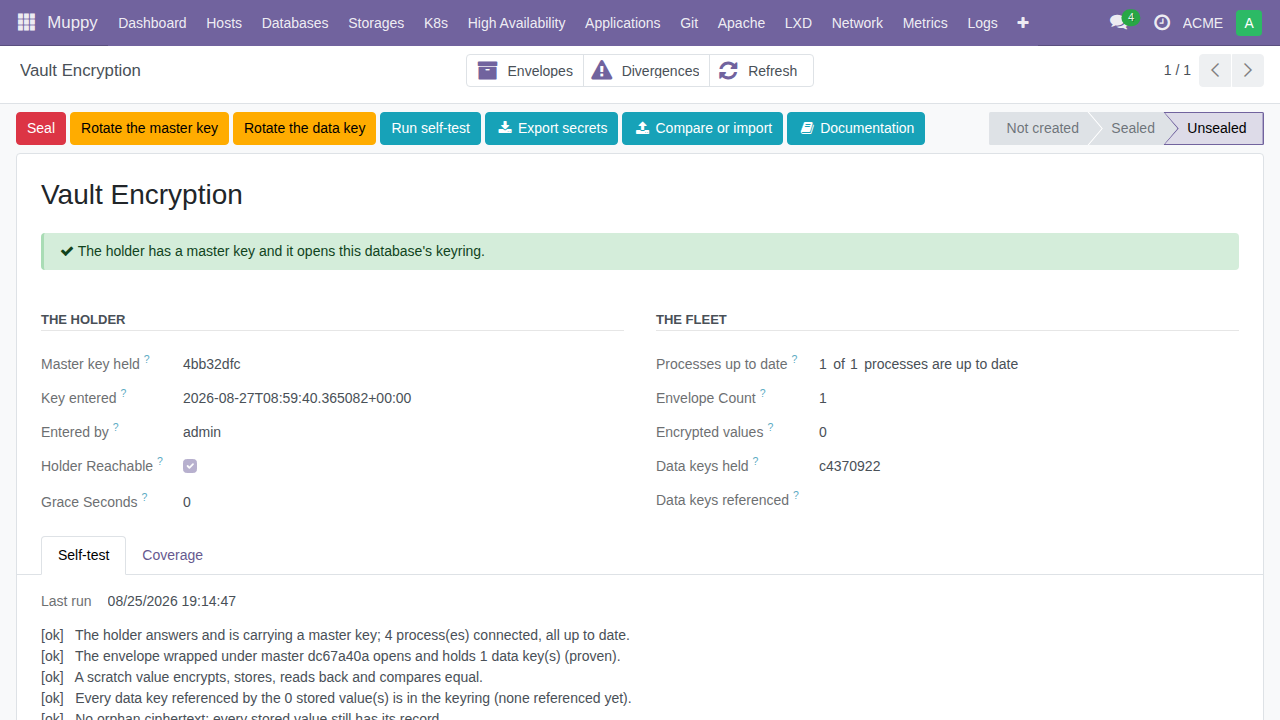
Activate encryption. On confirmation Muppy hands the key to the holder, creates the first data key, wraps the keyring and proves the envelope opens. The screen turns Unsealed, and the chatter records who activated, when, and under which key identifier.
Check it worked
- Click Run self-test on the Encryption screen. It runs five non-destructive checks (holder reachable, envelope opens, a full encrypt/decrypt round-trip through the store, key coverage, no orphans) and prints a readable verdict. This button is always safe — it is the right reflex whenever you are in doubt.
- From now on, every new write of a declared secret field is encrypted immediately. You can see it in the Coverage tab: encrypted counts rise as secrets are written.
What activation does not do
Activation encrypts new writes. Secrets that already existed before activation stay in clear in their original columns until you run the sweep ("Encrypt secrets still in clear") — and the sweep is a decision, not an automatism, because clearing the plaintext is the point of no return.
Do not run the sweep on a production database without reading Certification and Production first. The sweep verifies every value before it clears its column, and its undo is the backup taken just before — take one. For a new family of secrets, the certification mode lets you sweep without clearing the plaintext, run for weeks with a witness, and only commit once you have certified the family against your own data.