Configuration
A cluster is configured entirely from its Database Cluster form.
- The header carries the cluster's identity.
- The Configuration tab holds the on-disk locations of the cluster's components; its pgdata Directory is where the data lives — see Placing the data directory on another disk.
- Each configuration file (
postgresql.conf,pg_hba.conf, …) has its own tab.
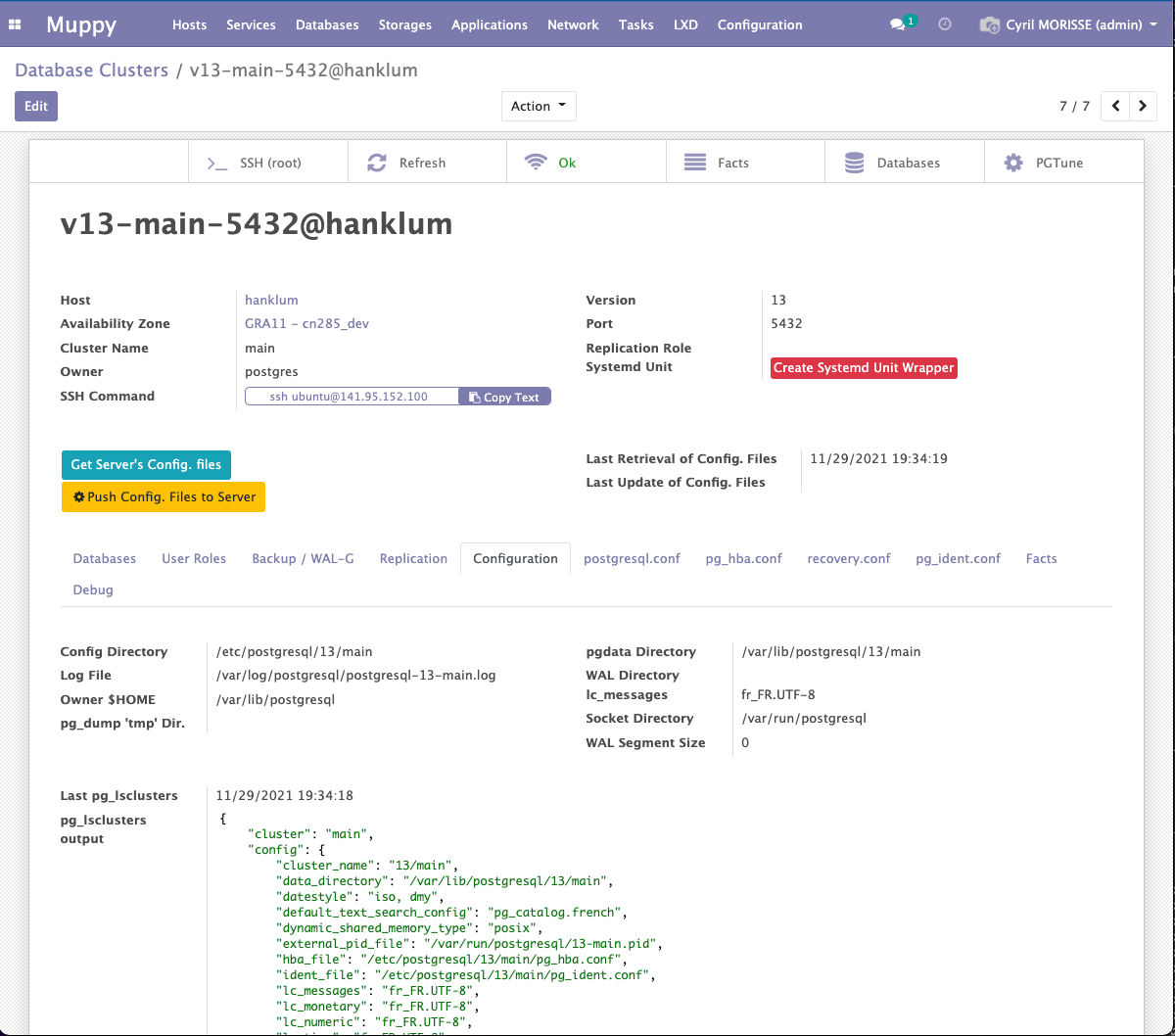
How Muppy configures PostgreSQL
You edit the configuration files in Muppy, then push them to the cluster. You can also pull back what the cluster currently holds. Two header buttons do this:
- Get Server's Config. files — read the files from the server into Muppy.
- Push Config. Files to Server — write Muppy's version onto the server.
Next to each button, Muppy shows when the files were last fetched and last pushed.

postgresql.conf
The postgresql.conf tab manages PostgreSQL's main configuration file.
Type the directives you want to add in the first text area, labelled postgresql.conf. The
text areas below it show postgresql.conf and postgresql.auto.conf as they currently exist on
the server — they are read-only.
When you are done, click Push Config. Files to Server and confirm.
Info
One push covers every configuration file. Edit them all first, then push once.
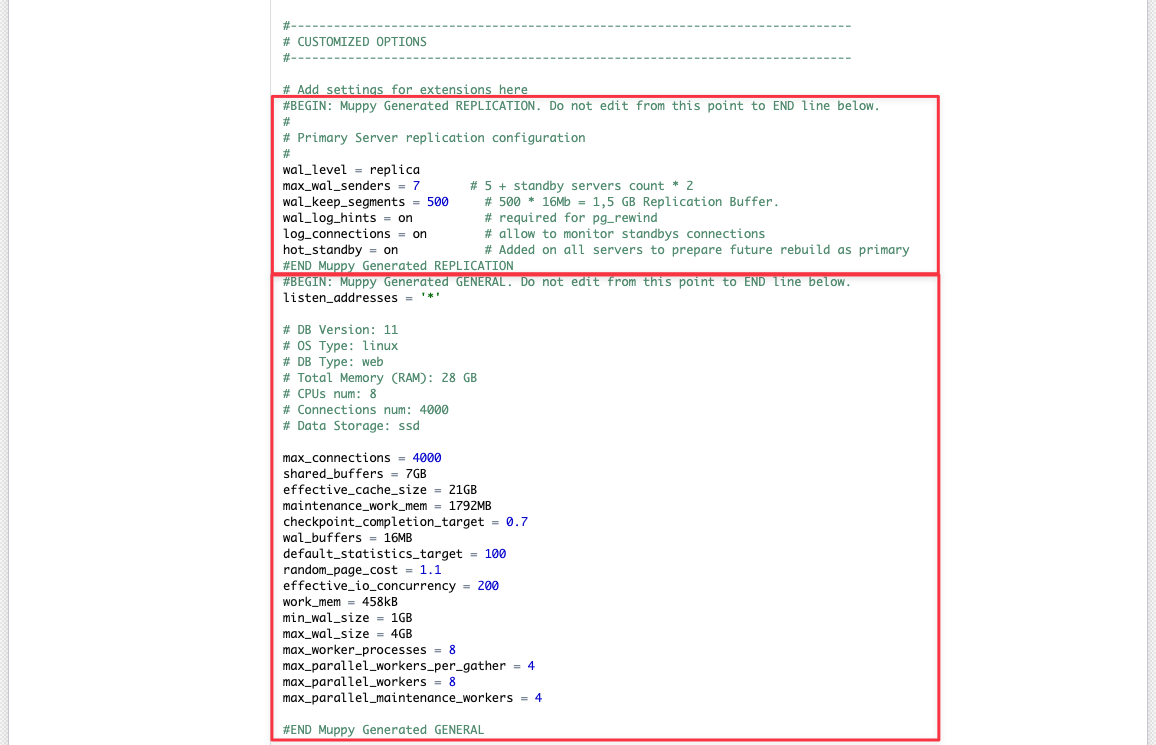
Muppy regenerates the directives as named blocks and rewrites the files with the current configuration:
pg_hba.conf
Muppy provides guided editing for pg_hba.conf.
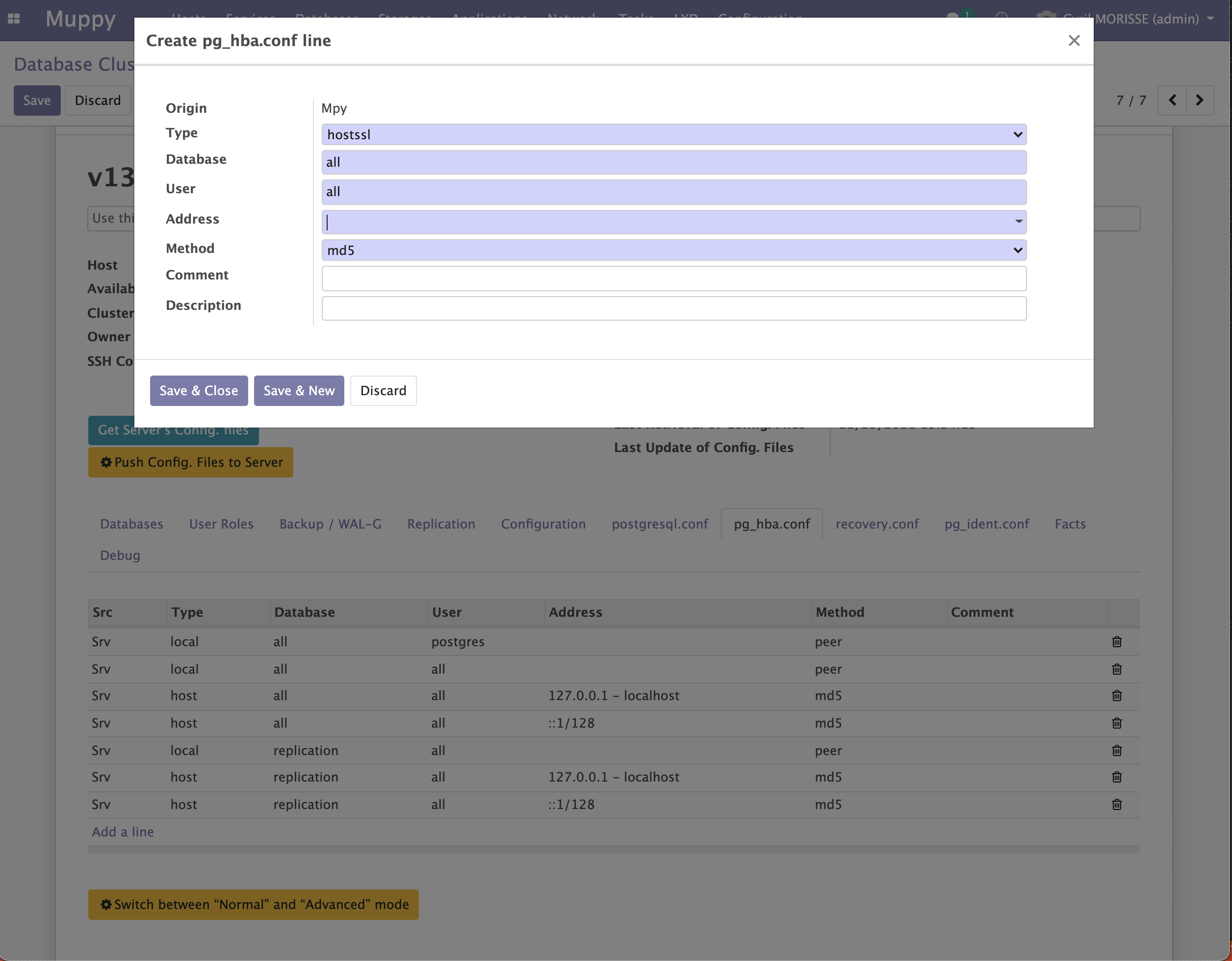
Three buttons on this tab help with common cases:
- Switch between "Normal" and "Advanced" mode — advanced mode exposes the raw rule fields.
- Allow local LXCs Access — let LXC containers on this Host reach the cluster.
- Allow local Pods Access — let Pods on this Host (single-node) reach the cluster.
To seed Muppy from what the server already has, use Import pg_hba.conf or Import Initial pg_hba.conf. Both update existing lines and create the missing ones.
recovery.conf
This tab shows the recovery settings Muppy rendered when it set the cluster up as a standby:
- from PostgreSQL 12,
primary_conninfois written inpostgresql.auto.conf, shown read-only on the postgresql.conf tab, and the other settings joinpostgresql.confat the next Push Config. Files to Server; - before PostgreSQL 12, these settings form the standby's
recovery.conf, in its data directory.
A promotion removes these settings. When Muppy promotes a standby (Set as Primary or Promote, on its Replicated Cluster Set), it cleans the promoted cluster:
- from PostgreSQL 12, the Muppy
RECOVERYblock and everyprimary_conninfoline leavepostgresql.auto.conf; - before PostgreSQL 12,
recovery.done(the name PostgreSQL givesrecovery.confat promotion) and anyrecovery.confleft are deleted from the data directory; - this tab is emptied.
The .pgpass of the cluster's owner stays, for the day the cluster becomes a standby again. A
promotion that pglookout makes on its own, outside Muppy, removes nothing.

pg_ident.conf
Edited exactly like postgresql.conf.