What It Protects
Two layers, one human gesture
Muppy Vault uses envelope encryption. The idea fits in a sentence: a key can encrypt another key exactly as it encrypts data.
- The data keys actually encrypt the secret fields. They live in the database — wrapped (encrypted) in an object called the keyring envelope. That is legitimate: what opens them is elsewhere, and they must be backed up with your data.
- The master key opens the keyring. It is single, permanent, and written nowhere:
it exists in your password manager, and in the memory of a small dedicated process
(
mpy-masterkeyd) while the instance runs.
The human gesture is deliberately minimal: you only ever type the master key, and you never see a data key. Rotating data keys, re-encrypting records, tracking which key encrypts what — Muppy does all of it behind one screen.
Encryption itself is Fernet — authenticated AES-128-CBC, a proven standard, not homemade cryptography.
Sealed and unsealed
When the master key is present in the key holder, the vault is unsealed: Muppy encrypts and decrypts transparently and everything works as usual.
When it is not — after a machine reboot, typically — the vault is sealed:
- Reading never breaks the interface. Encrypted fields simply show empty; lists, forms and exports keep working.
- Using a secret fails loudly. A task that needs an SSH key to act on a host fails as a normal failed job, marked and filterable (see Day-2 Operations).
- Writing a secret is refused. Muppy will never store a secret in clear "until we can encrypt it".
Unsealing is one screen: enter the master key from your password manager, and Muppy confirms with a count — "Unsealed. N data keys, M readable encrypted values." Sealed is a recoverable, normal state, not an incident.
What it defends — and what it does not
| Threat | Covered? |
|---|---|
Stolen pg_dump, backup, or replica |
Yes |
| Read-only database credential, SQL-injection read, curious DBA | Yes |
| Disk snapshot taken under PostgreSQL | Yes |
| Whole-host image or container export | Yes — the key lives only in memory, so no filesystem capture holds it |
| A third party at your unattended screen | Yes — via the reveal gate, not the encryption |
| Root access on the Muppy host itself | No — the key must be in memory there for Muppy to run |
| A Muppy administrator using the interface | No — the interface serves secrets by design; that is its job |
The last two rows are honest limits, not oversights: encryption at rest defends the copy of your data, never the running instance. What defends the running instance is a second, unrelated control — the gestures that expose a secret re-ask who you are (Revealing Secrets).
When Muppy uses a secret on a host
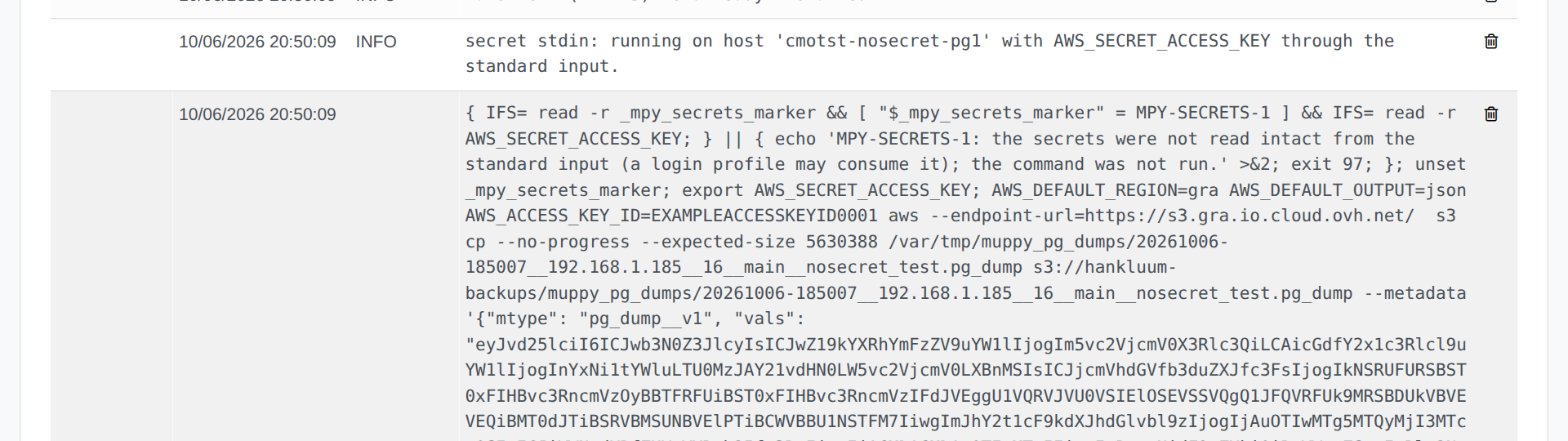
A task often needs a secret on a remote host: a password, an access key. Muppy sends it through the standard input of the command that uses it.
- The command line carries only the variable's name, never its value.
- The task journal shows the command whole: there is nothing to mask.
- No other account on the host sees the value.
psand/proc/<pid>/cmdlineshow the command without it, and only the process owner and root can read its environment. - Nothing is written to the host's disk, except the files a program rereads on its own. A task that crashes leaves no file behind.
What is not a secret (a role, a host, a port, a database, a path, an access key ID) stays on the command line, where the journal shows it. A secret that appears elsewhere on the command line, in a path or an option, is refused: the task fails before running anything, and says so.
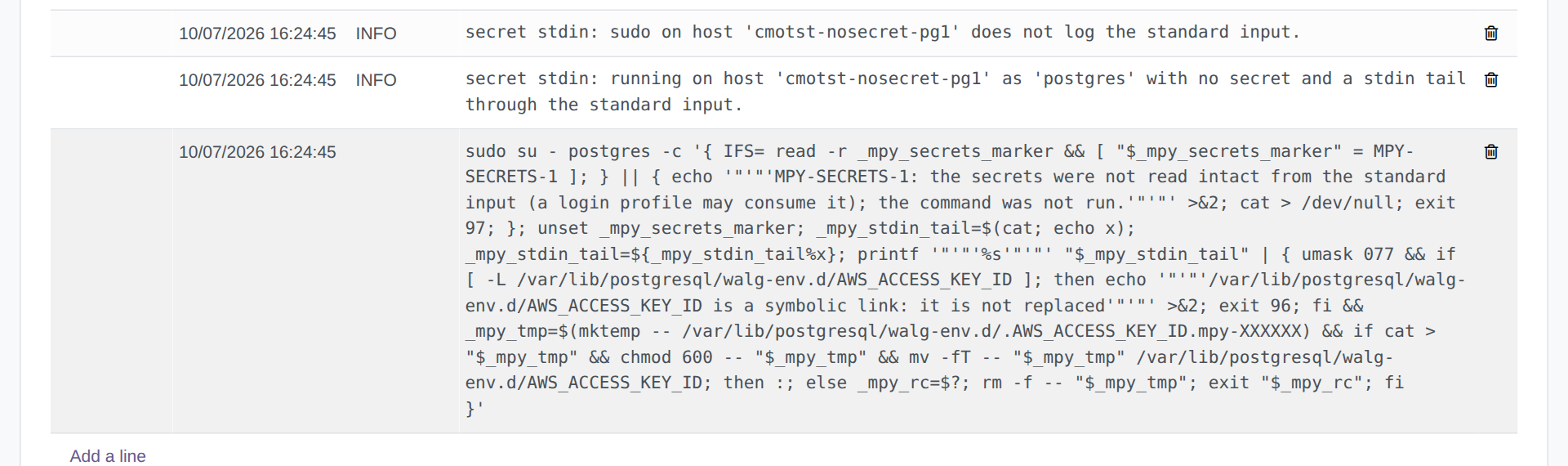
A secret file a program rereads is written from the standard input too, by the same gesture that configures the program:
- as the file's owner;
- in mode
0600, readable by its owner and root only; - in one move: a temporary file in the same directory, then a rename. A task that fails halfway leaves the previous file whole;
- when the file also holds lines that are not Muppy's, in a Muppy block that leaves them untouched.
That file is the only place on the host that holds the secret: no copy in a temporary folder.
The sections below say what each use sends, and where.
S3
Database backups and their downloads, LXC images, and every listing or removal in a bucket.
The bucket's secret key reaches aws through the standard input. The access key ID is an
identifier, not a secret: it stays on the command line, with the region.
restic
The repository password (RESTIC_PASSWORD) and the bucket's secret key reach restic
through the standard input; the repository, the access key ID and the region stay on the
command line. restic runs as root, and the journal shows the restic command whole. See
Restic backup and restore for the password itself.
PostgreSQL
Passwords travel as PGPASSWORD or inside the statement psql reads on its standard
input:
- the roles Muppy creates for an App Server, a replication, pglookout and pgbench, and the roles you create or edit with the Create / Update PostgreSQL Roles wizard;
- database backups with
pg_dump, from the cluster's host, or from another host over an encrypted connection (the cluster must accept TLS, the default of a cluster created on Ubuntu); - the copy of the primary that builds a standby (
pg_basebackup); - pgbench runs from the application's host.
A password equal to the role's name works.
A standby reads the replication password in the .pgpass of the cluster's owner,
/var/lib/postgresql/.pgpass, a secret file written as described above, in a Muppy block
placed first in the file.
Add Standbys and the Rebuild of a
standby write it. The standby's primary_conninfo names the .pgpass (passfile=) and carries
no password: PostgreSQL writes every new value of this setting in its log, and the cluster's
form in Muppy shows it, so neither ever holds the password. Get Server's Config. files
reads the cluster's files in place, and a task that reads one returns its length, never its
content.
A promoted standby loses its primary_conninfo and the rest of its recovery settings, so a
pg_basebackup taken from the new primary carries none. Its .pgpass stays. The
recovery.conf tab
says what each promotion removes.
A standby set up by an earlier version of Muppy keeps its password in primary_conninfo
until Muppy sets it up again or promotes it: Rebuild it from its Replicated Cluster Set.

wal-g
wal-g reads its bucket keys in /var/lib/postgresql/walg-env.d/, one secret file per key,
owned by postgres. Apply WAL-G Config. changes writes them, as described above.
A host whose sudo records the standard input
Such a host is refused. With Defaults log_input, or a LOG_INPUT: tag on a rule, sudo
writes everything a command reads into /var/log/sudo-io/. When a secret goes to a command
that runs as another user through sudo, Muppy reads the host's sudo settings first. If one of
them records the input, the task fails with a message naming the setting and the host, and
sends nothing. Remove the setting to send secrets to that host.
Check a host with the probe
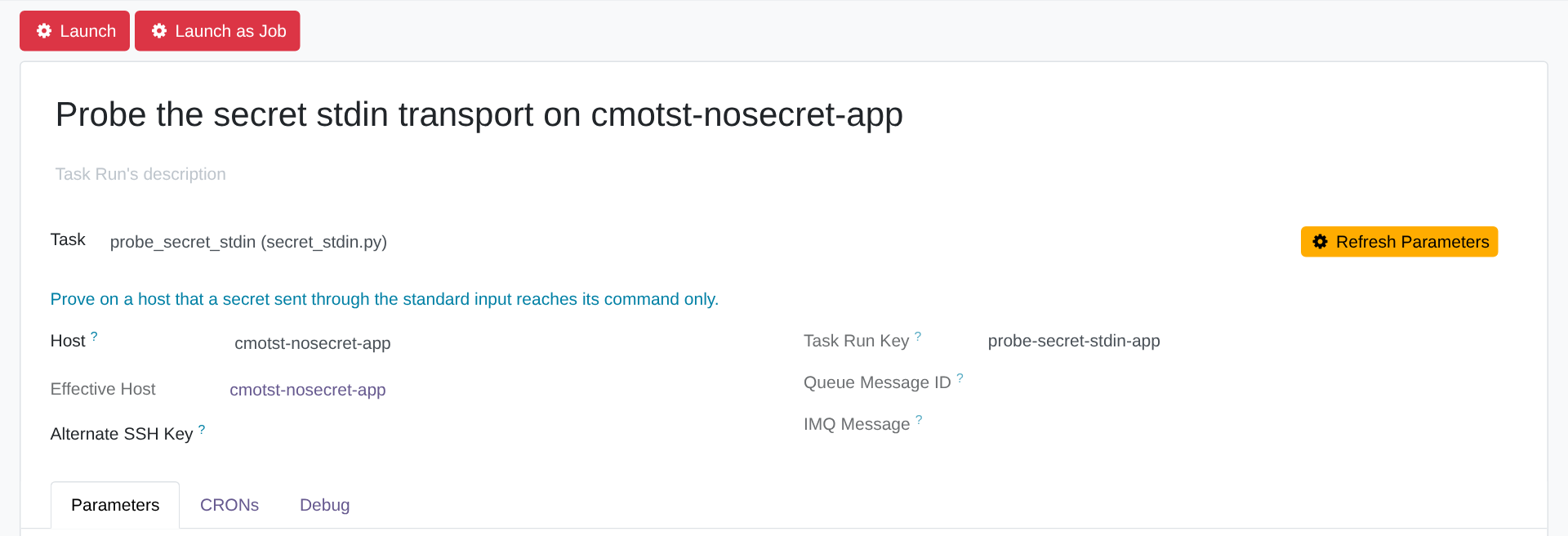
The task probe_secret_stdin sends random values through the standard input and reports,
case by case, whether the transport is safe on that host:
- the values arrive intact, quotes,
$and spaces included; - another account cannot see them in the process list nor in the process environment;
- the host's sudo does not record the standard input.
Run it from the Task Runs tab of the host. It runs in the background: follow it on that tab or in the Qs menu. It changes nothing on the host.
What is inside the perimeter
Every field a Muppy model declares as secret: SSH private keys, credentials in the Credentials Vault, API tokens, and more as families are progressively brought in. The Coverage tab of the Encryption screen shows, family by family, how many values are encrypted and how many are still in clear — a number designed to be impossible to overlook rather than a silent gap.
For addon developers
A model brings a field under the vault with a single declaration (inherit the
mpy.encrypted_model mixin and point the field at it). That one declaration
produces the encryption at rest, the reveal gate and the migration-sweep
membership. Partner addons use exactly the same mechanism as Muppy's own models.