Creating an RCS
An RCS (Replicated Cluster Set) is Muppy's name for a group of PostgreSQL clusters tied together by streaming replication.
Creating one takes two steps: create the RCS record, then run its initial setup.
Create the RCS record
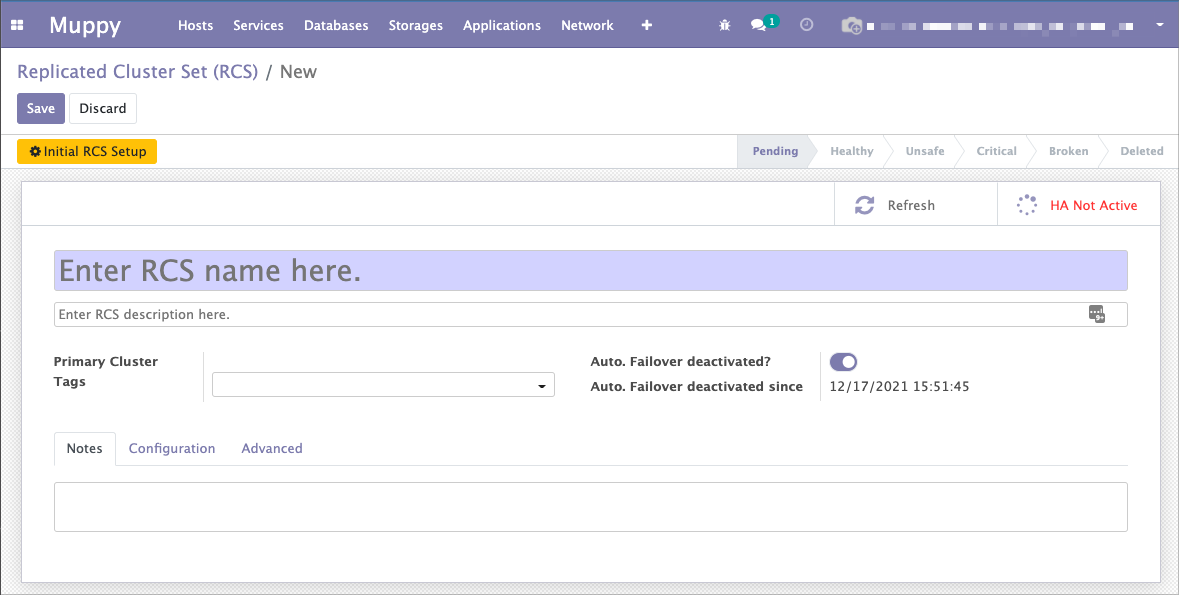
Open Muppy / Databases / PostgreSQL / Replicated Cluster Set (RCS) and click New. Enter at least a name, then save.
Replication configuration
The Configuration tab holds the replication settings and the custom actions to run when the primary changes.
Muppy configures replication from two templates — one for the primary, one for the standbys. Select them in:
- Primary Config Tmpl
- Standby Recovery Conf Tmpl

The shipped templates cover the common cases. You can write your own and use them in your RCS.
Danger
Editing the replication templates requires a solid grasp of PostgreSQL and streaming replication.
Replication User Name, Password and max_wal_senders are set in the next step, in the setup wizard.
Save, then click Initial RCS Setup.
Initial RCS Setup
This wizard picks the RCS members and runs the configuration.
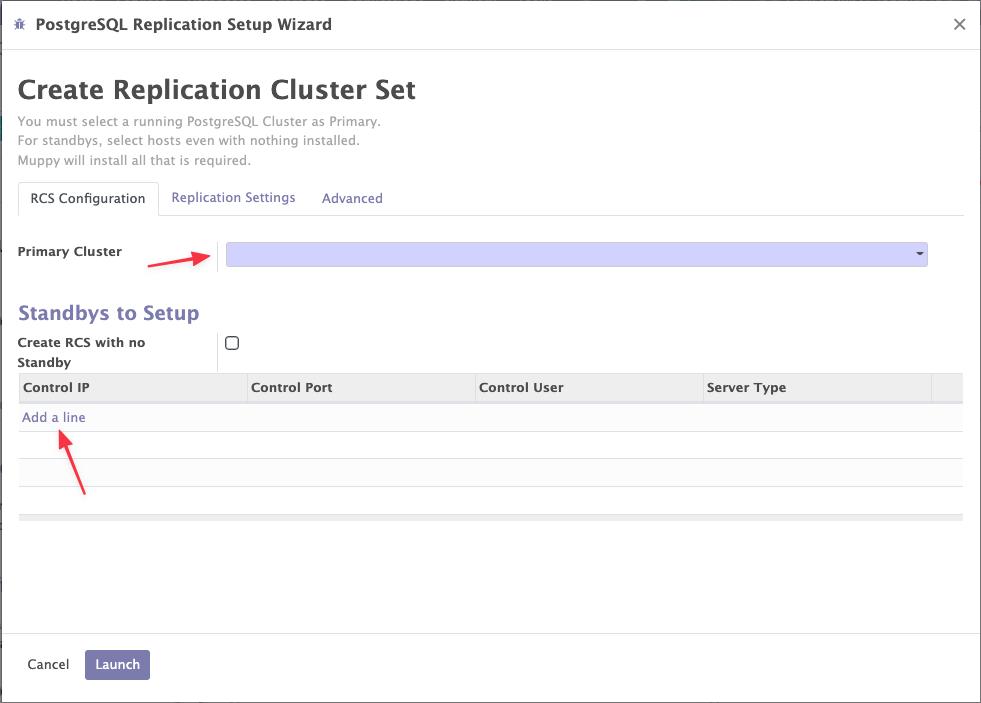
Primary Cluster is the only required field. It is the cluster that gets replicated, so it must already be configured and ready.
In Standbys to Setup, list the Hosts that will run the standby clusters. To start with a primary only, tick Create RCS with no Standby — you can add standbys later.
Nothing to pre-install
A Host in state Managed (merely Enrolled) is enough. Muppy installs PostgreSQL and builds the standby cluster itself.
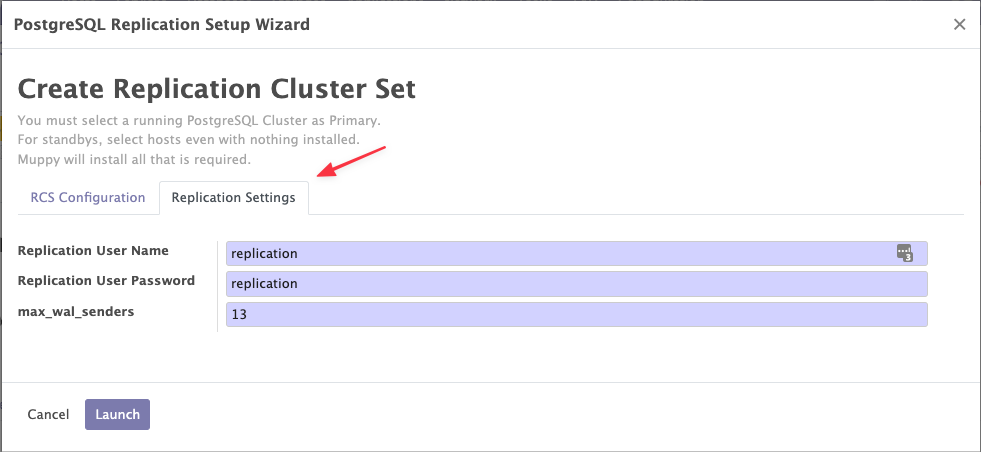
The Replication Settings tab sets:
- the user and password the standbys use to connect to the primary. The wizard proposes a
random password, different for each RCS: keep it unless you need a known one. Muppy hands
it to
pg_basebackupthrough its standard input when it builds a standby (When Muppy uses a secret on a host: PostgreSQL). - max_wal_senders — the maximum number of concurrent standby connections. See the field's inline help for the exact PostgreSQL semantics.
Click Launch. Setup runs in the background; you get a notification when the RCS is configured.