Creating Clusters
Clusters are created from the PostgreSQL tab of the Host form (Muppy / Hosts / Hosts).
- Click Create Cluster. The cluster creation wizard opens.
- Set the Version, Name, network Port and Locale. To keep the data or the WAL on another disk, set the Data Directory or the WAL Directory on the Parameters tab — see Placing the data directory on another disk and Placing the WAL on another disk.
- Click Launch.
When it finishes, click Refresh on the Host. The new cluster appears in the list at the bottom of the PostgreSQL tab.

The Version defaults to the value set in Settings / PostgreSQL / PostgreSQL version
(system parameter muppy_postgresql_base.default_postgresql_version, shipped as 18). Muppy
installs that PostgreSQL version on the Host if it is missing.
New clusters are not started by default
A new cluster is left in state Down, so you can configure it before it accepts connections. Check Start Cluster in the wizard to have Muppy push its configuration files and start it right after creation.
Placing the data directory on another disk
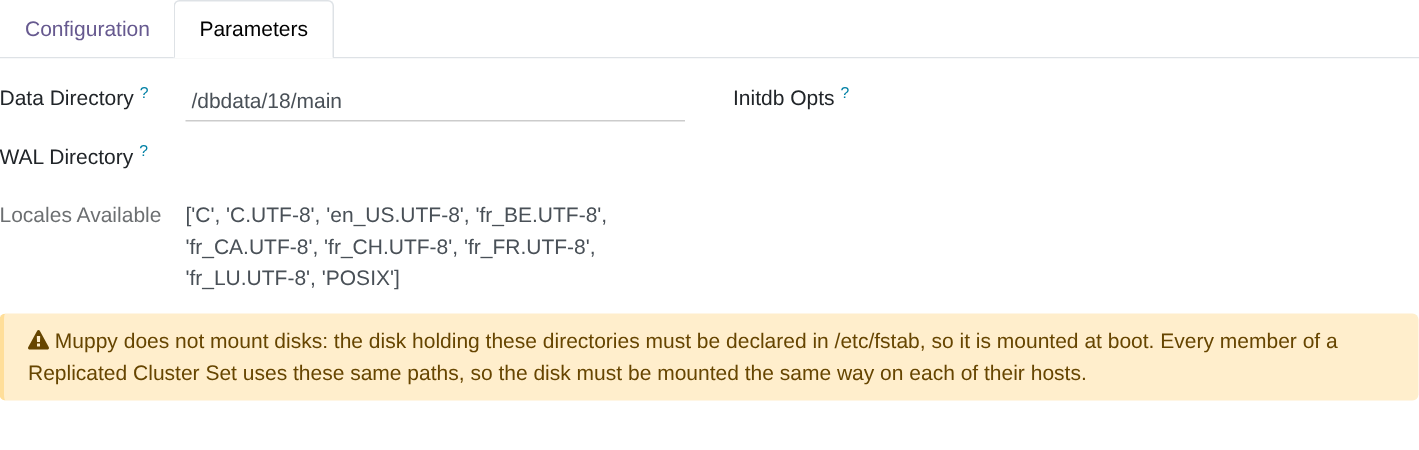
The Data Directory field, on the wizard's Parameters tab, sets where the cluster's data
lives. Empty, it is /var/lib/postgresql/<version>/<cluster>, on the system disk.
To use another disk, set it to /<your data dir>/<version>/<cluster>. With a disk mounted on
/dbdata, a cluster main in version 18 goes in /dbdata/18/main.
Only the data moves. Configuration stays in /etc/postgresql/<version>/<cluster>/, logs in
/var/log/postgresql/.
The disk is yours to prepare
Muppy does not format or mount disks. Before launching the wizard:
- Mount the disk at boot. Declare it in
/etc/fstab, by UUID. Otherwise the cluster no longer starts after a reboot. - Use a sub-directory of the mount point, never the mount point itself. A fresh
filesystem holds
lost+found, and PostgreSQL refuses a directory that is not empty. Rebuilding a standby or restoring a backup also deletes the data directory, which fails on a mount point. - The sub-directories need not exist. PostgreSQL creates them and gives the data directory
to
postgres.
Replicated Cluster Sets and restores
Every member of a Replicated Cluster Set uses the same data directory: a standby is built at its primary's path. A PITR restore puts the cluster back at the path its backup recorded.
Mount the disk at the same point, declared the same way in /etc/fstab, on every Host
that joins the RCS or receives a restore.
Upgrade Cluster proposes the same disk for the upgraded cluster — see Upgrading a cluster.
The cluster form shows the path in use: Configuration tab, pgdata Directory. Muppy reads it from the Host at each cluster refresh.
Placing the WAL on another disk
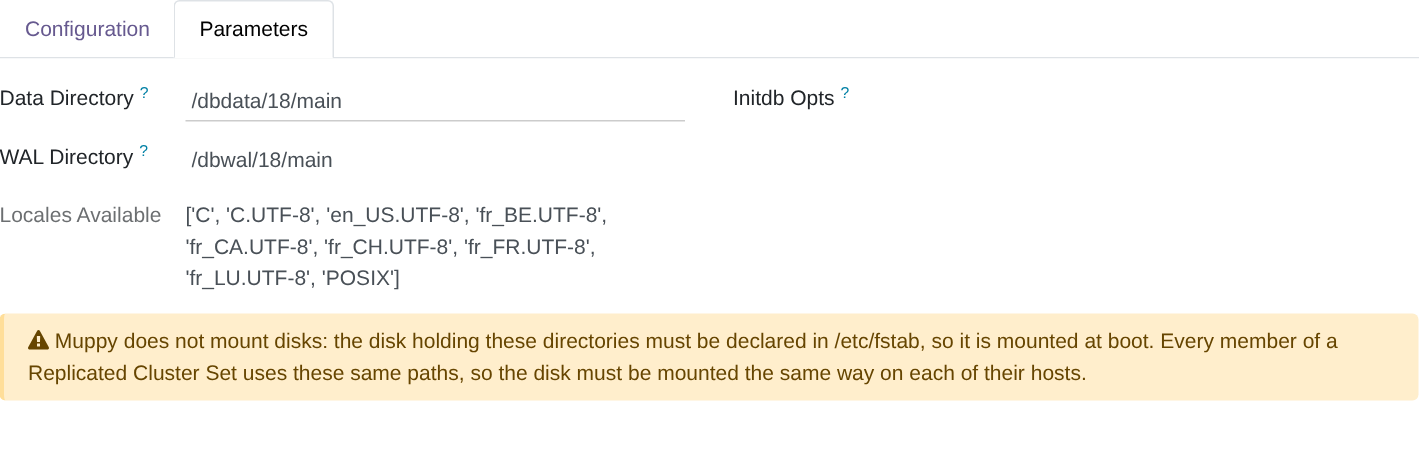
The WAL Directory field, on the same Parameters tab, sets where the cluster writes its WAL (write-ahead log). Empty, the WAL stay inside the data directory.
To use another disk, set it to /<your wal dir>/<version>/<cluster>. With a disk mounted on
/dbwal, a cluster main in version 18 writes its WAL in /dbwal/18/main.
Prepare the disk as for the data directory: mounted at boot through /etc/fstab, and a
sub-directory of the mount point, never the mount point itself. Muppy creates the directory
and gives it to postgres, on this Host and on every Host that receives a standby or a restore
of the cluster. Mount the disk at the same point on each of them.
Give the WAL directory in WAL Directory only. Launch refuses an Initdb Opts that
sets it too (--waldir, -X or --xlogdir): Muppy would prepare one directory while
PostgreSQL used the other.

Upgrade Cluster refuses a cluster with a separate WAL directory
pg_upgradecluster has no option for a WAL directory: the upgraded cluster would write
its WAL into its data directory. Upgrade Cluster says so and does not launch — see
Upgrading a cluster.
The cluster form shows the WAL directory in use: Configuration tab, WAL Directory. Empty means inside the data directory.
Where to find clusters
- On the Host form, PostgreSQL tab.
- Under Muppy / Databases / PostgreSQL / Database Clusters, which lists every cluster Muppy manages. This is the more convenient entry point.