DNS Domains
A DNS Domain is a zone Muppy builds host names under: example.com, on which an App
Server is served as myapp.example.com. Every domain names the provider that hosts its
zone, and the provider decides what Muppy can do with it.
Find them under Muppy › Network › DNS › DNS Domains. The Muppy DNS Domain Documentation button of the domain form opens this page.
Providers
| DNS Provider | Where the zone lives | Muppy writes the zone |
|---|---|---|
| OVH DNS | OVH | Yes, through the OVH API |
| Cloudflare DNS | Cloudflare | Yes, through a Cloudflare API token — see Preparing a Cloudflare Zone for Public URLs |
| Scaleway DNS | Scaleway | Yes, through the Scaleway API |
| Muppy Builtin DNS Server - MBD | A zone of another provider, shared out as sub-domains | Yes, through its backend domain — see Muppy Builtin DNS |
| Muppy Builtin DNS Client - MBD | A sub-domain served by another Muppy instance | Yes, through that instance |
| Tailscale | Your tailnet's MagicDNS name | No |
| Unmanaged | Anywhere: Muppy has no API on it | No — see Unmanaged DNS Domains |
A new domain is Unmanaged until you choose another provider. The provider can be changed only while the domain is New: disconnect it first to change it.
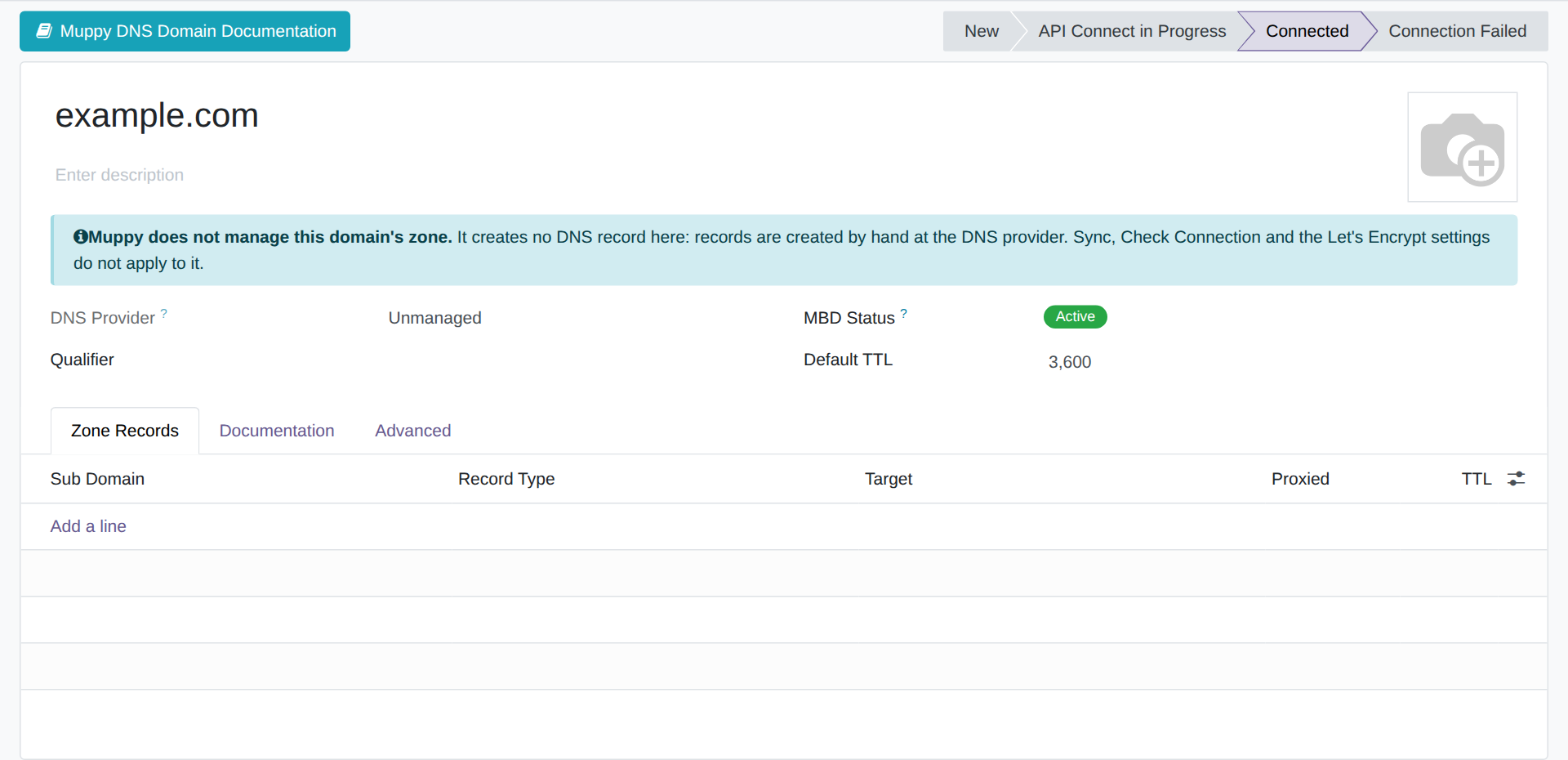
When Muppy cannot write the zone, the form says so with a banner, Muppy does not manage this domain's zone, and hides what depends on a provider API: Sync, Check Connection, the credential expiry, and the Configs, Sync, HTTPRequest and Kubernetes tabs.
Connecting a domain
A domain is usable once it is Connected. The wizards that need a domain — the Domain of Install LXD App. Server, the default Traefik domain in the settings — offer only connected ones.
| State | Meaning |
|---|---|
| New | Not connected yet, or disconnected |
| API Connect in Progress | Waiting for the provider to confirm the authorisation (OVH, MBD Client) |
| Connected | Usable |
| Connection Failed | The provider refused the credential |
- Connect obtains the provider's authorisation and checks it. On an Unmanaged domain it only marks the domain as usable.
- Disconnect revokes the authorisation, or, on an Unmanaged domain, marks the domain as unused.
- On a Tailscale domain, Connect and Disconnect are not implemented and say so.
- Check Connection asks the provider whether the credential still works.
Records
When Muppy writes the zone, the domain's records are listed on its Zone Records tab and under Muppy › Network › DNS › Zone Records. Muppy creates them itself — a record for each Traefik application on a server with Create DNS subdomains — and Sync reads back what the provider holds.
On an Unmanaged or Tailscale domain, records are created by hand at the DNS provider.
Certificates
A domain whose zone Muppy writes can obtain Let's Encrypt certificates through the DNS-01 challenge: see Let's Encrypt Certificates (DNS-01). A domain Muppy does not write cannot. The Install LXD App. Server wizard installs Traefik on such a domain with Let's Encrypt off, and refuses to launch with it on: see Installing Traefik on an Unmanaged domain.