Configuration
HA parameters come in two groups: the common ones, set per RCS, and the advanced ones, which Muppy manages for you.
Failover scope
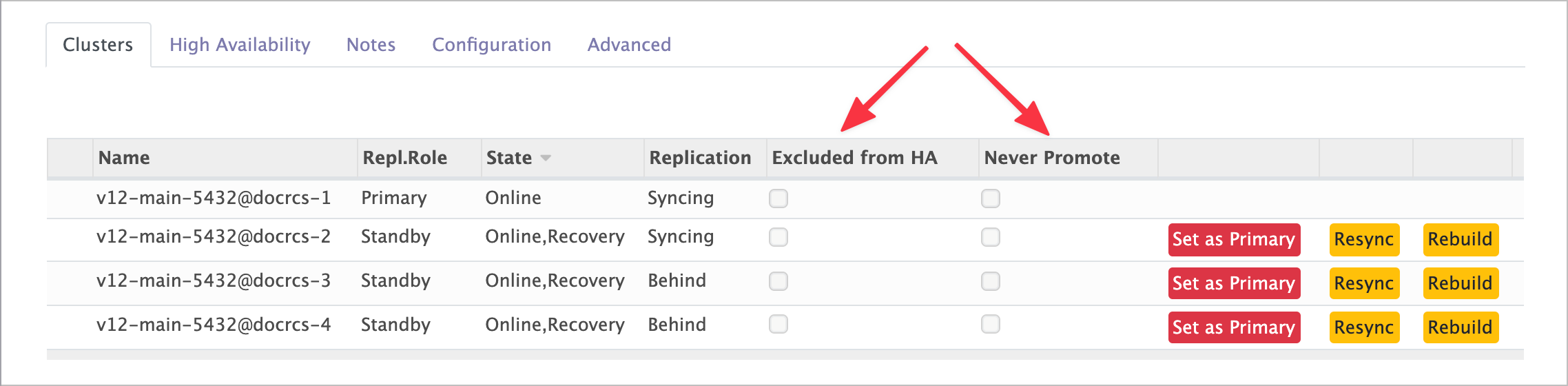
By default every cluster in the RCS takes part in HA. Two flags change that, set from a cluster's line in the RCS Clusters list:
| Button | Field | Effect |
|---|---|---|
| Exclude from HA / Include in HA | Excluded From HA |
No pglookout daemon is installed on the cluster. Its statistics are not collected, and it can never be promoted — so this implies Never Promote. |
| Prevent HA Promotion / Allow HA Promotion | Never Promote |
Statistics are collected, but the cluster is never promoted. |
The difference matters: an excluded cluster is invisible to the consensus; a never-promoted cluster still feeds it.
Failover settings
These live in the Settings group of the High Availability tab. Together they define the RCS's HA Strategy.
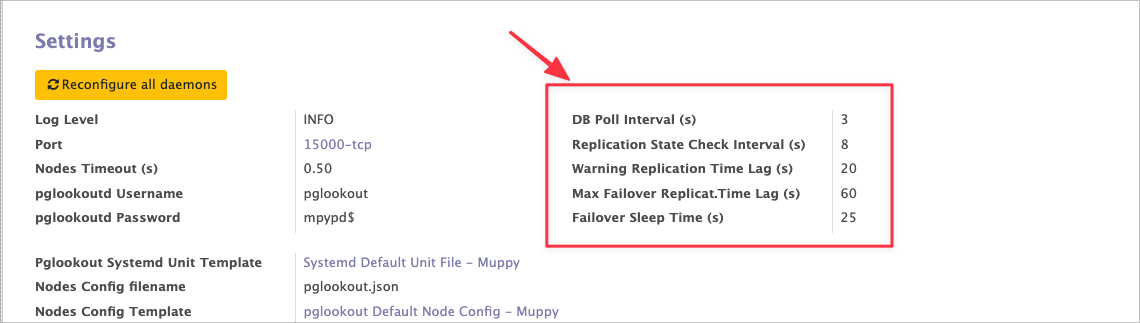
| Parameter | Meaning |
|---|---|
| DB Poll Interval (s) | How often the daemons collect recovery statistics from every cluster. |
| Replication State Check Interval (s) | How often each daemon recomputes which standby would make the best primary, from those statistics. |
| Warning Replication Time Lag (s) | If that computation keeps naming a new primary for longer than this — meaning the current one is not answering — pglookout emits a warning: a notification and an entry in the HA Events Log. |
| Max Failover Replicat. Time Lag (s) | If the situation persists past this, pglookout triggers a failover. Notification and log entry as well. |
| Failover Sleep Time (s) | After a failover, the HA algorithm pauses for this long — so a failover cannot start during a failover. |
The first two set how fast you see a problem; the next two set how long you tolerate it before acting.
Tuning without failing over
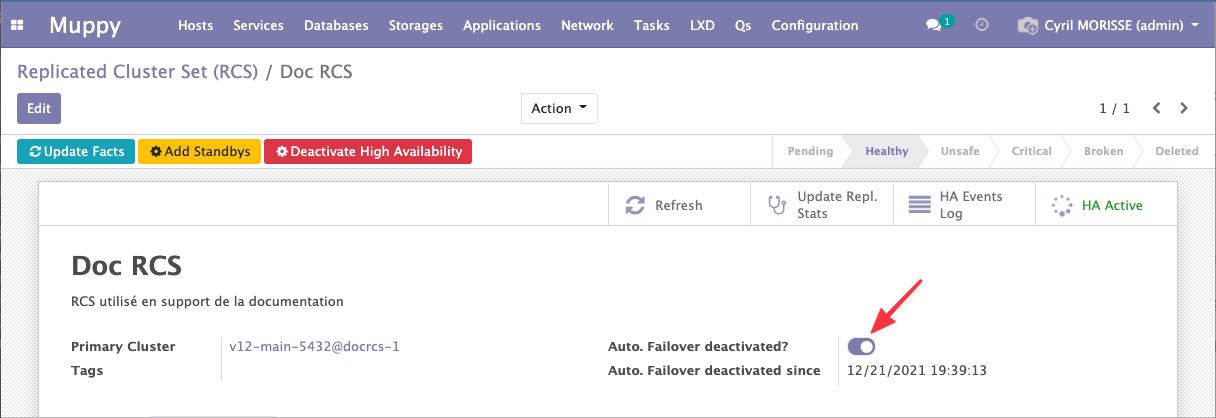
You can tune the strategy without running test failovers: turn off the failover action while leaving the computation and the logging running.
Tick Auto. Failover deactivated? in the RCS header.
This matters most in multi-cloud setups, where transient network cuts produce false positives. Watch the log with failover off, then set your thresholds above the noise.
Advanced configuration
The defaults are chosen so you do not have to touch these. Changing them requires a solid grasp of both pglookout and Muppy.
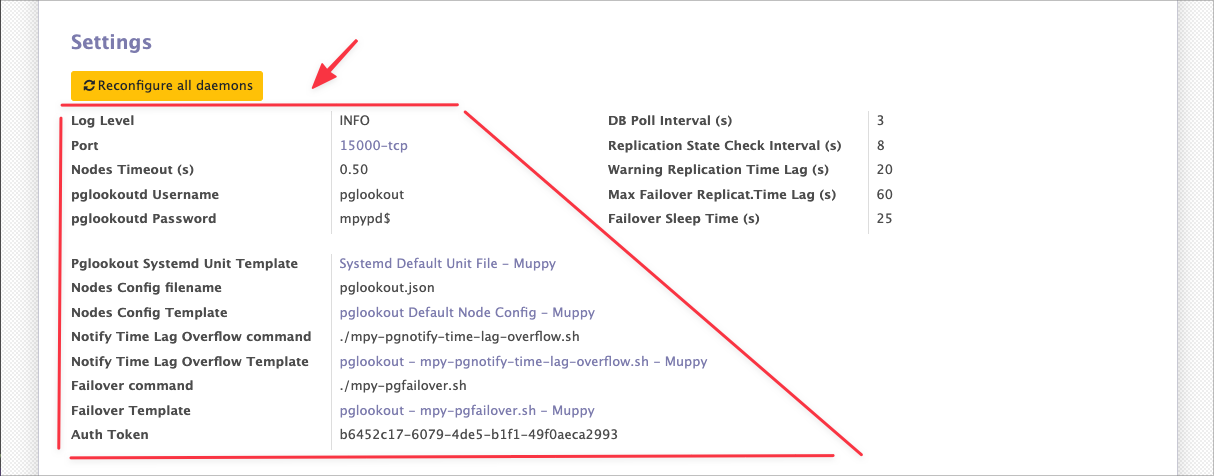
Refer to the inline help, the pglookout documentation, and the support included in your muppy.io contract.
Applying a change
Changing HA configuration while HA is active does not reconfigure the daemons by itself. Click Reconfigure all daemons, in the Settings group of the High Availability tab. Muppy contacts each daemon — observers included — and has it reload its configuration.
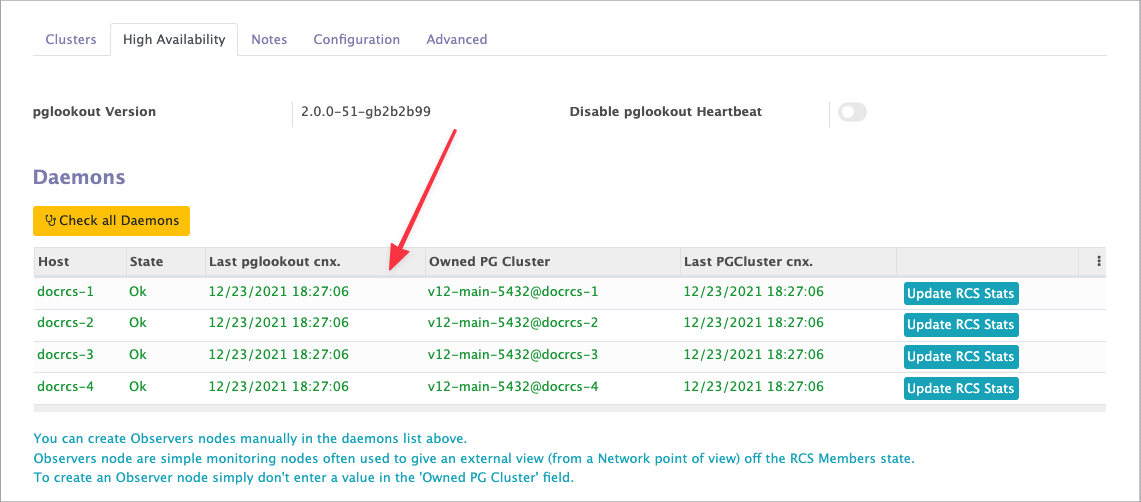
Once the Tasks finish, check each daemon by opening it from the Daemons list.
A daemon's form shows its process, status and configuration.
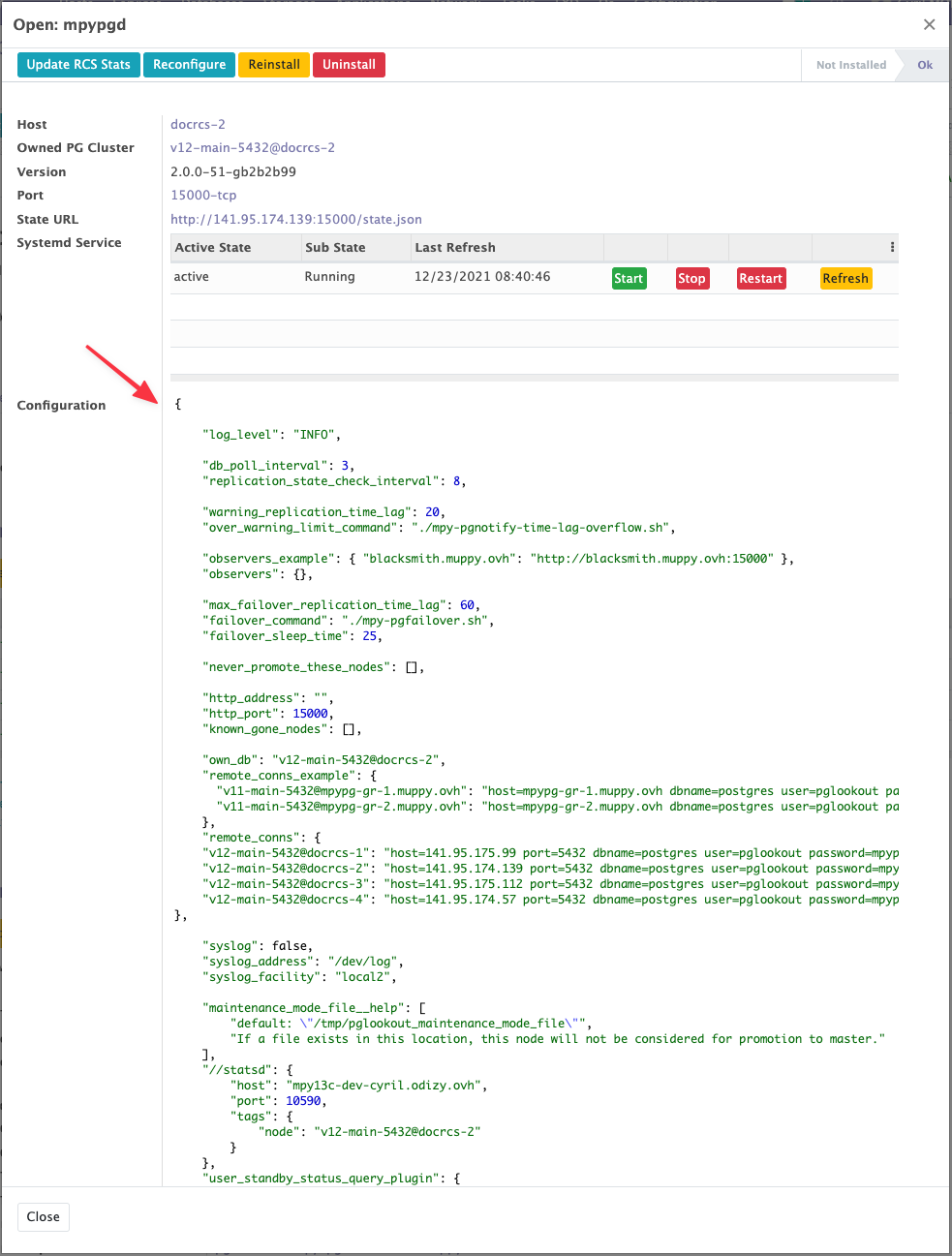
Monitoring covers what those fields mean.