Restoring Backups
Start a restore from either:
- the pg_dump list — Muppy / Databases / Database Backups (pg_dump)
- a PostgreSQL Database — from its own menu, or from the Databases tab of a Database Cluster
Both open the Restore PostgreSQL Databases wizard:
- Adjust the list of pg_dumps to restore.
- Pick the target PostgreSQL Cluster.
- Fill in Owner, Jobs, Database Comment, Database Name and Callback Task. Each field has inline help.
- Click Launch.
The restore runs in the background as a Task. Follow it under Muppy / Qs.
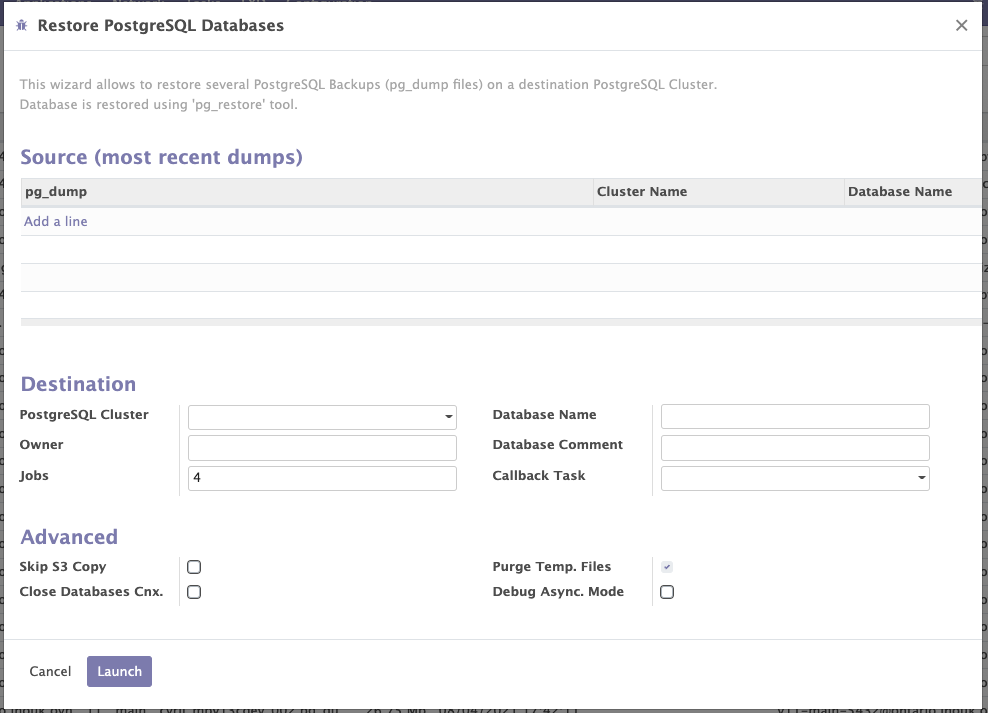
Advanced options
For large dumps — tens or hundreds of gigabytes — two options save a full transfer:
- Purge Temp. Files — off, the dump file is kept on disk after the restore.
- Skip S3 Copy — skip the download and reuse a dump file already on disk.
Close Databases Cnx
Drops every connection to the target database before restoring. Muppy runs:
ALTER DATABASE {db_name} ALLOW_CONNECTIONS=false;
SELECT pg_terminate_backend(pid) FROM pg_stat_activity WHERE datname='{db_name}';
DROP DATABASE {db_name};
Without it, an open session blocks the DROP DATABASE and the restore fails.