Listing Cluster Backups
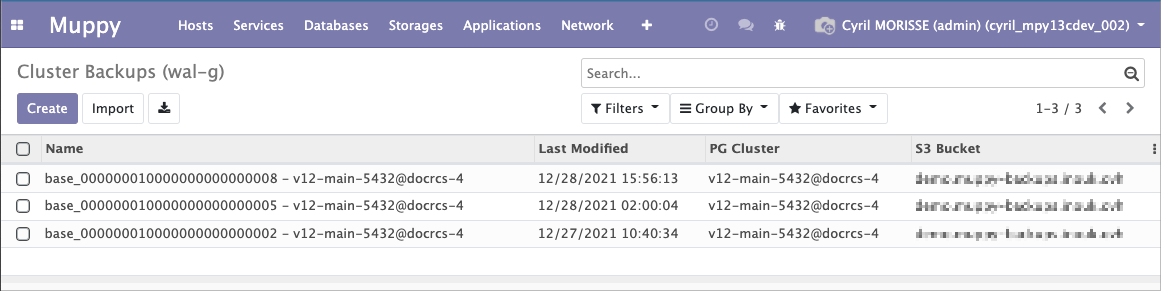
Muppy keeps a list of the available Cluster Backups (WAL-G). That list is what a PITR restore starts from, so it has to be current.
The list
Two ways in:
- Muppy / Databases / PostgreSQL / Cluster Backups (WAL-G)
- the Cluster Backups stat button in the cluster form header
Cluster Backup form
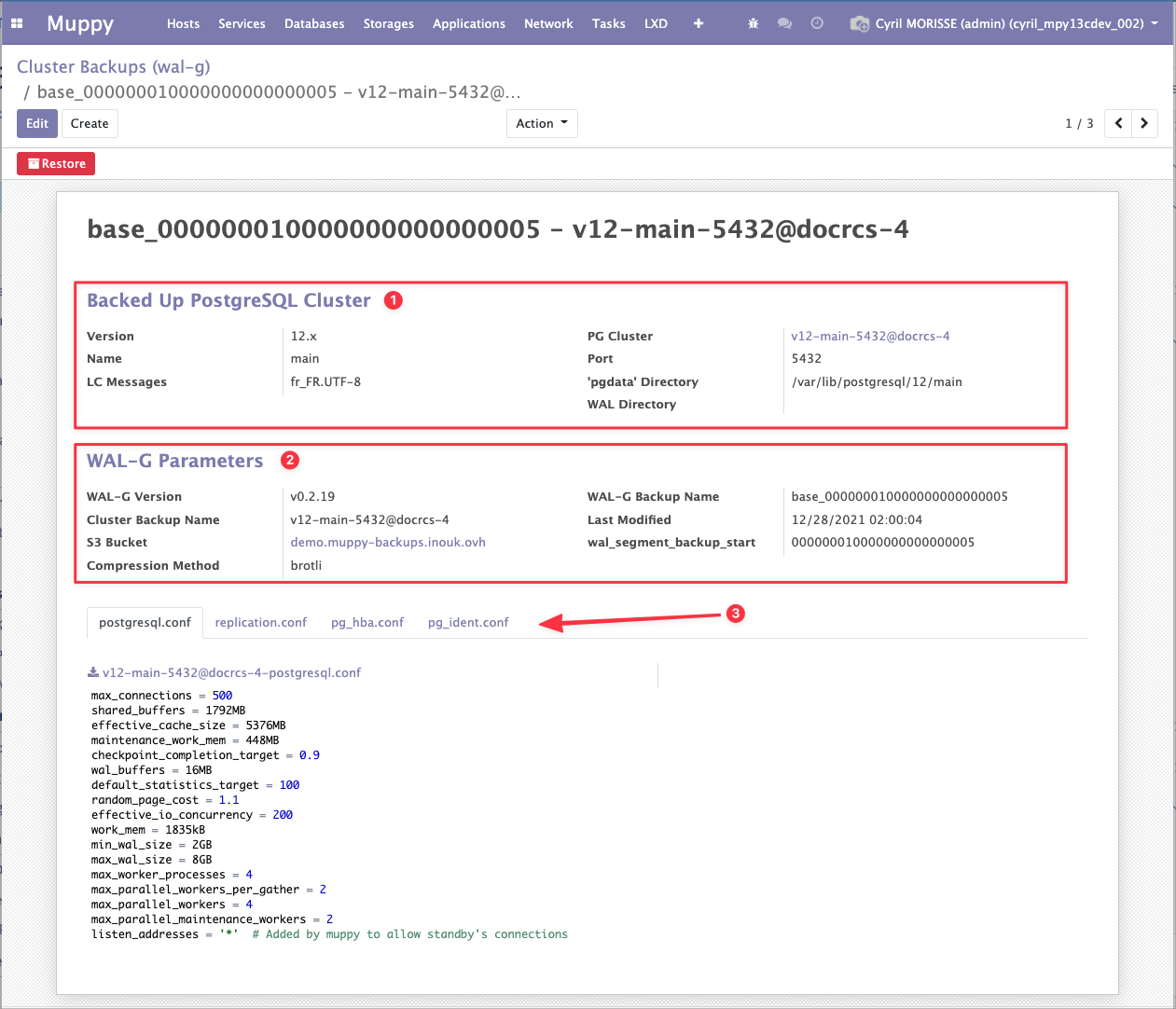
A cluster backup record holds three groups of information:
- the cluster that was backed up
- the backup's own characteristics
- the cluster's configuration files — needed to rebuild the cluster identically
Refreshing the list
Backups started by the PostgreSQL server's own crontab never pass through Muppy, so Muppy does not know they exist. The list has to be refreshed.
For a one-off refresh, click Refresh Cluster Backups (WAL-G) list on the cluster's Backup / WAL-G tab.
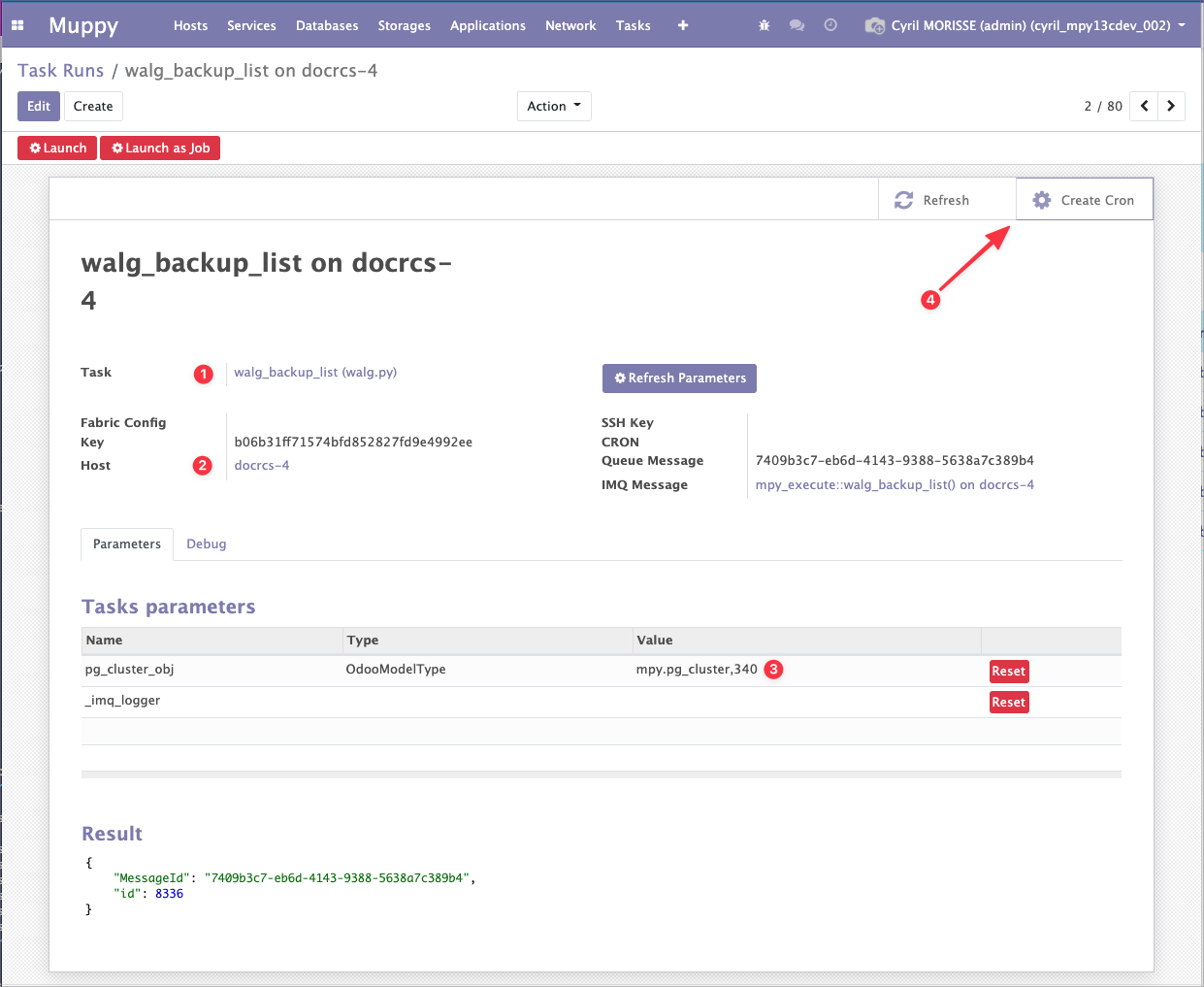
To keep it current, schedule the Muppy Task walg_backup_list to run after the backups.
Create a Task Run with:
- the Task
walg_backup_list - the Host running the cluster
- that Database Cluster
- a Muppy CRON, via Create Cron, for the recurrence
The Task syncs Muppy's Cluster Backups against the files actually present in the S3 bucket — so it also removes the records of backups that were purged on the server.
Success
You do not need this if you launch your backups with
walg_backup_push, which refreshes the list itself.