Revealing Secrets
Encryption protects the copies of your database. It cannot protect the running screen: Muppy's job is to show you your credentials when you ask. What protects the screen is a second control — sensitive reveals re-ask who you are, so that a colleague, a visitor, or anyone at your unattended desk cannot walk away with a key.
Verify to reveal
A gated secret shows as ****** hidden with a Verify to reveal button beside it.
Clicking it opens an identity check: enter your Muppy password (or use your passkey if
you have one registered). On success, the secret is displayed.
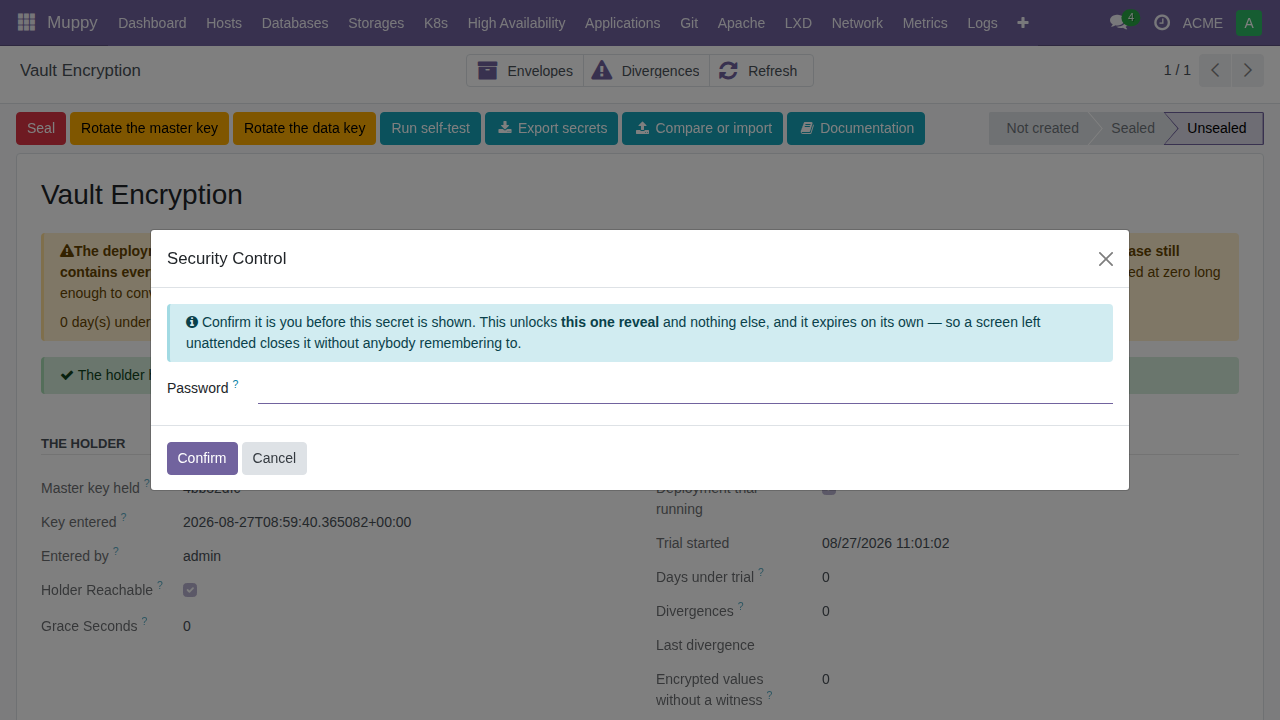
Three behaviors are deliberate, and worth knowing so they don't surprise you:
- Showing the secret spends the check. The verification is valid for a short window (default 120 seconds — enough to click through, not enough to forget about), and displaying the value consumes it.
- Reloading the page hides the secret again. Navigate away, refresh, come back
tomorrow: it is
****** hiddenonce more, and revealing it means verifying again. There is no session-wide "unlocked for ten minutes" state — each reveal is its own gesture, and approving one thing never silently approves another. - Failures lock the gate. Three failed attempts (default) lock identity checks for five minutes, the failure is journalled, and the record's owner plus the keyring administrators are notified. A wrong password at this gate is loud on purpose.
All three numbers are tunable in Settings ▸ Muppy Vault ▸ Revealing a secret, each setting stating its default and what changing it costs.
Which secrets are gated
Not every field: the test is whether revealing it would let the viewer act as someone else outside Muppy — a private SSH key, a personal access token. Fields that don't pass that test keep their ordinary show/hide toggle. The declaration is made by the model, so the same rule applies uniformly wherever the field appears.
The trail
Every identity check — succeeded or failed — leaves a row in Vault ▸ Muppy Keyring ▸ Identity Checks (visible to keyring administrators): who, when, for which record and which gesture. Failed attempts are recorded even when the surrounding operation was rolled back.