Control & Status
The header of the Database Cluster form carries the pg_ctlcluster commands. Which ones
appear depends on the cluster's current state.
| Button | State it appears in | What it does |
|---|---|---|
| Start | Down | Start the cluster. |
| Stop | Online | Stop the cluster. |
| Restart | Online | Stop then start. |
| Reload | Online | Reload the configuration without dropping connections. |
| Drop Cluster | Online or Down | pg_dropcluster — erases all data. |
| Upgrade Cluster | Online or Down | Upgrade the cluster to a newer PostgreSQL version. |
| Delete | Broken | Archive the Muppy record after PostgreSQL was removed outside Muppy. |
Each one asks for confirmation.
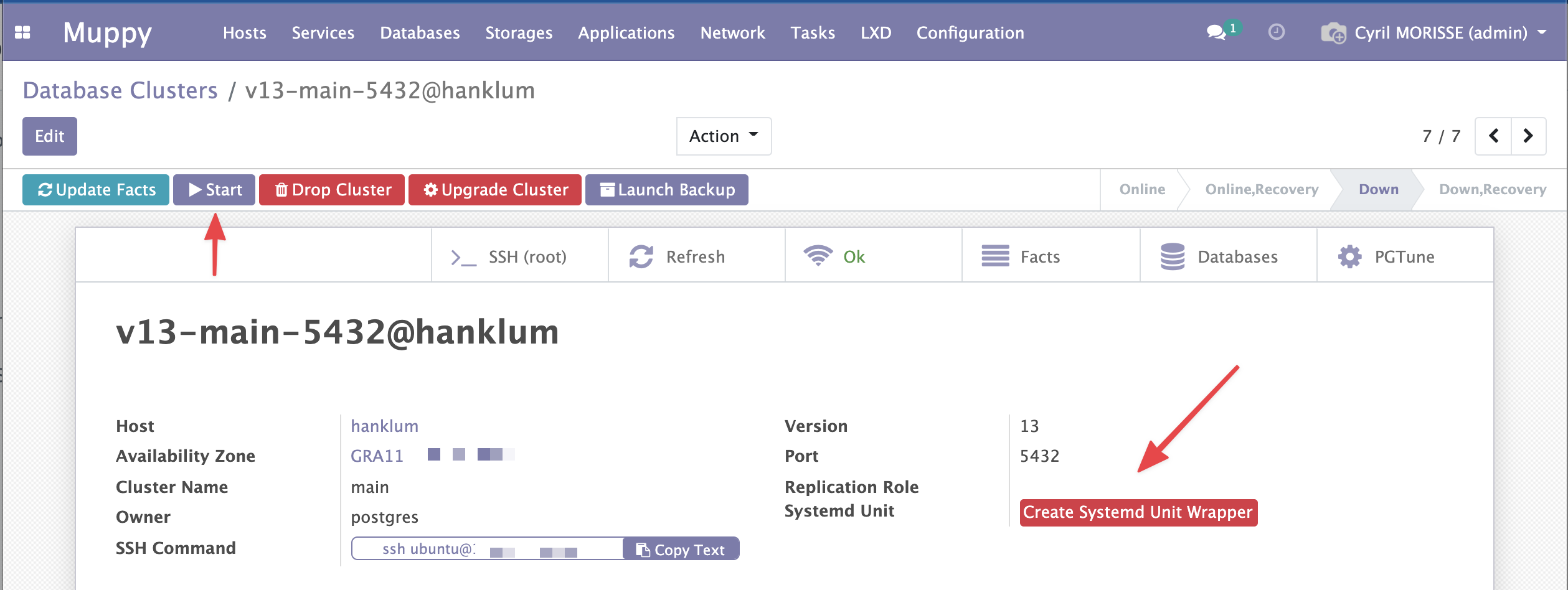
Update Facts refreshes the state of this cluster — and of every cluster on the same Host — by collecting its Facts.
Upgrading a cluster
Click Upgrade Cluster. Choose the target Version and the Method (upgrade, dump,
link or clone, as in pg_upgradecluster).
On the Parameters tab, New Data Directory sets where the upgraded cluster's data goes.
Muppy proposes the current disk with the new version: /dbdata/16/main becomes
/dbdata/18/main. When the current path does not end in /<version>/<cluster>, the field
stays empty: enter the path yourself.

An empty New Data Directory means the system disk
The upgraded cluster then goes to /var/lib/postgresql/<new version>/<cluster>. For a
cluster kept on another disk, link and clone fail: both need the old and the new data
directories on the same disk.
A cluster with a separate WAL directory cannot be upgraded
When the cluster's WAL Directory is set, the wizard shows why and Launch refuses:
pg_upgradecluster has no option for a WAL directory, so the upgraded cluster would write
its WAL into its data directory.
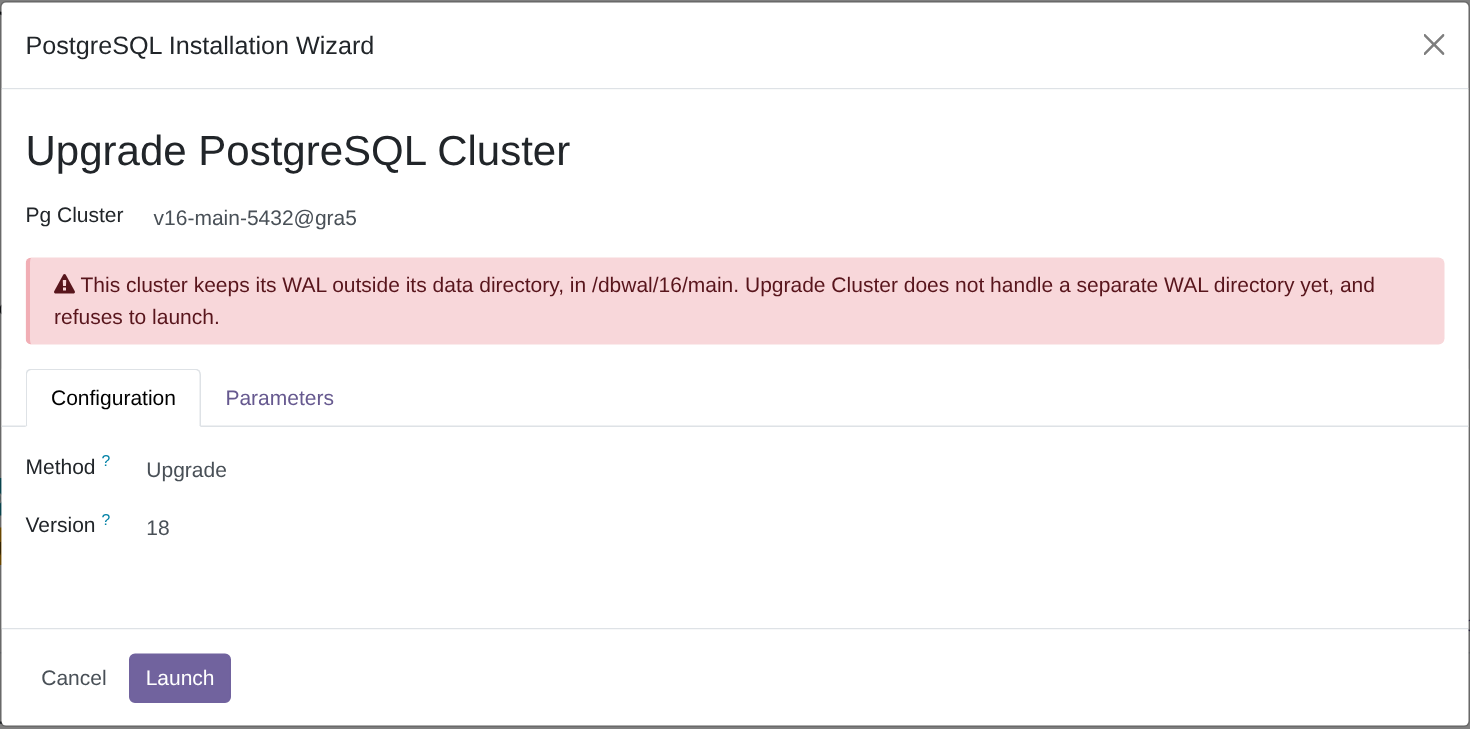
Click Launch. The upgrade runs in the background: follow it in the Muppy / Qs / Messages menu. It ends in error unless the upgraded cluster exists at the requested path.
The old cluster stays on the Host, stopped, on another port. Drop it once the upgraded cluster is checked.
Systemd unit
A cluster's systemd unit becomes available once you create a wrapper for it: on the Configuration tab, click Create Systemd Unit Wrapper.