Viewing an RCS
The RCS form shows the set's status, its member clusters and their replication statistics, and lets you restructure it.
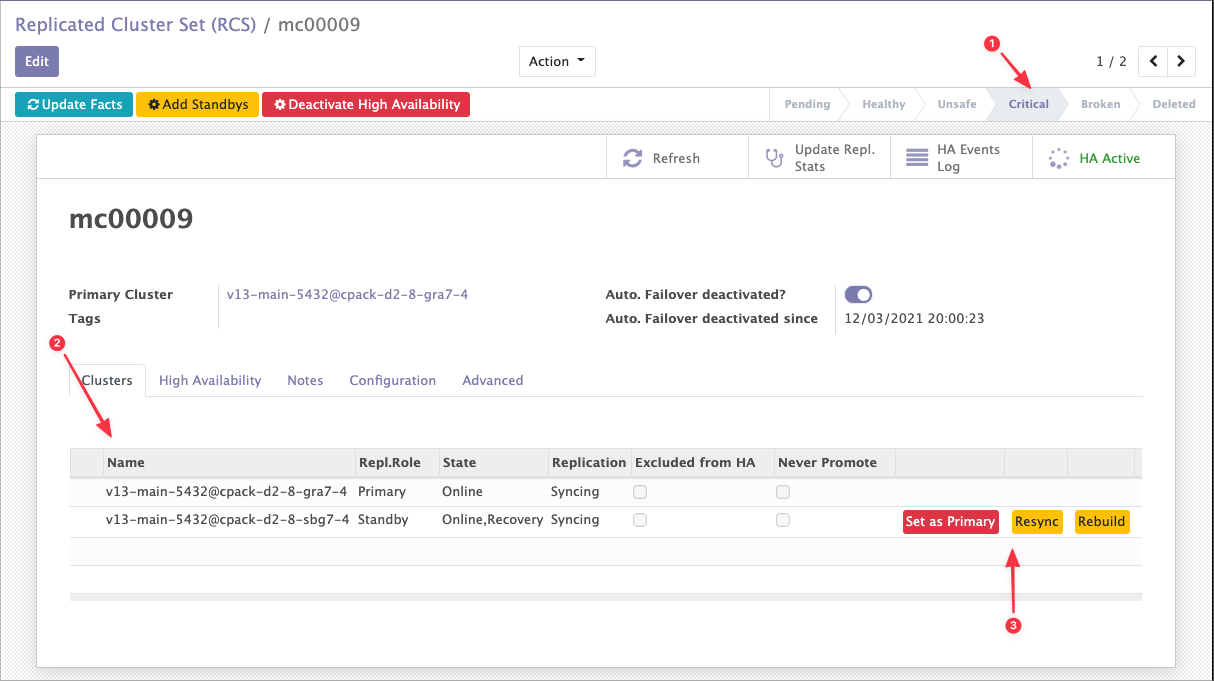
RCS status
The status is recomputed each time you click Update Facts.
| Status | Meaning |
|---|---|
| Draft | The state of the primary, or of at least one standby, is not yet known. Typically an RCS still being set up. |
| Healthy | The primary is running, and every standby is running. There is at least one standby. |
| Degraded | The primary is running. At least one standby is running, and at least one has failed. |
| Critical | The primary is running, but no standby is. Either they have all failed, or there are none. |
| Broken | The primary is not running. |
Read them as a ladder: Healthy means full redundancy, Degraded means you have lost some of it, Critical means you have none left, Broken means the service itself is down.
Critical also covers a primary-only RCS
An RCS created with Create RCS with no Standby reports Critical, not Healthy — it has no redundancy. That is correct, not a fault.
Clusters and replication statistics
The Clusters tab lists the members, their role in the RCS, and opens each one's replication statistics.
Restructuring
The same tab is where you add, remove, rebuild and promote standbys. See Restructuring.