Backup Retention
Two different things get purged, by two different mechanisms:
- the
pg_dumparchives in S3 — your recovery points, purged on a schedule you configure; - the
.pg_dumpwork files left on the PostgreSQL server — temporary, purged automatically.
Purging backups from S3
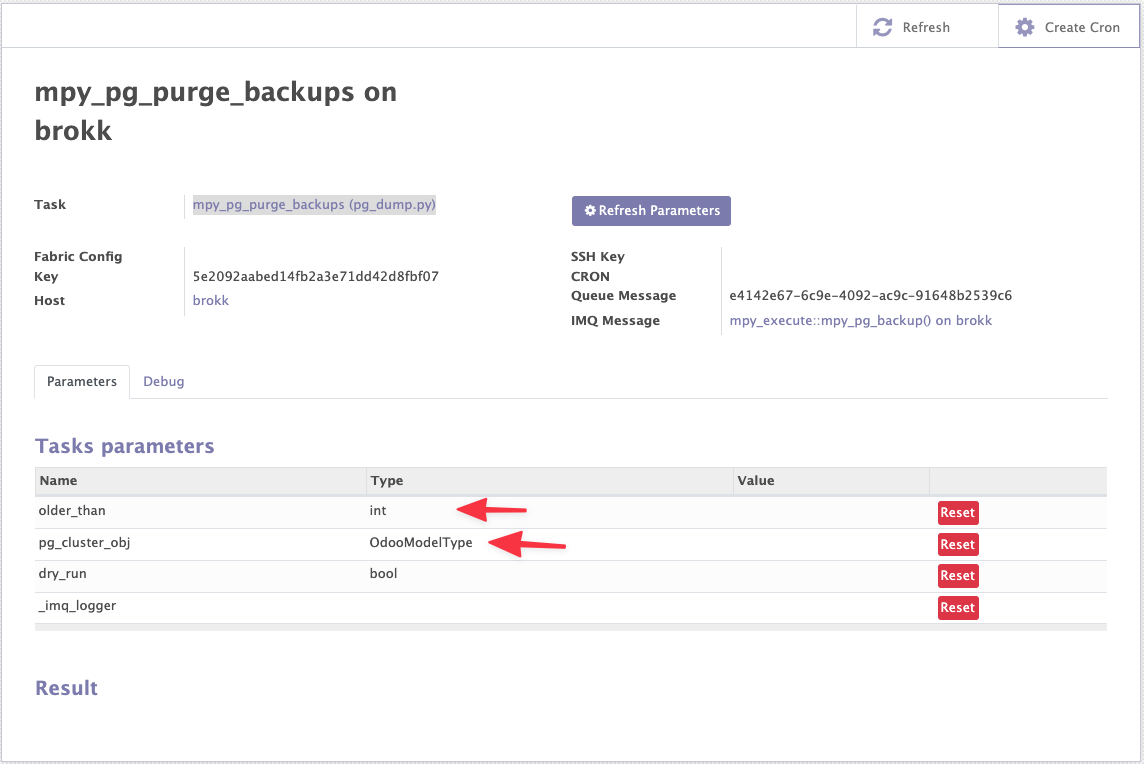
The Task mpy_pg_purge_backups (pg_dump.py) deletes the Database Backups (pg_dumps)
of a cluster's databases beyond a given age.
| Parameter | Description |
|---|---|
older_than |
Age in days above which a pg_dump is deleted. |
pg_cluster_obj |
Restrict the purge to one cluster. Omit it to purge every cluster on the Host. |
dry_run |
List what would be deleted, delete nothing. |
Run it once from a Task Run, or schedule it the same way as a scheduled backup.
Tip
Run it with dry_run first. The Task reports the list of pg_dumps a real run would delete.
Danger
pg_dumps flagged Never Delete are never removed by the purge.
Purging work files on the server
Taking a backup writes a .pg_dump file on the PostgreSQL server before uploading it to S3.
The file is normally removed once the upload succeeds — but it is deliberately kept when the
upload fails, so the backup is not lost with it.
A daily cron, Muppy - Purge old pg_dumps, cleans these up. It runs across every managed Host
that carries at least one PostgreSQL cluster, and deletes .pg_dump files older than 48
hours from:
/var/tmp/muppy_pg_dumps- each cluster's pg_dump 'tmp' Folder
Change the threshold with the system parameter mpy.pg_dumps_purge_after_hours.
Unreachable hosts are skipped, flagged unreachable, and picked up on the next run — they do not fail the cron.