WAL-G Configuration
Info
WAL-G works on a standalone cluster or on a cluster inside an RCS. In an RCS it can sit on the primary or on a standby — either is fine.
Everything is configured on the form of the cluster that will perform the backups, on its Backup / WAL-G tab. Reach it from Muppy / Databases / PostgreSQL / Database Clusters.
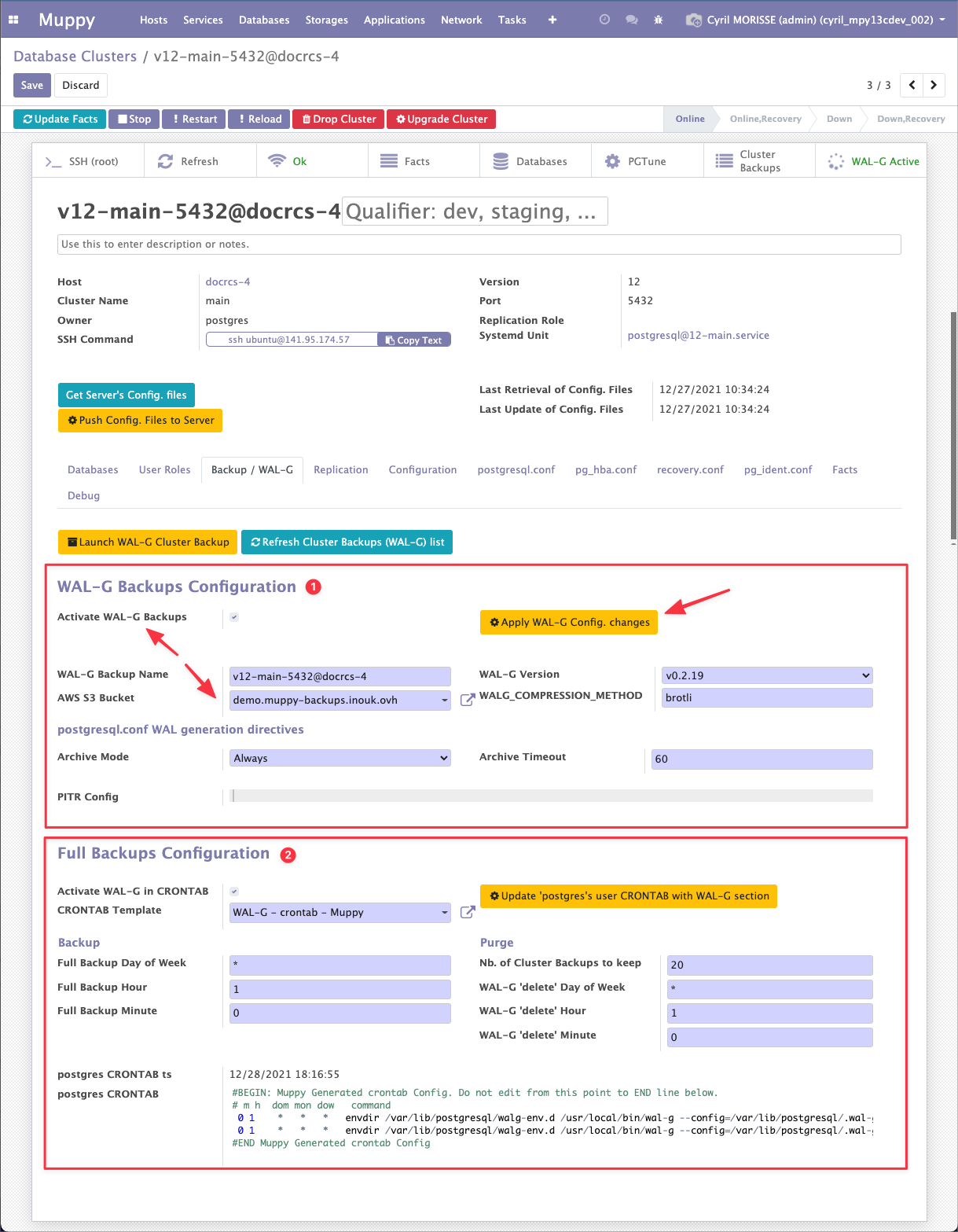
The tab holds two groups: WAL-G Backups Configuration and Full Backups Configuration.
WAL-G Backups Configuration
This group configures the per-minute WAL Segment backups.
Success
The fields become editable only once Activate WAL-G Backups is ticked.
Two fields you must set:
- Activate WAL-G Backups — when ticked, WAL-G is installed the next time you apply the configuration. When unticked, it is disabled.
- AWS S3 Bucket — where every WAL-G artifact is stored.
Host requirements
Muppy installs the WAL-G binary matching the host's Ubuntu release and architecture, and verifies its checksum. Binaries exist for Ubuntu 20.04 and newer, amd64 and aarch64.
The rest can be experimented with, but the defaults are the recommendation.
WAL generation directives
Advanced options that control how PostgreSQL produces WAL. You should not need to change them.
| Field | Note |
|---|---|
| Archive Mode | Always lets PITR run on any cluster — primary, standby or standalone. |
| Archive Timeout | Keep the default. |
| PITR Config | Directives injected into recovery.conf or postgresql.conf, depending on the PostgreSQL version. |
Info
All three carry detailed inline help.
Your own directives win
These options are injected into postgresql.conf in a block placed before the general
configuration from the cluster's postgresql.conf tab. Anything you set there overrides
them.
Applying the configuration
Click Apply WAL-G Config. changes to enable or disable WAL-G.
Warning
Applying the configuration rewrites PostgreSQL's configuration files and restarts the cluster.
Full Backups Configuration
Covered on its own page: Launching Backups.