PITR Monitoring
When PITR is running, WAL-G produces two things in the S3 bucket:
- Cluster Backups (WAL-G), at the frequency you configured
- WAL Segments, every minute
Monitoring PITR means checking both are actually being produced.
Checking the Cluster Backups
Success
If your backups run from the server's crontab, you must schedule a Task to refresh the Cluster Backups list — see Refreshing the list. Without it, an empty list means nothing.
Four places to look:
Notifications
Search your Teams or Slack notifications around the expected start and end times. You should find the start, end or error notification for the backup or list-refresh Task.
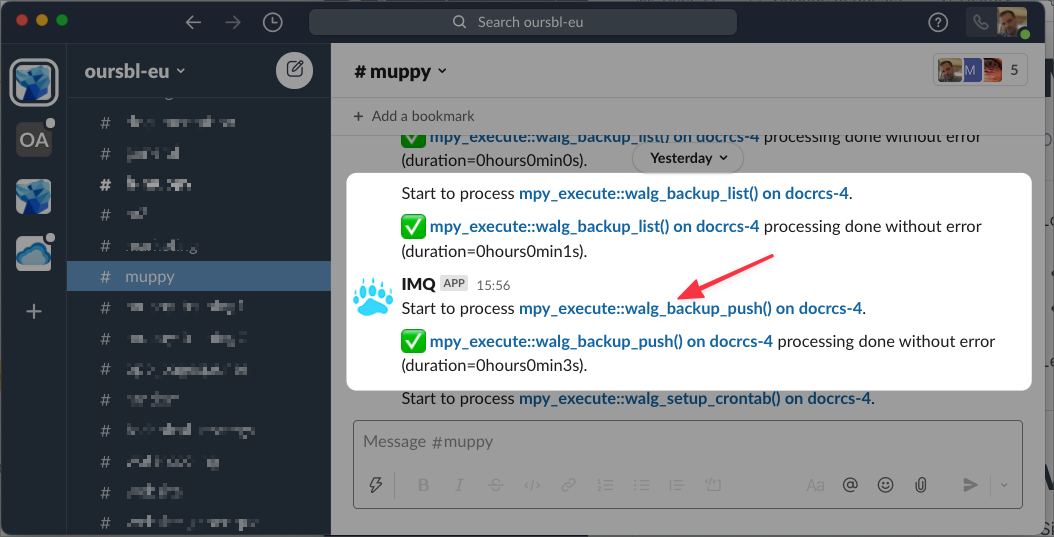
Click the message name to open the IMQ message in Muppy.
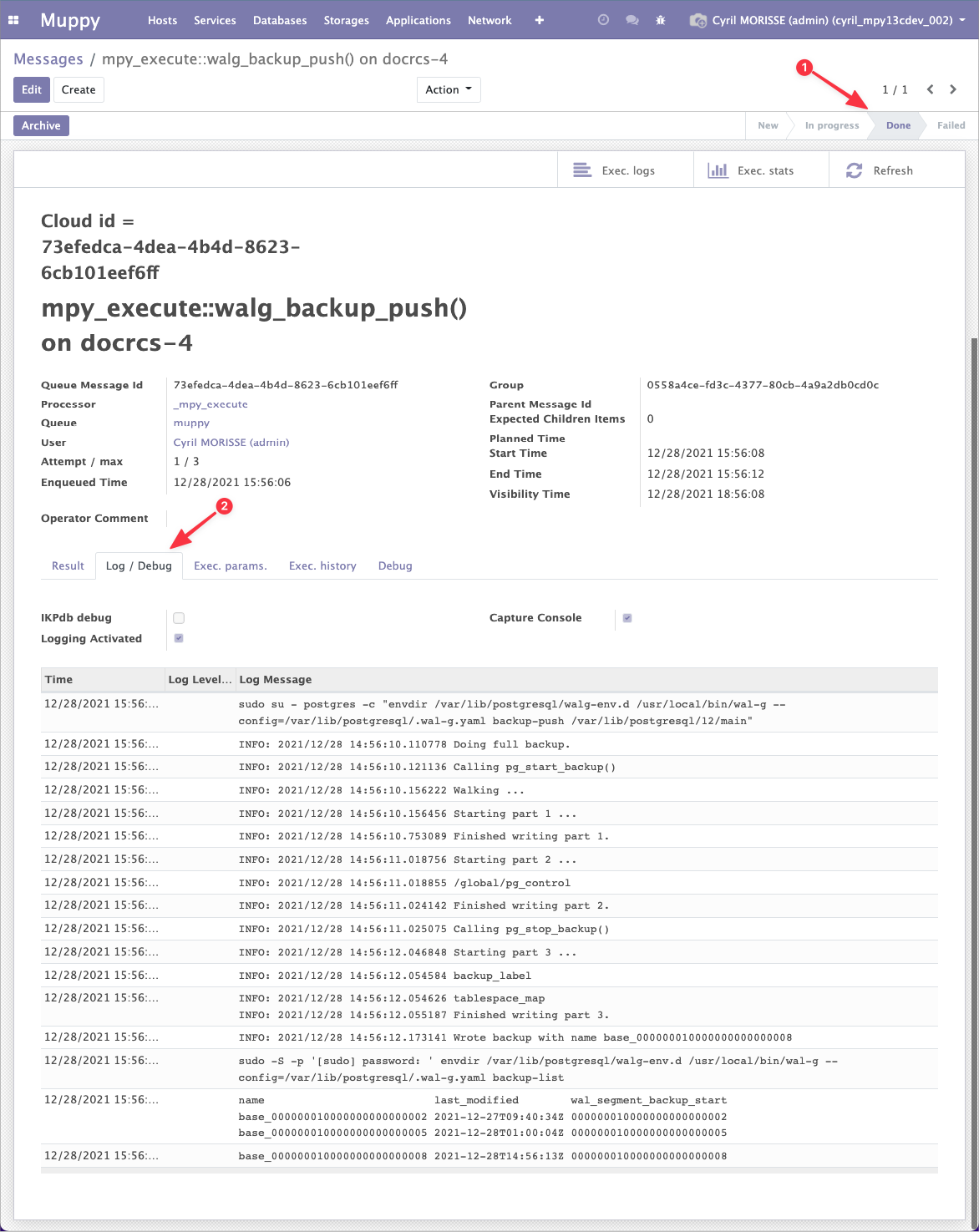
IMQ message
The message form gives you its status and its logs.
Cluster Backup record
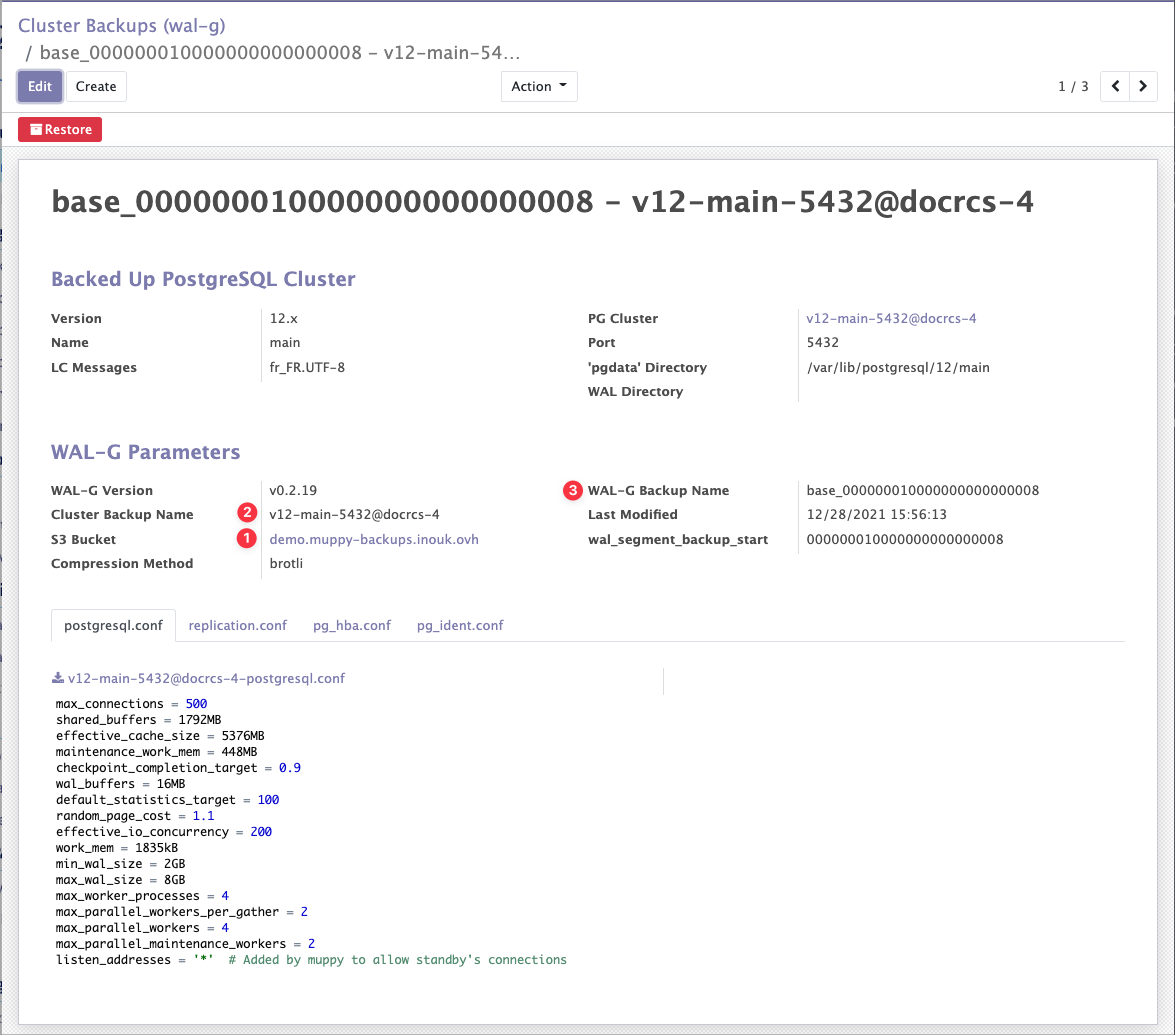
On success, Muppy creates a Cluster Backup (WAL-G) record. Find it in the list.
Three fields on it let you locate the actual files in S3:
- the S3 bucket used
- the WAL-G Backup Name of the cluster
- the name of this particular backup
Files in S3
WAL-G writes into the bucket set in the WAL-G configuration. S3 Objects explains how to find them.
Checking the WAL Segments
The per-minute WAL files are not represented in Muppy. To verify them, check the PostgreSQL log and the S3 bucket.
PostgreSQL cluster log
- Open the Database Cluster form.
- Copy Log File from its Configuration tab.
- Open an SSH session on the Host — use the SSH (root) button, or the SSH command in the cluster header.
- Tail the log:
tail -n 50 -f {{ Log File value }}
For example:
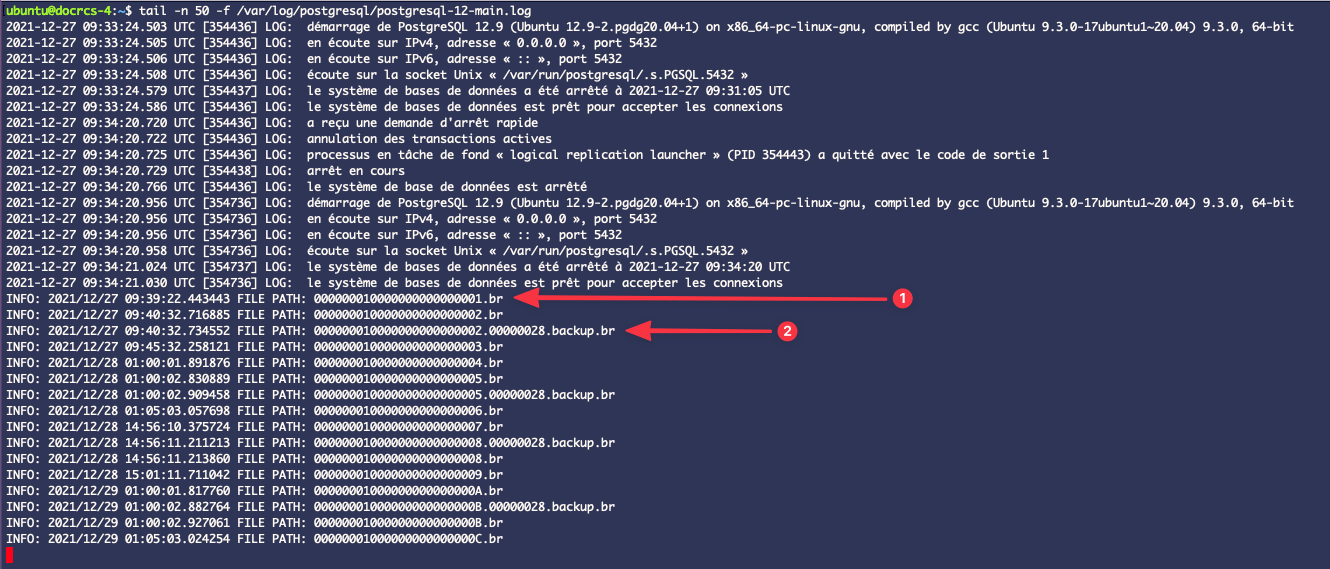
tail -n 50 -f /var/log/postgresql/postgresql-12-main.log
You should see lines for WAL Segments being generated and shipped to S3, and lines for the cluster backups.
No WAL lines on an idle cluster
An active cluster produces a WAL line every minute. A quiet one produces none — which looks exactly like a broken setup. Force a change to tell them apart:
CREATE DATABASE force_wal_flush;
A WAL file should appear in the log within the minute.
WAL files in S3
Same bucket as above. See S3 Objects.