Asynchronous Task Execution (Launch as Job)
As a general rule, Muppy executes asynchronously — via a Jobs system — all Tasks whose expected execution time exceeds a few seconds.
The asynchronous execution of a Task is triggered by sending a message into a Queue (Muppy uses the IMQ queue). The messages are then consumed by Workers that perform the processing defined by the Tasks.
The messages are accessible via:
- the IMQ Message field of the Task Run form view
- the Muppy / Qs / Messages menu
The form view of a Message gives access to all the information relating to the processing — and therefore to the execution — of a Task:
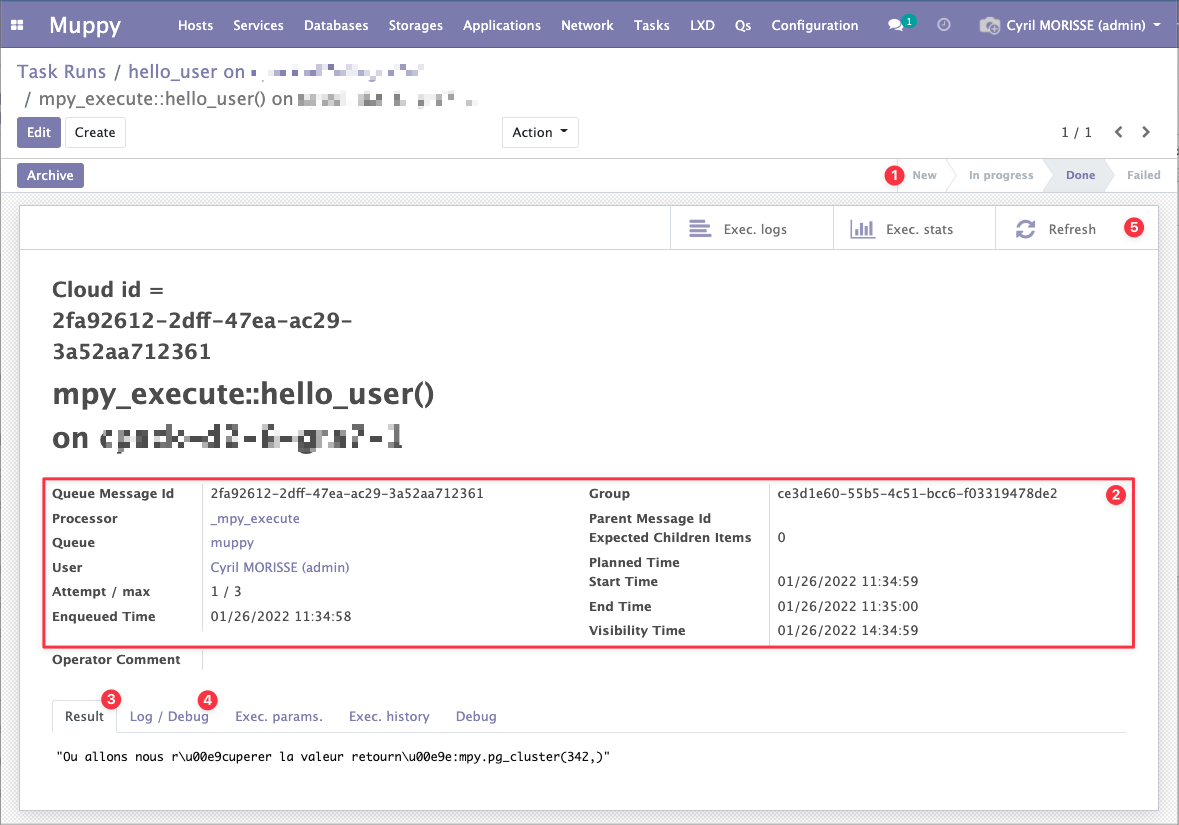
- The processing status of the Message / Task.
- The technical information relating to the processing and its timing.
- The value returned by the Task.
- The log of commands executed by the Task and the execution logs.
- The Refresh button refreshes the Task information while it is running (In Progress).
Success
Remember to use the Refresh button to refresh the information of a message that is being processed (with status In Progress).
How a message ends
A message ends in one of three outcomes. When the processor of its task is set to notify (the Notify options of the processor), a notification tells the person who launched the task which one:
| Outcome | Message state | Notification |
|---|---|---|
| The task did all its work | Done | Processing done without error, with its duration |
| Finished with failures: the task ran to the end, but one or more of its steps failed | Failed | Finished with failures, with the task's own text: what is in place, what failed, and what to do. A long text is cut, with a pointer to the message |
| Stopped: an error interrupted the task | Failed | Processing failed, with the kind of error only. The details are in the message's log |
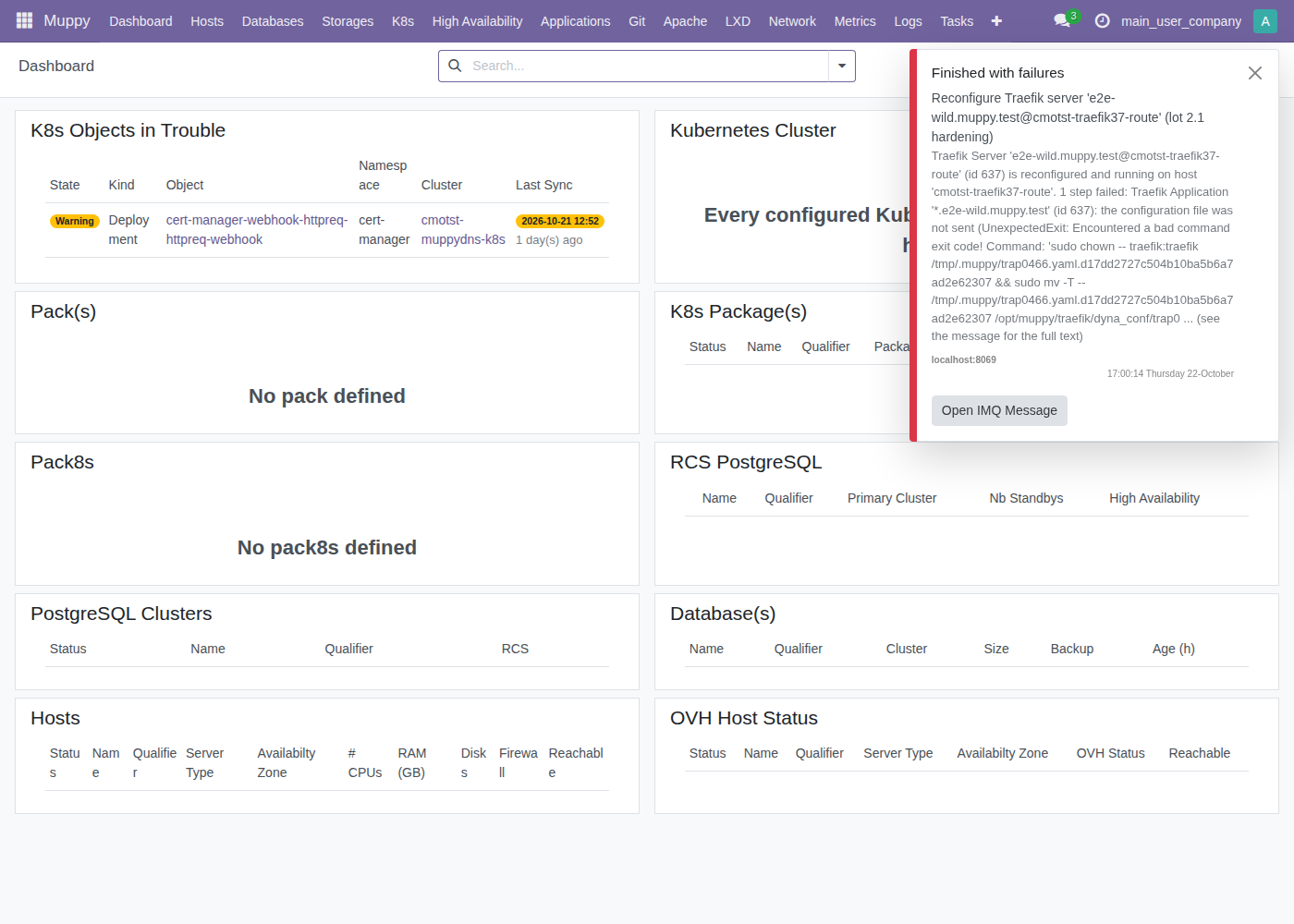
A task that finished with failures has done what it could: what it did before and around the failure is in place. Fix the cause the notification names, then launch the task again. The Open IMQ Message button opens the message, whose Result holds every failed step.
An agent driving Muppy through the MCP reads the same outcome from get_task_status on imq.message: a Failed
message carries outcome — finished_with_failures or stopped — and, for the first, failure_message, the task's
text.