Certification and Production
Going to production with encryption is not a leap of faith, and it does not rest on keeping the plaintext around. Two things carry it:
- The sweep verifies every value before it clears its column. Encrypt secrets still in clear encrypts a value, reads the ciphertext back from the vault, decrypts it and compares it with the plaintext in hand — and only then clears the column. A value that does not survive the round trip keeps its column, is served from it exactly as before, and is journalled as a divergence with an alarm to the keyring administrators. A value whose ciphertext cannot be opened at all is left untouched and counted apart, as the loss the self-test reports. Nothing is cleared that was not verified.
- The undo is the backup you take just before the sweep. Restore it elsewhere and every secret is back in its column. It is the last item on the sweep wizard's list of preconditions, and the one to keep.
For whoever ships a release or declares a new family of secrets — Inouk on a release, a partner addon declaring a field, an addon set never exercised before — Muppy Vault also ships a certification mode: a period during which everything runs encrypted for real while the plaintext stays in place as a witness, every read compares the two, and an export/compare toolset proves value by value that nothing was lost. It is an instrument for certifying a family of secrets against real data, not the state in which a production database runs: while it is on, a dump or a backup of the database still contains every secret in clear.
The certification mode
Turn it on in Settings ▸ Muppy Vault ▸ Certification mode (Certification mode — the plaintext stays as a witness). While it is on:
- Writes go to both places. Every secret written is encrypted into the vault and kept in clear in its original column, identical.
- Reads are served from the vault, and audited. Every read serves the decrypted value — the production code path, exercised for real — and compares it against the plaintext copy behind the scenes.
- A divergence is an alarm, not a loss. If the two ever differ, Muppy serves the plaintext (your reference), records the divergence in a journal, and notifies the keyring administrators with a link to the evidence. The user who happened to trigger the read is not bothered — a divergence is the operator's business.
- The sweep keeps the columns. Running Encrypt secrets still in clear under certification encrypts and verifies everything without clearing the columns. Turn the mode off and run it again: the same verification runs on every value, and the columns are cleared this time.
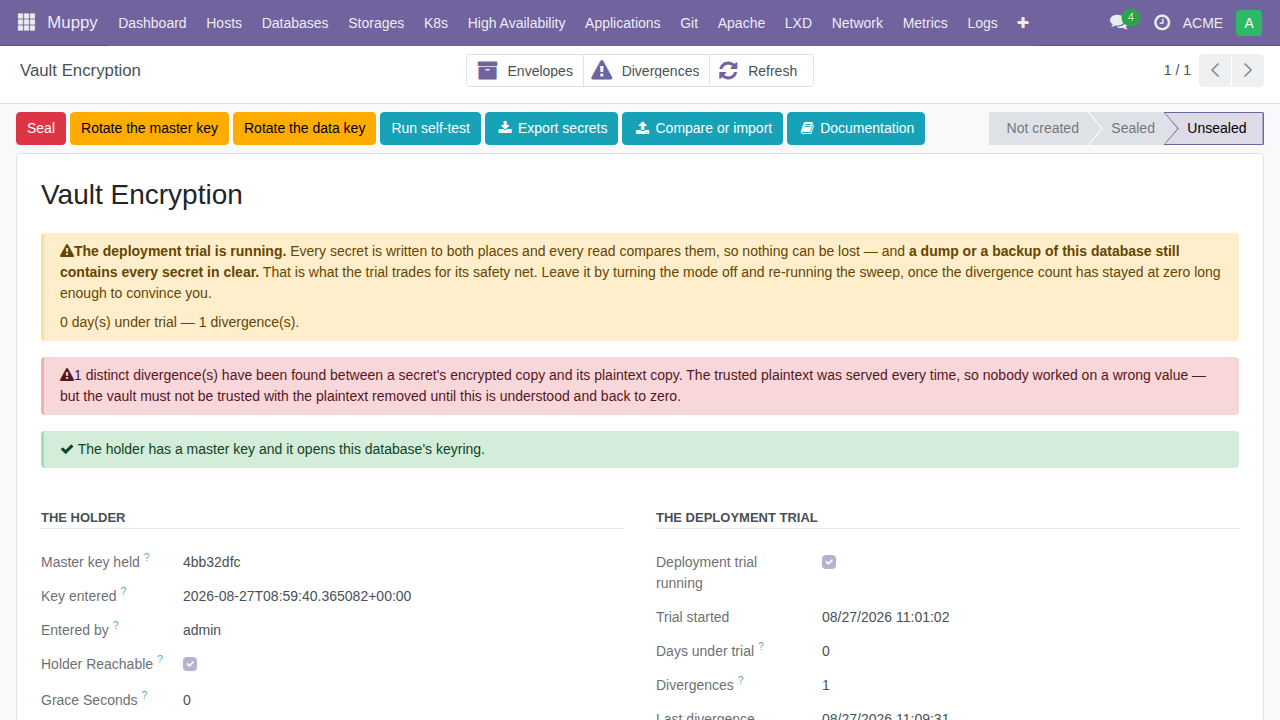
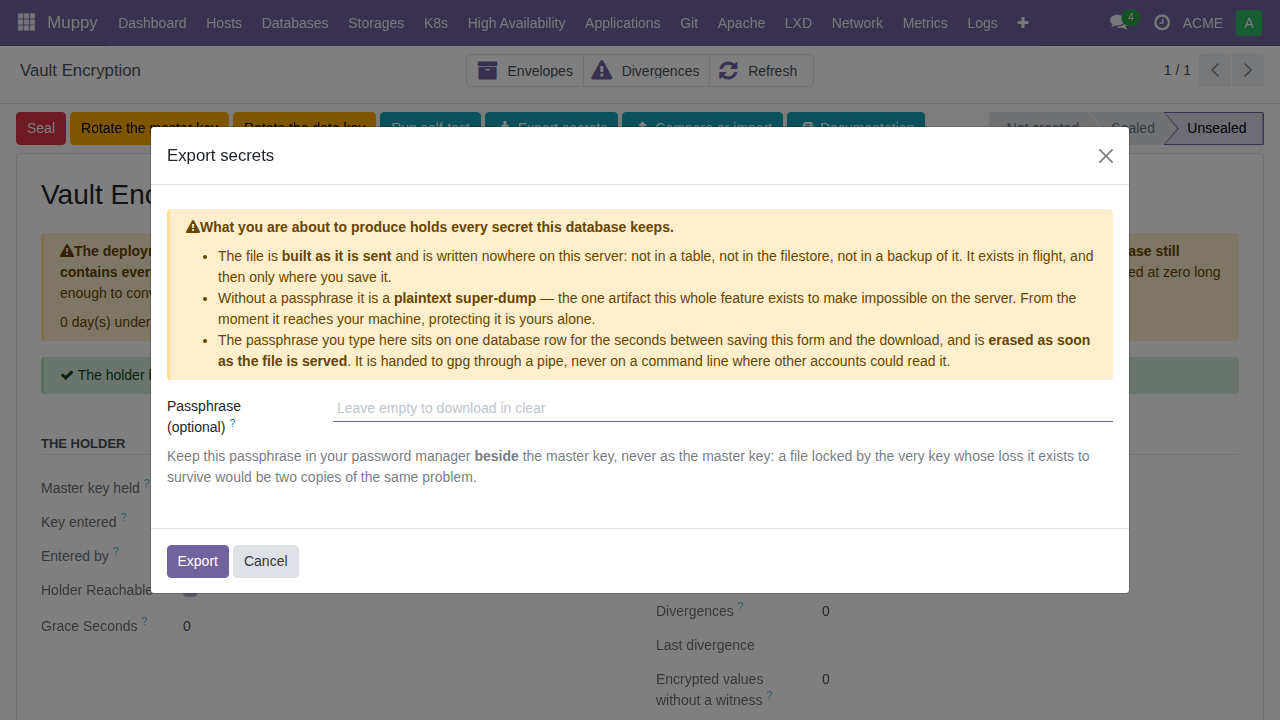
The Encryption screen shows the certification's numbers: days under certification, divergence count, last divergence, and how much of the corpus is audited. Zero divergences is the exit criterion — and its weight grows with time: zero after two days means little; zero after six weeks of real use means what certification is for.
The export file
Certification rests on a plaintext export of every declared secret — taken through the same fields the application itself reads, which is exactly what makes it meaningful (see Compare below).
On Vault ▸ Encryption, the Export button opens the ceremony. Three things to know, and the screen says them too, unsoftened:
Read before exporting
- Without a passphrase, the file is a plaintext super-dump of every credential Muppy holds. It exists solely between your hands.
- The file is never stored on the server — it is generated in memory at the moment of download and Muppy keeps no copy, only the fact that an export was produced, by whom, and when.
- If you set a passphrase, the file is GPG-encrypted with it. Keep the passphrase in your password manager beside the master key — it is a different secret. (The passphrase is your own choice; it is never the master key.)
Exporting is gated by an identity check and traced in the chatter. A sealed vault refuses to export — but a database where encryption was never activated exports fine: that is precisely how the "before" reference file is taken.
Compare and Import
Two buttons consume an export file. Both work from the same report of four counters:
    X updated       (values that differ file -> vault)
    Y new           (in the file, absent from the vault)
    Z vault only    (in the vault, absent from the file)
    S skipped       (records that no longer exist)
Compare writes nothing. It reads the live vault through the ORM fields and tells you
how it differs from the file. 0 updated on a file taken before encryption is the
certification verdict: two independent code paths — the plain columns then, the
store-and-decrypt path now — agreeing value by value.
Import writes the file's values back through the normal fields (so whatever mode the vault is in applies untouched). It never deletes: a secret present in the vault and absent from the file is reported, not removed — a file is a snapshot, and removal has no undo. Under certification it also rewrites identical values that have no plaintext witness, so a database swept before the mode was turned on joins the audited corpus.
Both refuse a file taken from another database (record identifiers mean something else there), and both refuse to run sealed.
The exit protocol
The Encryption screen carries an Exit protocol tab: four steps, each showing whether it is done and, if not, why it is blocked — in a sentence, not a status code.
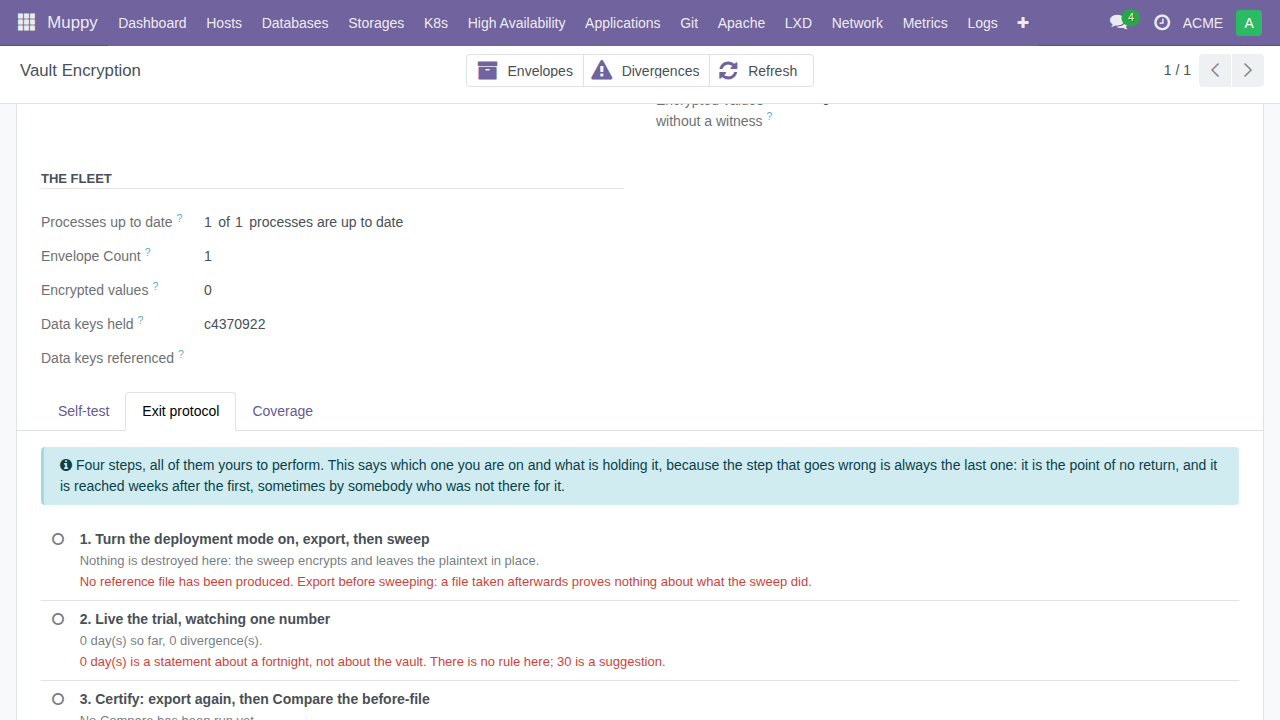
Step 1 — Turn the mode on, export, then sweep
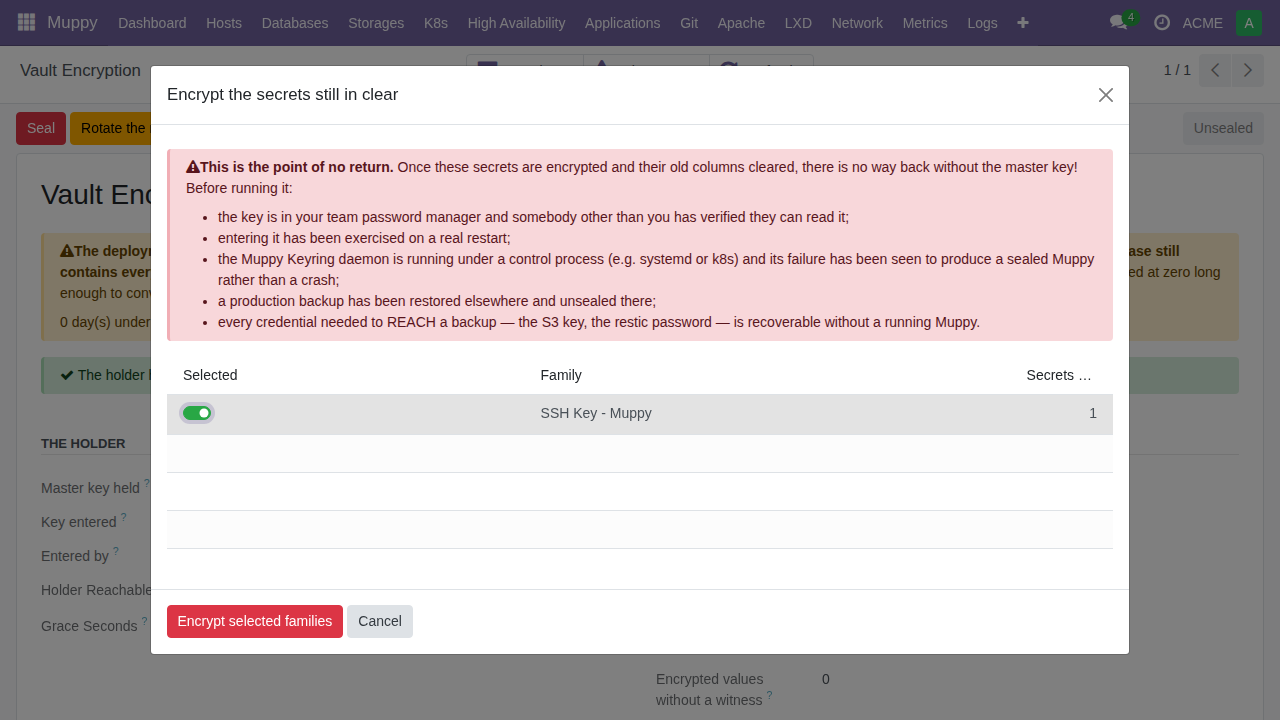
In that order. The mode first, or the sweep clears the plaintext it is meant to keep as your witness. The export second, because a reference file taken after the sweep proves nothing about what the encryption did. Then click Encrypt secrets still in clear: everything encrypts and is verified, columns stay.
Step 2 — Live under certification and monitor divergences
Run Muppy normally, for weeks. The number to watch is the divergence count, and it must stay at zero. The screen suggests 30 days and says openly that this is advice, not a rule — zero divergences over a fortnight is a statement about a fortnight.
If divergences appear: stop and understand them. This is certification doing exactly what it exists for, and stopping costs nothing.
Step 3 — Compare
Open Compare or import secrets, upload the file you exported at step 1 — the values
as they were before encryption — and press Compare. 0 updated means every
secret crossed the vault unchanged: two independent code paths, the plain columns then
and the store-and-decrypt path now, agreeing value by value. Only Compare stamps the
verdict — an import that wrote its way to agreement would have certified nothing; it
would have modified what was being certified.
If you also want a reference file taken after certification for your records, run Export secrets again afterwards — that is a separate gesture, not part of the verdict.
Step 4 — Choose: commit or roll back
Commit — turn the mode off, then run Encrypt secrets still in clear once more. Every value is verified again on the way out, and the plaintext columns are cleared. This is the point of no return: from here, only the master key opens anything — which is precisely the protection you came for. Guard the key as what it now is: the only way in (Troubleshooting).
Rollback — the Rollback the certification button in the tab: it removes the vault's copies (the envelopes and the encrypted rows) and turns the mode off. Your plaintext columns are intact: the certification cost nothing, which is the promise it was built on.
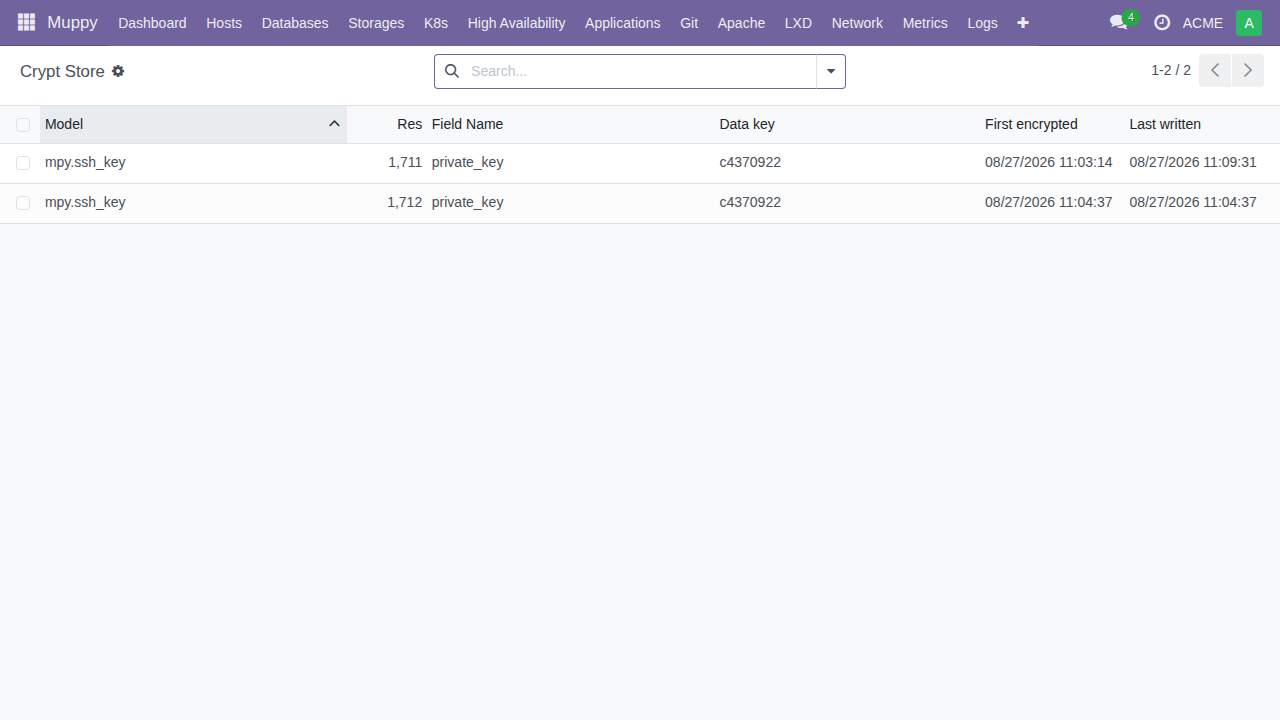
For the operator's eyes: the crypt store
Keyring administrators have a read-only debug window on the underlying ciphertext table (Vault ▸ Muppy Keyring), with search and filters — one row per encrypted value, showing which data key encrypts it. You will normally never need it; it exists so that when you do ask "what exactly is in the vault right now", the answer is a list view, not a support ticket.