Database Backups (pg_dump)
Every database backup produces a Database Backups (pg_dump) record, listed under Muppy / Databases / PostgreSQL in the menu of the same name.
It holds everything about how the backup went — the dump itself and the S3 transfer — and everything needed to restore it.
Fields
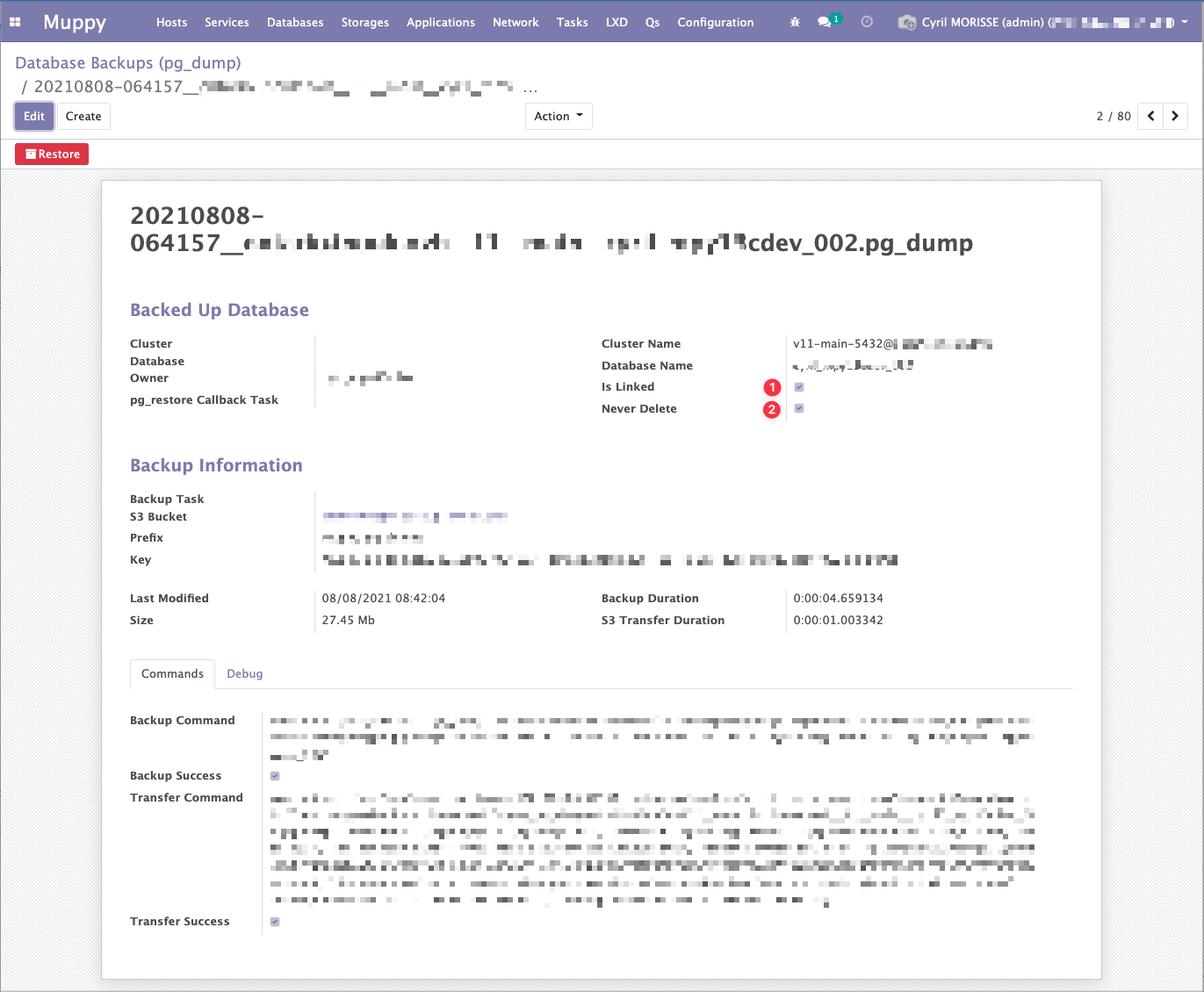
Most fields are documented by their own inline help. Two deserve more:
Is Linked — the Muppy pg_dump record is bound to its S3 object. This is the default, and
it means deleting the Muppy record also deletes the S3 object. Unlink it and deleting the record
leaves the S3 object untouched.
Never Delete — off by default. When on, the record cannot be deleted: neither the Delete menu action nor the retention purge affects it.
Downloading a backup
Generate download URL, in the form header, issues a time-limited presigned URL for the S3 object. Use it to pull a dump outside Muppy without handing out bucket credentials.
Indexing the pg_dumps already in a bucket
Muppy stores most of the information needed to restore a dump in the S3 object's metadata, not only in its own database. So one Muppy server can adopt the backups produced by another, as long as both reach the same bucket.
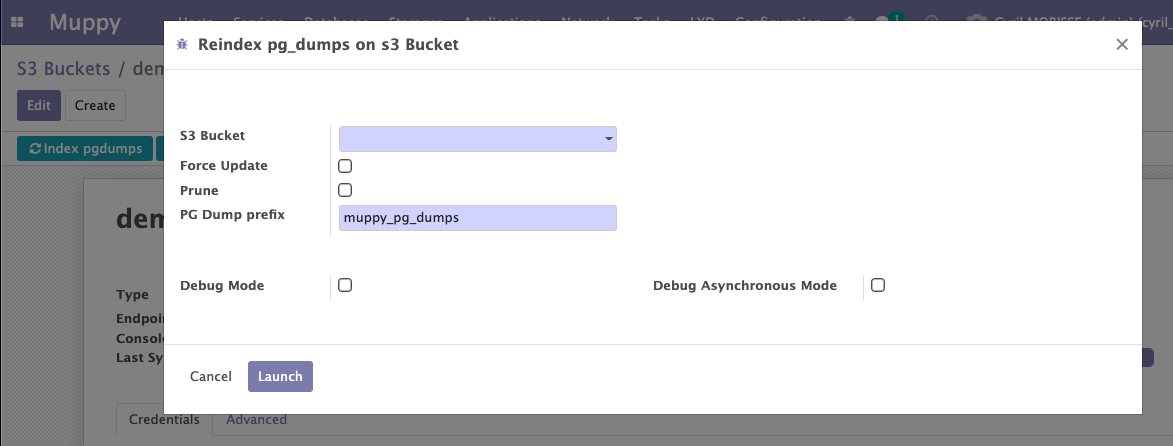
On the S3 Bucket form, click Reindex pg_dumps. The wizard runs a Task that scans the bucket
and creates a pg_dump record for every archive it finds.